Red Carpet Portrait
AI photo template · from 1 photo
You in an evening gown, under a wall of paparazzi flashes.
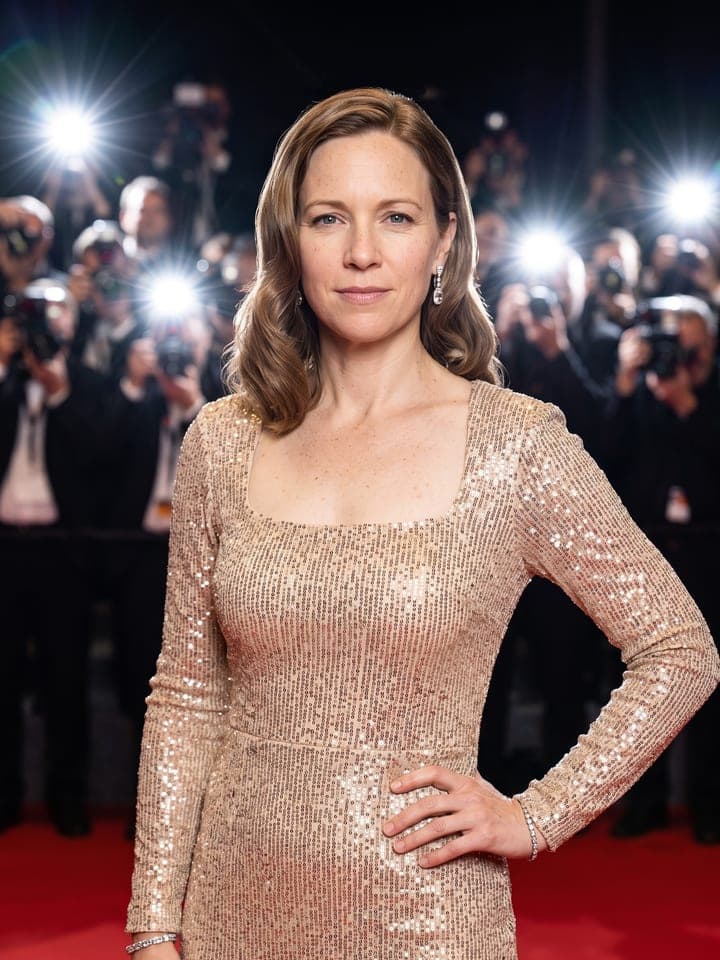
Example result. Yours is made from your own photo.
Your red carpet moment from one selfie: you in a couture evening gown at a premiere, posing as dozens of paparazzi flashes fire from behind the velvet ropes, or on an awards stage holding a gold statuette while the whole hall applauds. Pick the gown: black velvet with a crystal neckline, champagne sequins, one-shoulder emerald satin or ruby red with a sculptural bow. Your face, skin tone and figure stay yours, and there are no logos or famous faces in the frame.
1 photo
per result
Shapes: 9:16 · 3:4 · 4:5 · 1:1 · 4:3 · 16:9. Example shown in 3:4. How photos are counted
How to make a red carpet photo of yourself with AI
For a red carpet AI photo of yourself, upload one selfie to Red Carpet Portrait and pick a scene and one of four gowns: 1 photo per portrait on the Free plan, and a new account starts with 3 free photos. You get a photoreal portrait in a floor-length couture gown, posing under paparazzi flashes at a night premiere or holding a gold award on a stage while the hall applauds.
- Upload a selfie of just you with your face evenly lit. Head and shoulders are enough; the gown and the scene are built around it.
- Choose the Scene, Paparazzi wall (preselected) or Award stage, and the Gown: Black velvet, Champagne sequins, Emerald satin or Ruby red.
- Generate the portrait (1 photo). Before posting it, zoom into the eyes and hands; the file waits in My creations.
What stays the same and what does the template change?
Your face, skin tone, eye color, glasses, age and build stay as in the selfie; clothes, styling, makeup, setting and light change. Hair keeps its color, length and texture: loose straight or wavy hair becomes glossy Old Hollywood waves, curly and coily hair keeps its curl pattern, and pulled-back hair stays back in a sleek low bun or puff.
Two things are fixed for everyone. The lips are closed in a soft smile, even if you grin in your selfie: when the template copied the mouth from the photo, a toothy smile still showed up on a face with closed lips. And the frame stops at mid-thigh on the carpet and at the hips on the stage, so your face stays large and your shoes never show.
What can you use it for?
- A post for awards-season week or the night of a big premiere.
- Marking a real win at work or school with the gold statuette on stage.
- A glam set from one selfie, next to Glossy Magazine Cover and Black-and-White Portrait.
What does an example run look like?
- AI-generated sample input
 Result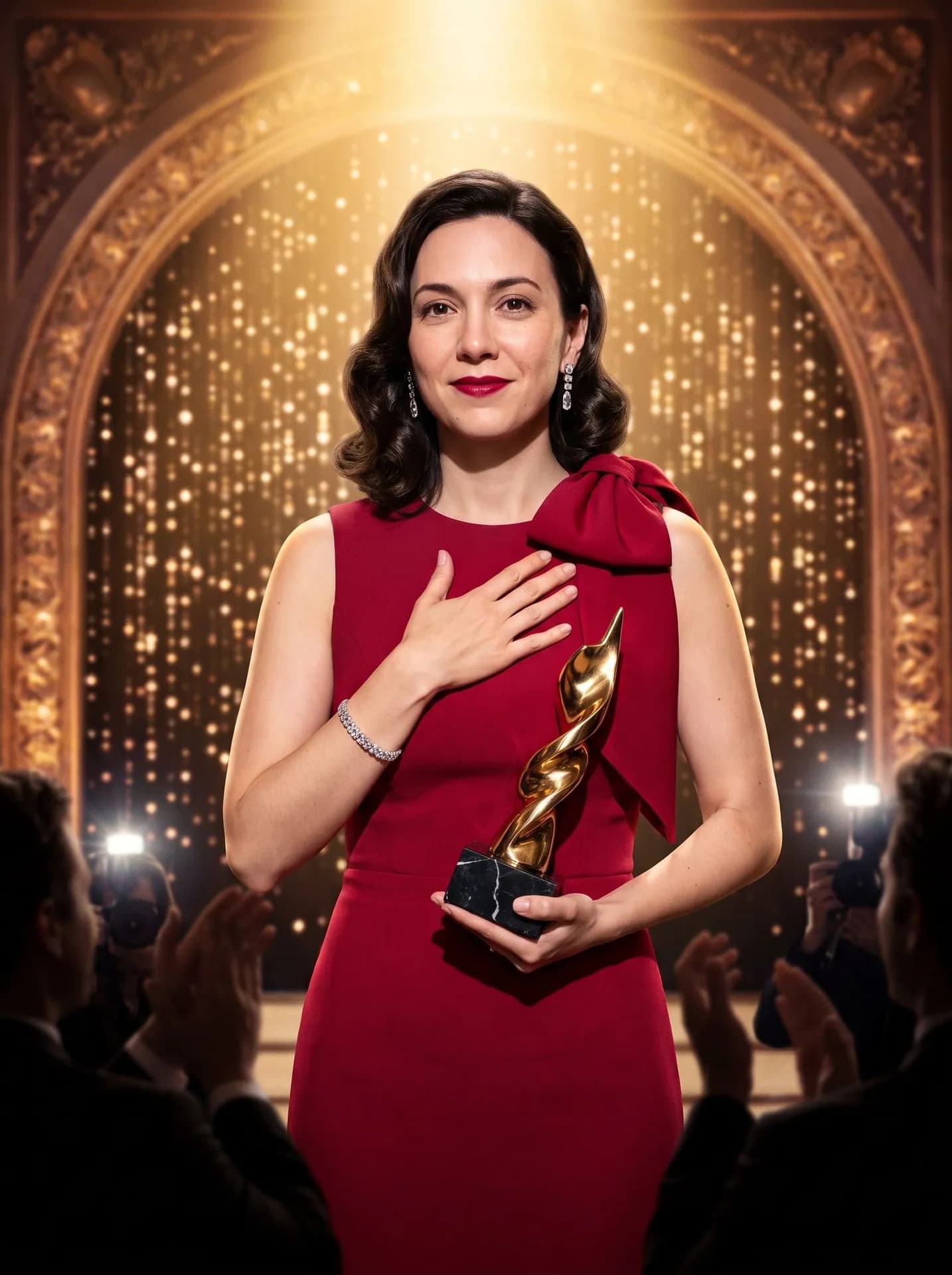
Award stage, Ruby red; made from the synthetic test photo on the left. The hall is only dark shapes along the bottom edge: backs of heads, clapping hands and two photographers with flashes. - AI-generated sample input
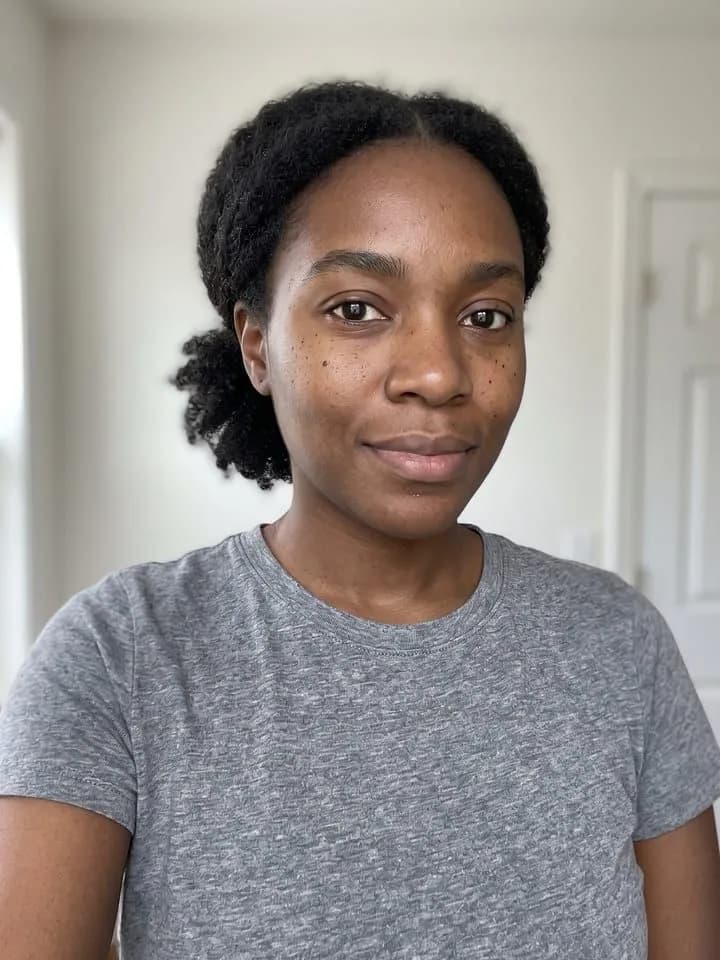 Result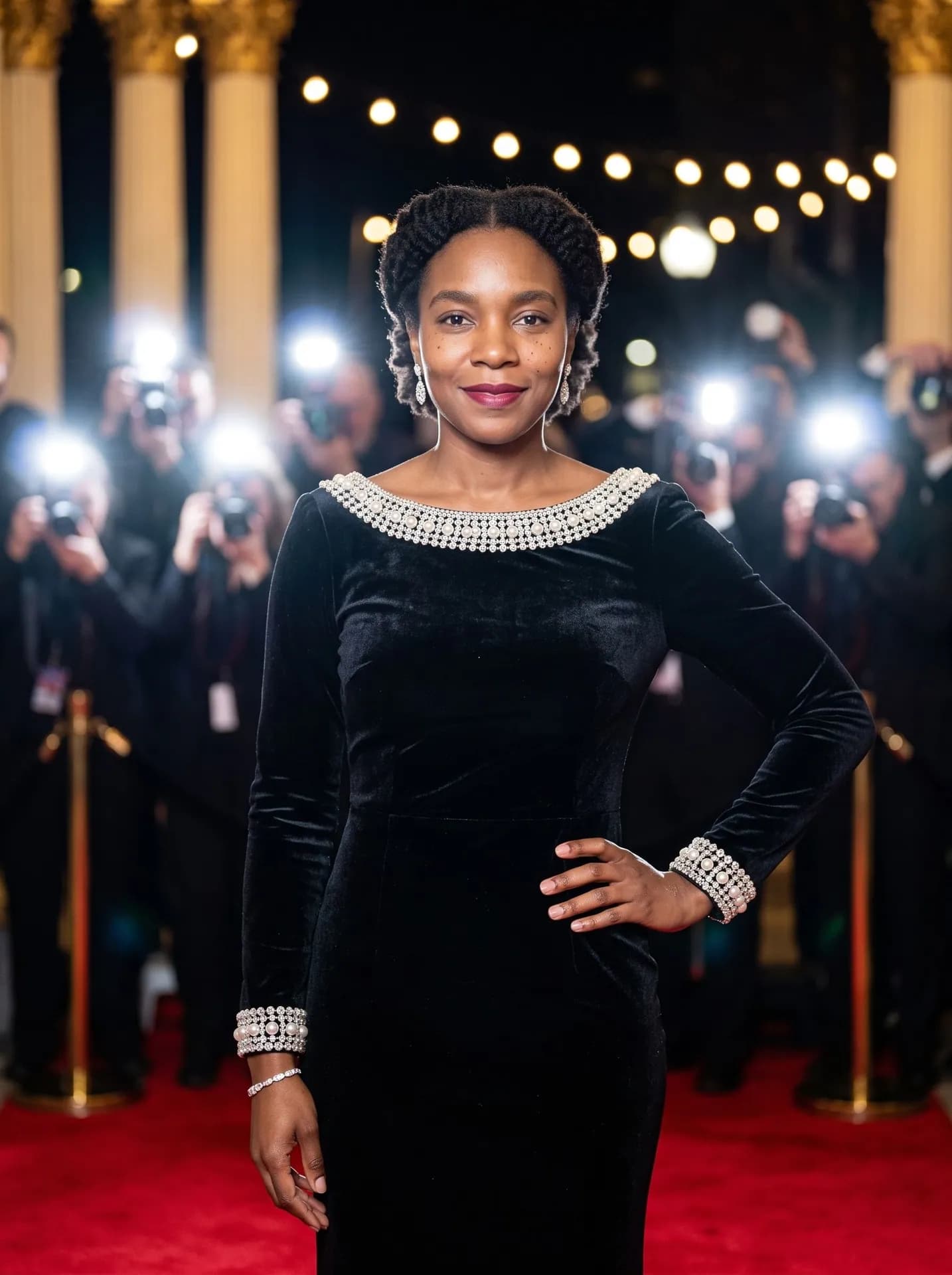
Paparazzi wall, Black velvet; made from the synthetic test photo on the left. Her pulled-back hair stayed back.
How do I choose the photo, the scene and the gown?
- Decide on your hair before the selfie. For waves, upload a photo with your hair down; a ponytail or bun stays pulled back, smoothed at the back of the head.
- Take glasses off for the selfie if you don't want them at the premiere: the template keeps them on.
- Pick the scene by your hands. On the paparazzi wall one hand rests on your hip; on the award stage you hold the statuette at chest height and press the other hand over your heart.
- Pick the gown by the detail you want in a cropped frame. In our runs, the crystal-and-pearl neckline of Black velvet and the shoulder bow of Ruby red read clearly; Champagne sequins have a high square neckline and long sleeves.
What goes wrong most often?
- Expecting a plunging neckline or a leg slit. All four gowns cover the chest, with no sheer panels, cut-outs or high slits.
- Uploading a photo with your partner in it. The portrait is built around one person and nobody else is sharp, so crop the selfie to just you first.
- Looking for a head-to-toe option. The crop is fixed.
What you need
Your selfie
Close-up, daylight, one face. No filters or sunglasses.
- You pick the scene
- Paparazzi wall, Award stage
- You pick the gown
- Black velvet, Champagne sequins, Emerald satin, Ruby red
Works well
- Your face close to the camera, looking straight in
- Daylight from a window in front of you
- Only you in the frame
Avoid
- Sunglasses, masks or hair over your eyes
- Beauty filters and heavy edits
- Dark rooms and photos taken from far away