Watercolor Doodle
AI photo template · from 1 photo
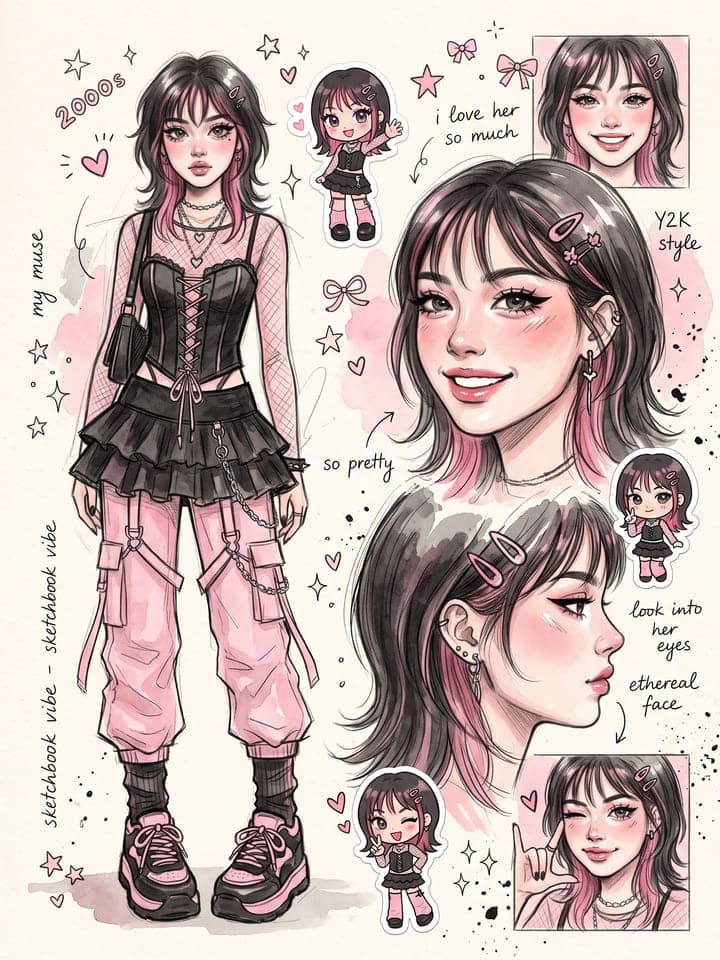
Your shot redrawn as a cute hand-drawn doodle with watercolor.
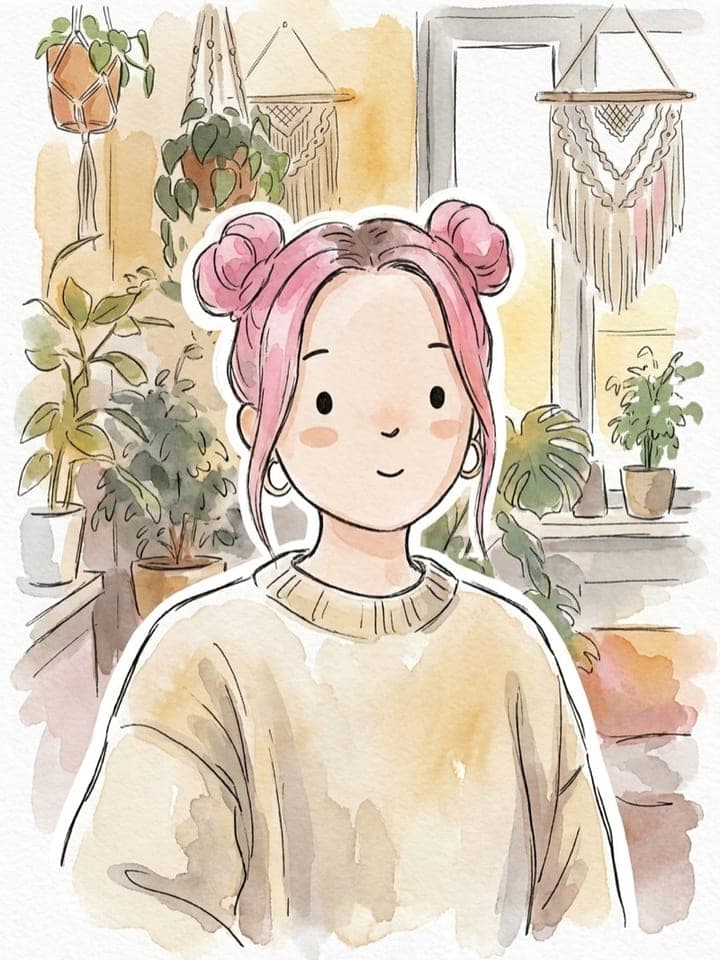
Example result. Yours is made from your own photo.
Your photo redrawn as a minimalist hand-drawn doodle with light watercolor: the same pose, clothes, key objects and background, a cute naive character with dot eyes and a sticker-like white outline. Lots of white paper and air.
1 photo
per result
Output: same shape as your photo. How photos are counted
How to turn a photo into a watercolor doodle with AI
For a watercolor portrait from a photo that looks like a sketchbook page, upload one picture to Watercolor Doodle: 1 photo per run on any plan, with the first 3 photos free. It redraws your shot as a cute hand-drawn doodle in brush-pen lines and light watercolor washes, keeping the same pose, clothes, key objects and background, with a thin white sticker outline around you. Expect a naive doodle rather than a realistic painted likeness.
- Choose a photo of one person in a place you want to remember, like a café table, a balcony with plants or a bench by the sea. The setting is kept, so it is half of the picture.
- Drop it into Your photo; one run costs 1 photo. You won't find a style setting, because the line, the palette and the sticker outline belong to the template.
- Save the doodle from My creations. When possible it keeps the proportions of your original, so a tall phone shot comes back tall; otherwise it is 3:4.
How is it different from a commissioned watercolor portrait?
A custom watercolor portrait from a photo is usually a commission, where an illustrator paints the face as a likeness. This template does the opposite. Your face becomes dot eyes, a tiny smile and a light blush, while the scene stays readable. The hairstyle, the outfit, the pose and the room or street you were in are what make the doodle yours.
The paint is deliberately loose. Ink outlines are slightly shaky, translucent washes in ochre, warm grey and muted tones run past the lines in places, and a lot of white paper is left bare. Photographic shadows, 3D shading, anime features and hard vector lines are all ruled out in the template's instructions.
What can you use it for?
- A trip or date photo turned into something closer to a travel-journal sketch.
- A soft profile picture where the outfit and the setting say more than the face.
- An illustration for a handmade card or a scrapbook page, made from a photo you already love.
Which photo makes the best doodle?
- Pick a shot where your hair and clothes stand out: a bright scarf, a hat, space buns, a striped sweater. With dot eyes on the face, these details are what make the doodle read as you.
- Keep the important objects few and large. The doodle keeps key objects with minimal detail, so a bike, a bouquet or a big plant survives better than a crowded shelf.
- Use a photo with just you in it. The upload hint asks for one person, and the template's instructions describe a single doodle character with one sticker outline, so a second person in the frame may come out less consistent.
What goes wrong most often?
- Expecting your face painted as a likeness. For sketches that keep your facial features recognizable, in pencil and watercolor, use Sketch Collage of You.
- Hoping for a date or a caption in the picture. Text is left out on purpose; add lettering in an editor afterwards.
- Using it to paint a place or an object you only describe. It redraws a photo you upload, so take a picture of the place or the object first.
What you need
Your photo
Face clearly visible, good light, one person.
Works well
- A sharp photo with the face clearly visible
- Good, even light
Avoid
- Blurry photos and heavily compressed screenshots
- Faces hidden by hands, hats or shadows