3D Pet Figurine
AI photo template · from a pet photo
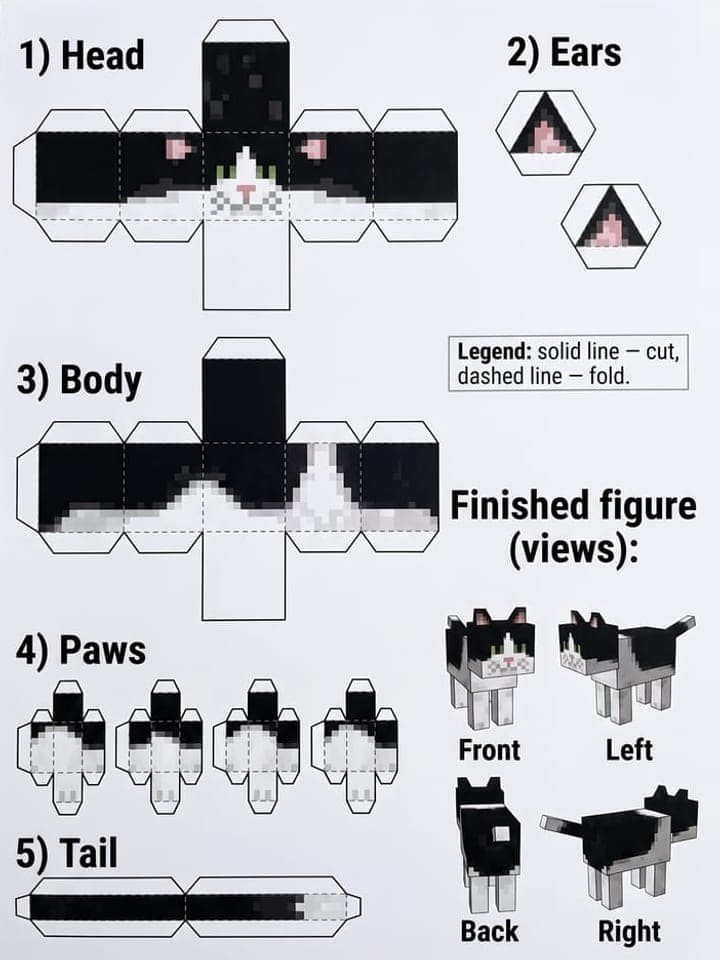
Printable net of your pet: head, body, paws and tail with fold lines.
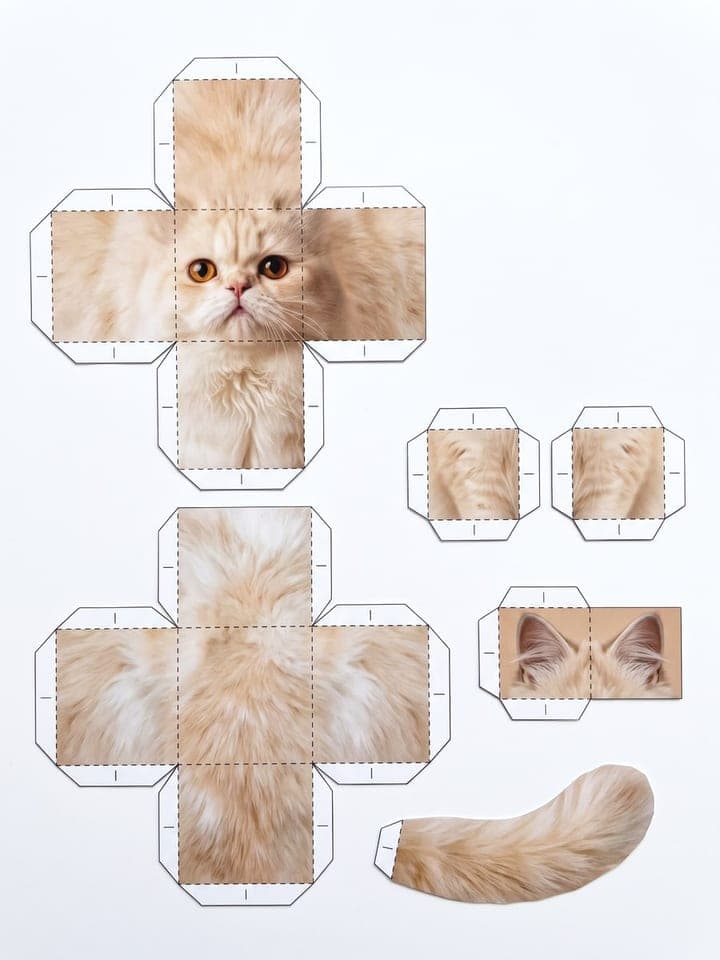
Example result. Yours is made from your own photo.
A ready papercraft sheet from a photo of your cat or dog: head, body, tail and four paws printed with your pet's real fur, with labels, fold lines and glue tabs. A photo of the finished figurine and a legend sit on the right.
1 photo
per result
Shapes: 3:4 · 4:3. Example shown in 3:4. How photos are counted
How to make a printable papercraft of your pet with AI
For a dog papercraft template printed with your own pet's fur, upload one photo of your dog or cat to 3D Pet Figurine: 1 photo per sheet on any plan, including Free, with 3 free photos for new accounts. You get a flat cut-and-glue sheet with a cube head showing your pet's face, a box body, a tail and four separate paws, all covered in the coat from your photo, with fold lines, glue tabs and a legend.
- Pick a sharp daylight picture of your dog or cat where the eyes, muzzle and ear shape are clear, and add it to Your pet's photo.
- Run it for 1 photo; the finished sheet appears in My creations, ready to save as an image.
- Print it, cut along the solid outlines, fold on the dashed lines and glue the tabs: head first, then body, the four paws and the tail.
What can you use it for?
- A rainy-afternoon craft at home, with the family dog as the model.
- A desk figure of a pet that lives with your parents.
- A small handmade gift for someone who just adopted a cat or a dog.
How do I get a better result?
- Print on thin cardstock rather than office paper. The box parts hold their shape better, and the fur print doesn't show through the folds.
- Use a photo that shows the pet's face straight on. The front of the cube head is printed with the face, so a side view leaves that panel with less to show.
- Before cutting, check that each paw has its own label (Front Left, Front Right, Back Left, Back Right). They are separate parts with their own outlines.
- Score the dashed fold lines with a butter knife and a ruler first; the narrow tail and paw strips fold more cleanly that way.
What goes wrong most often?
- Printing with a crop or zoom that cuts off the sheet's edge. Print the whole sheet so no glue tab is lost.
- Cutting the paws as one strip. Each one is a separate part with a closed outline, glued into its own block.
- Expecting a pixel look. For a blocky Minecraft-style version of your pet, use Minecraft Figure of Your Pet instead.
- Expecting a photo of a finished, painted figure. This sheet is for cutting and folding; for a painted figurine photo, see Pet 3D Figurine.
What you need
Your pet's photo
Close-up in daylight, eyes visible. Small or dark photos can change the fur color.
Works well
- Your pet's face close up, eyes open
- Daylight, taken at your pet's eye level
Avoid
- Dark or tiny photos: they can change the fur color
- Motion blur, or other animals in the frame