Minecraft Figure of Your Pet
AI photo template · from a pet photo
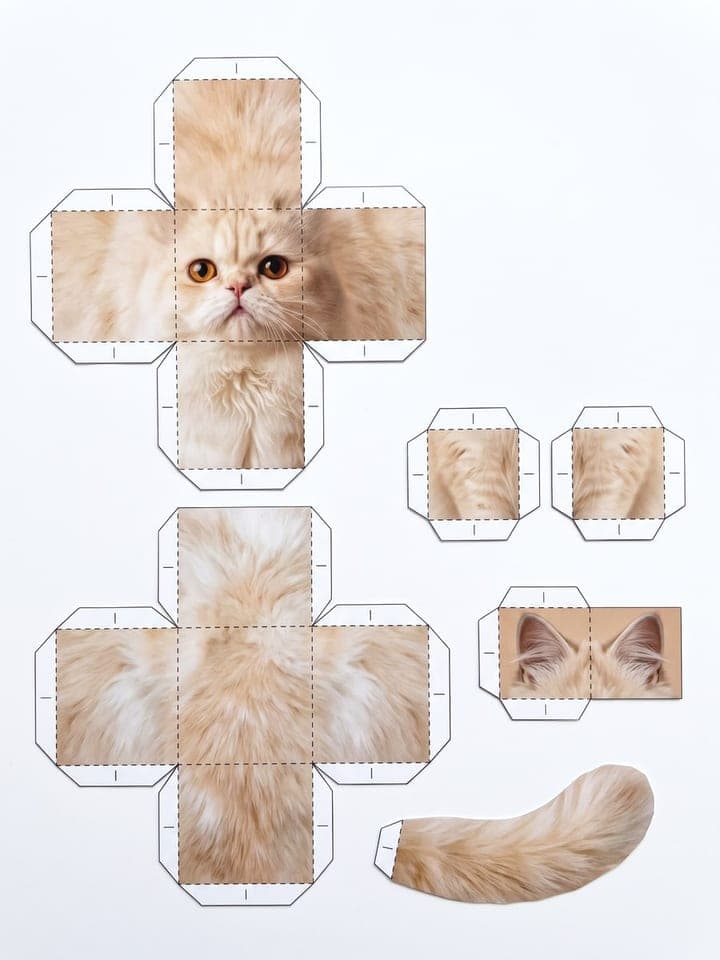
Printable pixel net of your pet: head, ears, body, paws and tail.
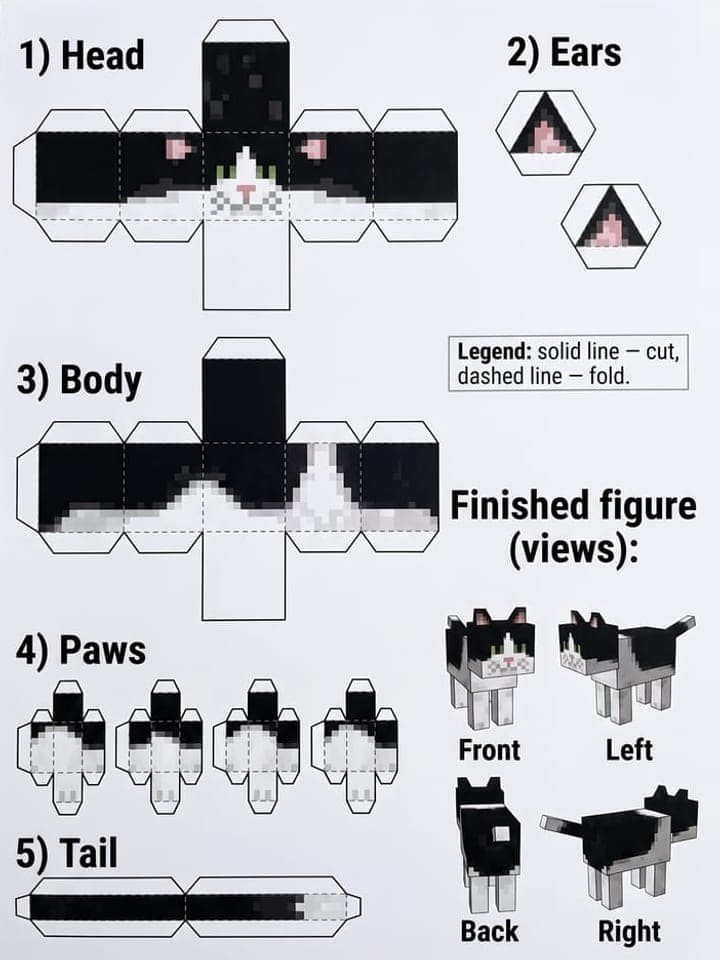
Example result. Yours is made from your own photo.
A ready papercraft sheet from a photo of your cat or dog in Minecraft pixels: head, ears, body, four separate paws and a tail, all in your pet's fur. Cut and fold lines, a legend and four views of the finished figure are on the sheet.
1 photo
per result
Shapes: 3:4 · 4:3. Example shown in 3:4. How photos are counted
- Not an official Minecraft product. Not approved by or associated with Mojang or Microsoft.
How to make a Minecraft-style papercraft of your pet with AI
To get a Minecraft dog papercraft of your own pet, upload one photo of your dog or cat to Minecraft Figure of Your Pet: 1 photo per sheet on any plan, and the first 3 photos are free. It returns a printable sheet in large pixels with a cube head, two triangle ears, a box body, four separate paws and a tail, all in your pet's real coat colors, plus fold lines and four views of the finished figure.
- Choose a well-lit picture of your pet with its eyes open. The photo is only the source of the coat and the face; it doesn't appear on the sheet.
- Start the run (1 photo) and save the pixel sheet from My creations once it is ready.
- Print, cut on the solid lines, fold on the dashed ones and check the Front, Left, Back and Right views on the sheet while you glue.
Why do blocky figures fold so well?
Blocky characters make good papercraft because every part is a box that folds cleanly. This template makes one in your pet's colors: ginger stays ginger, a tabby stays striped, and the face is translated into pixels rather than painted realistically.
What can you use it for?
- A weekend craft for a family that plays the game.
- A pixel version of the family cat for a bedroom shelf.
- A party activity: one sheet per guest's pet, printed and built at the table.
How do I get a better result?
- Pick a photo where the coat pattern is easy to read. Pixels simplify everything, so strong patches and stripes survive better than subtle shading.
- The ear shape and tail are copied too, so a photo where the ears are up and the tail is in view gives the figure more of your pet's outline.
- Print on thin cardstock; the four narrow paw strips and the tail fold into solid blocks more easily than on office paper.
What goes wrong most often?
- Expecting a realistic face. The face is pixel art by design; for a printable figure with your pet's photographic fur, use 3D Pet Figurine.
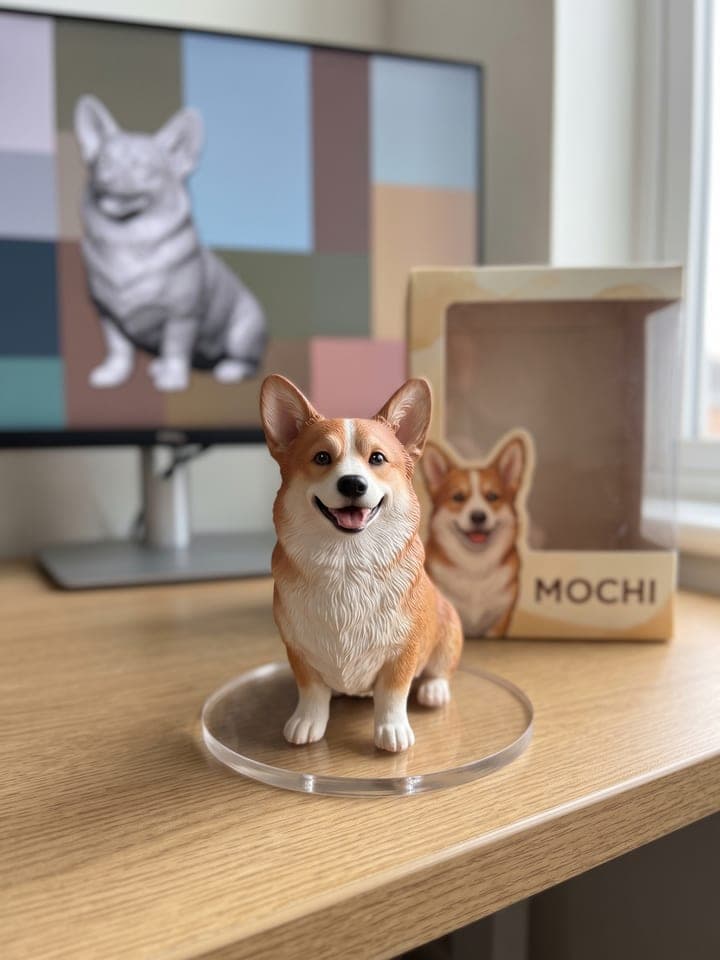
- Looking for a painted collectible. For a picture of a figurine on a desk, the page for that is Pet 3D Figurine.
- Gluing the paws before cutting them apart. Each paw has its own outline and becomes its own block.
What you need
Your pet's photo
Close-up in daylight, eyes visible. Small or dark photos can change the fur color.
Works well
- Your pet's face close up, eyes open
- Daylight, taken at your pet's eye level
Avoid
- Dark or tiny photos: they can change the fur color
- Motion blur, or other animals in the frame