Butterfly Shadow Portrait in Black and White, From a Selfie
Butterfly Shadows · AI photo template · from 1 photo
B&W studio portrait: a round spotlight and butterfly shadows on you.
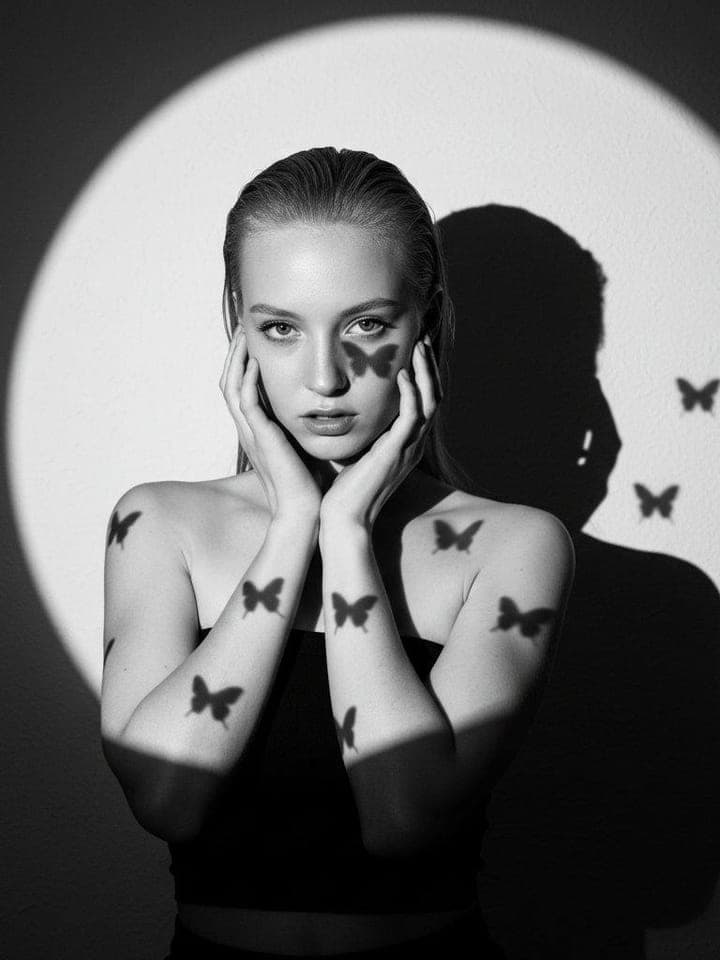
Example result. Yours is made from your own photo.
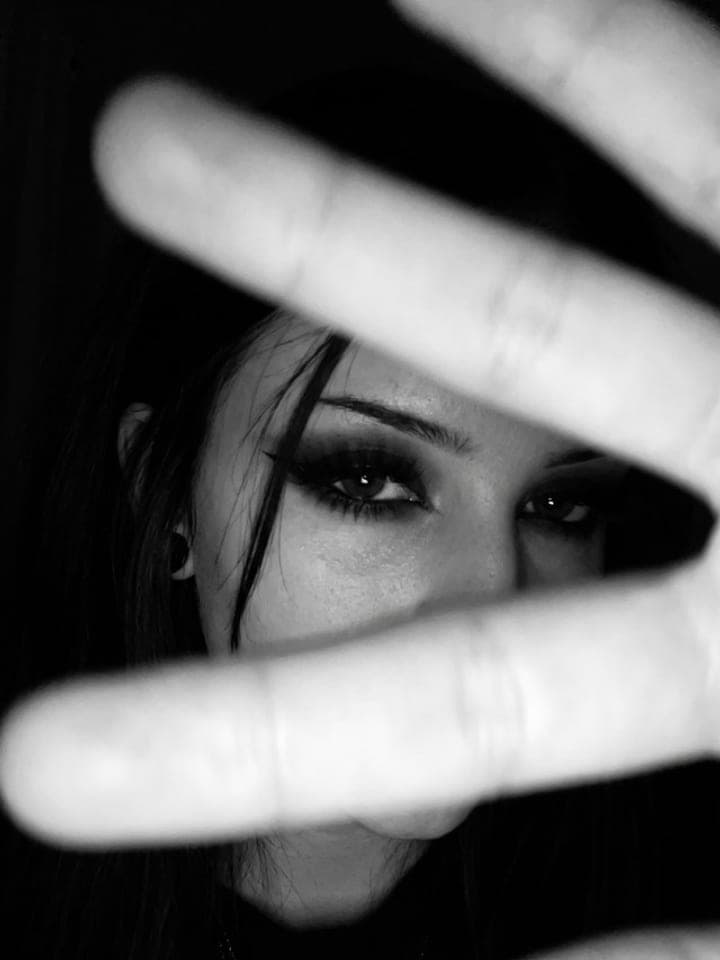
A black-and-white studio portrait from your photo: slicked-back hair, a black strapless top, hands around your face and a bright round spotlight behind. Butterfly shadows from a gobo projector fall across your face, arms and the wall.
1 photo
per result
Shapes: 9:16 · 3:4 · 4:5. Example shown in 3:4. How photos are counted
How to get butterfly shadow photography with AI
For the butterfly shadow photography look without a projector, upload one selfie to Butterfly Shadows: 1 photo per run on the Free plan. You get a high-contrast black-and-white studio portrait: slicked-back hair, a black strapless top, hands framing your face, a bright round spotlight on the wall behind your head and dark butterfly shadows falling across your face, arms, chest and the background. It is a mood piece first and a likeness second.
- Upload a close-up selfie facing the camera. Your hands are posed around your face by the template, so they don't need to be in the photo.
- Start it (1 photo). The spotlight, the shadows and the monochrome grade are fixed.
- Compare the face with your selfie before posting, and check the corners and the backdrop for stray marks such as a number. Each run costs 1 photo and the template doesn't ask to keep your face, so if a likeness matters, use the black-and-white portrait linked below.
How is the butterfly shadow look made in a studio?
With a gobo: a small stencil, usually metal or glass, placed in front of a spotlight or a projection light so the beam casts a shaped shadow. A butterfly gobo scatters butterfly outlines over the model and the wall, and a second spotlight, usually set in front of the model and aimed past her at the backdrop, makes the bright circle; her head blocks part of that beam, which leaves its shadow inside the circle. Doing it for real takes a projection attachment, a dark room and some trial and error with distance and focus.
The template draws all of it in black and white with sharp focus and realistic skin texture. Its description of the model is specific too: a young woman with slicked-back blonde hair. It doesn't ask to keep your face or your hair color, so dark hair comes back light and the face may not look like you. If keeping your own face matters most, the AI black and white portrait is written to keep it exactly.
How do I get a better result?
- Don't use this template to show off a new hair color. The hair is slicked back and written as blonde, which reads as a light grey in monochrome.
- Pick a selfie with a neutral expression and both eyes on the lens. The portrait looks straight at the camera, and shadows will cross the face, so a clean, direct gaze leaves the most of you to recognize.
What goes wrong most often?
- Treating it as a portrait for an ID-like likeness. The light and the shadow pattern come first here.
- Expecting your own outfit. The black strapless top replaces it in every run.
What you need
Your selfie
Close-up, daylight, one face. No filters or sunglasses.
Works well
- Your face close to the camera, looking straight in
- Daylight from a window in front of you
- Only you in the frame
Avoid
- Sunglasses, masks or hair over your eyes
- Beauty filters and heavy edits
- Dark rooms and photos taken from far away