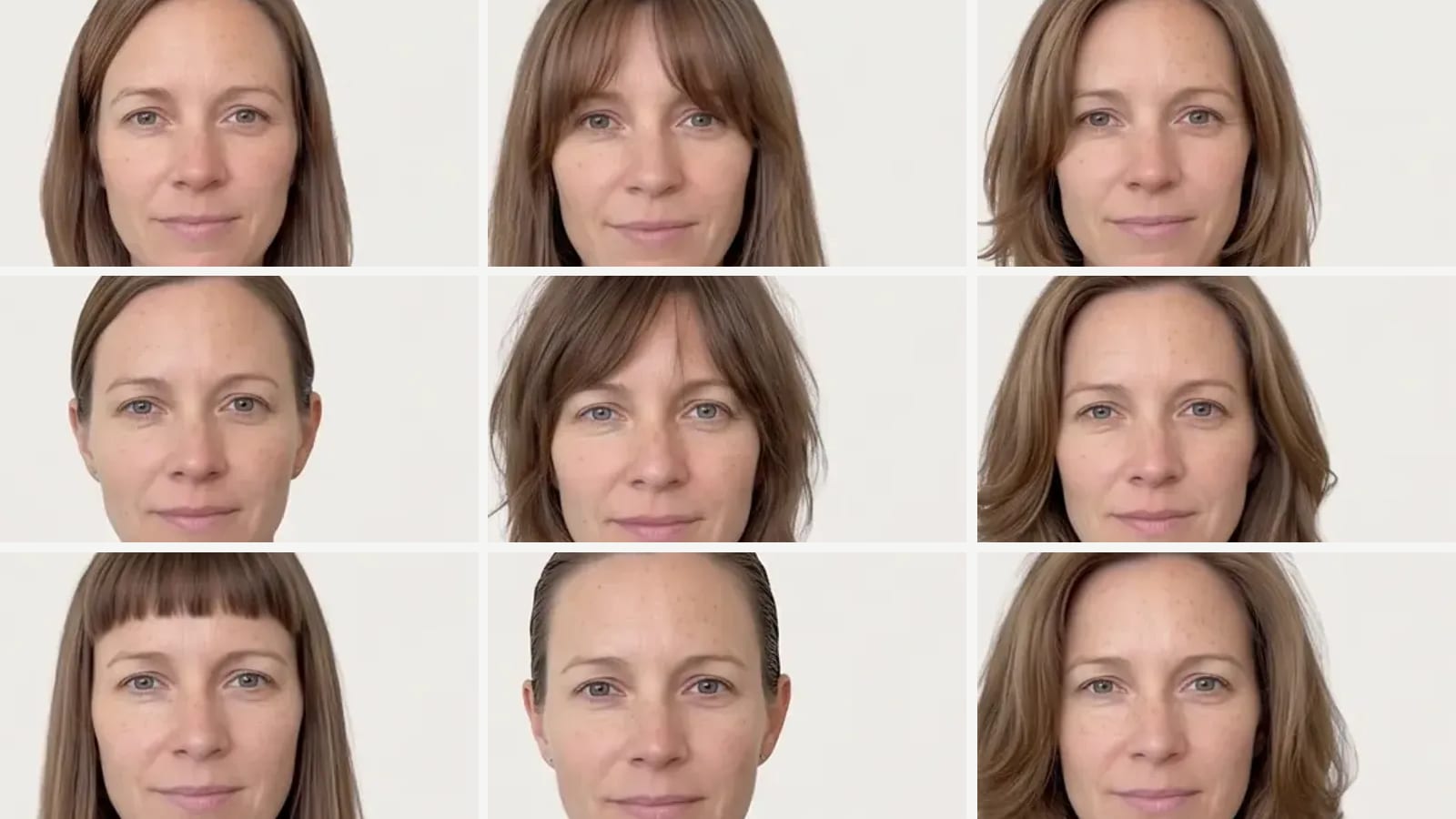
FaceApp Alternatives (2026): Hair, Age and Face Edit Apps Compared
The closest FaceApp alternatives are YouCam Makeup (AI Age filters, 250+ hairstyles, face shaping), FaceLab (aging, gender swap and hair filters), Facetune (hair, beard, makeup and retouching, also in a browser), Fotor (browser age progression and hairstyles) and Snapchat's Aging and hairstyle Lenses. Outwow (outwow.app), our browser studio, does hair, beard and makeup try-ons, not aging.
In short
- Aging: YouCam Makeup (6 AI Age filters), FaceLab, Fotor in a browser and Snapchat's Aging Lens; FaceApp's FAQ says its own are free.
- Gender swap: FaceLab is the only alternative here whose app listing names it; we didn't search Snapchat's lens catalog for one.
- Hair: YouCam lists 250+ hairstyles in its app and 200+ in a browser generator with 5 free credits; Facetune lists 20+ plus beards.
- In a browser: Facetune, Fotor, YouCam's hairstyle generator and Outwow; Snap's help says Lenses work in Snapchat for Web. We found no web version of FaceApp or FaceLab.
- Outwow, our product, has no aging or gender swap. It makes hair, beard and makeup try-on posters from one selfie: the templates run on every plan, Free included, and Hairstyle Try-On needs Basic.
How we compared them
People use FaceApp for three jobs: aging, gender swap, and hair and face edits. We picked apps that do at least one of them and publish enough to compare. Face-swap apps are left out, since they put your face on someone else rather than edit your photo. We copied only what each company's own pages and its US App Store and Google Play listings say; where a page is silent, we say so. Store prices vary by region, and we don't add billing periods a listing leaves out.
FaceApp alternatives at a glance
| App | What it does | Free tier | Price as listed | Platforms |
|---|---|---|---|---|
| FaceApp (the app you're replacing) | Hair, beard, makeup, blemish and wrinkle edits, reshaping; Google Play adds Old and Young filters and Gender Swap | Many features free, aging filters included; a Pro trial in some countries | No prices on its site. US App Store: FaceApp PRO 10.00, 20.00, 60.00 and 100.00 USD, no period shown | iPhone, iPad, Android; no web version on its site |
| YouCam Makeup | AI Age (6 filters), 250+ hairstyles, reference-photo hair try-on, hair color, face shaping, makeup | Free and paid content, with ads; web generator: 5 free credits, no card | US App Store: Premium Version (Monthly) 5.99 to 9.99 USD, (Yearly) 31.99 to 39.99 USD; Pro offers 19.99 USD monthly, 79.99 USD yearly | iPhone, iPad, Android; hairstyle generator in a browser |
| FaceLab | Old and young filters, gender change, hair and beard filters, face shape detector | Free download with ads on Google Play; premium removes ads and the watermark | US App Store: Weekly 6.99 to 19.99 USD; Premium Subscription 13.99 USD, no period | iPhone, Apple-silicon Macs, Android; no web version found |
| Facetune | Retouch and reshape, makeup, 20+ hairstyles, hair color, beards. Aging and gender swap: not listed | Free tools with a weekly save limit (FAQ); a subscription after the trial (pricing FAQ) | Web: from 25 USD a month, 40 USD every 3 months or 77.99 USD a year (final price may vary). US App Store: 5.99 to 77.99 USD, no period shown | Any browser; iPhone, iPad, Android (with ads) |
| Fotor | Browser age progression in five stages, hairstyle changer with presets or prompts, face editor | Basic, free forever, limited credits; none for new users on the age tool | Web: Pro 8.99 USD billed monthly or 39.99 USD billed yearly. US App Store: Week Plan 6.99 USD, Monthly Plan 8.99 USD, Annual Plan 47.99 USD | Web, iPhone, Android; the site also links Windows and Mac apps |
| Snapchat Lenses | Aging Lens and Trendy Hairstyle Lens by Snapchat, used in the camera | Free app with ads; the lens pages state no price | US App Store: Snapchat+ (Monthly Plan) 4.99 USD (the Lens pages don't say it's needed) | iPhone, iPad, Android; Snapchat for Web on a computer |
| Outwow (ours) | Hairstyle Try-On (1 poster of 6 haircuts) plus hair color, beard and makeup templates; no aging or gender swap | 3 free photos once, watermarked; they cover these templates, not the hair tool | Templates on every plan, Free included; Hairstyle Try-On from Basic at $19.99 a month | Web, in a phone or computer browser; no native app |
FaceApp (the app you're replacing)
- What it does
- Hair, beard, makeup, blemish and wrinkle edits, reshaping; Google Play adds Old and Young filters and Gender Swap
- Free tier
- Many features free, aging filters included; a Pro trial in some countries
- Price as listed
- No prices on its site. US App Store: FaceApp PRO 10.00, 20.00, 60.00 and 100.00 USD, no period shown
- Platforms
- iPhone, iPad, Android; no web version on its site
YouCam Makeup
- What it does
- AI Age (6 filters), 250+ hairstyles, reference-photo hair try-on, hair color, face shaping, makeup
- Free tier
- Free and paid content, with ads; web generator: 5 free credits, no card
- Price as listed
- US App Store: Premium Version (Monthly) 5.99 to 9.99 USD, (Yearly) 31.99 to 39.99 USD; Pro offers 19.99 USD monthly, 79.99 USD yearly
- Platforms
- iPhone, iPad, Android; hairstyle generator in a browser
FaceLab
- What it does
- Old and young filters, gender change, hair and beard filters, face shape detector
- Free tier
- Free download with ads on Google Play; premium removes ads and the watermark
- Price as listed
- US App Store: Weekly 6.99 to 19.99 USD; Premium Subscription 13.99 USD, no period
- Platforms
- iPhone, Apple-silicon Macs, Android; no web version found
Facetune
- What it does
- Retouch and reshape, makeup, 20+ hairstyles, hair color, beards. Aging and gender swap: not listed
- Free tier
- Free tools with a weekly save limit (FAQ); a subscription after the trial (pricing FAQ)
- Price as listed
- Web: from 25 USD a month, 40 USD every 3 months or 77.99 USD a year (final price may vary). US App Store: 5.99 to 77.99 USD, no period shown
- Platforms
- Any browser; iPhone, iPad, Android (with ads)
Fotor
- What it does
- Browser age progression in five stages, hairstyle changer with presets or prompts, face editor
- Free tier
- Basic, free forever, limited credits; none for new users on the age tool
- Price as listed
- Web: Pro 8.99 USD billed monthly or 39.99 USD billed yearly. US App Store: Week Plan 6.99 USD, Monthly Plan 8.99 USD, Annual Plan 47.99 USD
- Platforms
- Web, iPhone, Android; the site also links Windows and Mac apps
Snapchat Lenses
- What it does
- Aging Lens and Trendy Hairstyle Lens by Snapchat, used in the camera
- Free tier
- Free app with ads; the lens pages state no price
- Price as listed
- US App Store: Snapchat+ (Monthly Plan) 4.99 USD (the Lens pages don't say it's needed)
- Platforms
- iPhone, iPad, Android; Snapchat for Web on a computer
Outwow (ours)
- What it does
- Hairstyle Try-On (1 poster of 6 haircuts) plus hair color, beard and makeup templates; no aging or gender swap
- Free tier
- 3 free photos once, watermarked; they cover these templates, not the hair tool
- Price as listed
- Templates on every plan, Free included; Hairstyle Try-On from Basic at $19.99 a month
- Platforms
- Web, in a phone or computer browser; no native app
FaceApp: what you'd be replacing
FaceApp is a phone editor for realistic face changes. Its US App Store listing offers new hair colors and hairstyles, a beard, makeup filters, blemish removal, wrinkle smoothing and bigger or smaller facial features. The Google Play listing adds Old and Young filters and Gender Swap, and the FAQ says the aging filters work in the free version as well as Pro. In the women's interface, a Transfer filter adapts a hairstyle from a reference photo. Pro opens all filters and tools and removes watermarks; the pricing FAQ mentions monthly and annual plans but shows no prices and points to the PRO section in the app. FaceApp runs on iPhone, iPad and Android, with no web version on its site. Its FAQ says edited photos are cached in the cloud, encrypted, and deleted within 24 to 48 hours of your last edit.
YouCam Makeup: aging, 250+ hairstyles and face shaping
YouCam Makeup puts aging, hair and face edits in one app. AI Age shows past and future looks with 6 filters. Hair tools include 250+ preset hairstyles, a try-on from a reference photo that can keep your natural hair color, and a hair color changer; face tools include Face Shaper, Skin Smoother, AI Facelift and Face Symmetry, plus makeup filters. Content is part free, part paid. Google Play marks the app as containing ads, the App Store's age rating lists Advertising, and Premium promises ad-free editing. A browser hairstyle generator from the same company has 200+ styles and takes a reference photo: new accounts get 5 free credits, enough for 2 full previews, with no card. Its FAQ says a style costs 2 credits; its how-to says one per pick. Pick it for aging, hair and face shaping in one phone app.
FaceLab: aging, gender swap and hair filters
FaceLab, from Lyrebird Studio, does FaceApp's fun-filter jobs. Its App Store listing leads with getting old, changing gender and editing your hair and beard, and adds a young filter, buzz cut, bald, long hair and blonde filters, bangs and a face shape detector. PRO removes ads and opens all filters; on Google Play, where it's marked as containing ads, premium also removes the watermark. The billing terms don't match: the description says billed monthly or annually, but the US in-app list labels most items Weekly. It's designed for iPhone, also runs on Apple-silicon Macs without being verified for macOS, and has an Android app; we found no web version. Lyrebird's privacy policy says originals and face data are deleted after generation, which may take four days, and that generated photos stay until you delete them. Pick it if aging and gender swap are what you used FaceApp for.
Facetune: retouching, hair and beards on any device
Facetune, from Lightricks, is a retouching editor with hair and beard try-ons. The App Store listing offers 20+ hairstyles, beards such as stubble, goatee and long beard, and virtual makeup, and the hair page adds custom prompts and hair color. No aging or gender-swap filter is listed on its store pages or the site's tool menu; the closest is an AI Wrinkle Remover. It runs in any browser on a PC, Mac, tablet or phone, and as iPhone, iPad and Android apps; the Google Play version is marked as containing ads. The FAQ calls it freemium, with free-tool saves up to a weekly limit, while the pricing page says access after the 7-day trial needs a subscription and offers a full refund on request within 14 days of a first web purchase. Pick it for retouching plus hair, beards and makeup on any device.
Fotor: age progression and hairstyles in the browser
Fotor's AI Age Progression runs in the browser and shows you as a Child, Teenager, Adult, Middle Aged or Elderly, one photo at a time. The page title says free, but the tool uses credits, new users get none by default (you can earn some in a Rewards Center), and the credits per image aren't listed. Fotor calls the result an AI visualization, not an exact prediction. The AI Hairstyle Changer takes presets or a typed description, and the face editor smooths skin, removes blemishes, slims the face and adds makeup. The Basic plan is free forever with limited credits; on paid plans, the pricing page says unused credits roll over for up to 5 months. The iPhone app lists AI Hairstyle but not aging, and the Android app is marked as containing ads. Pick it for aging in a browser with nothing to install.
Snapchat Lenses: aging and hairstyles in the camera
Snapchat makes official Lenses for two of FaceApp's jobs: an Aging Lens and a Trendy Hairstyle Lens. Lenses are effects you use while you create a Snap in the camera; that help page doesn't describe applying them to an older photo. The app is free with in-app purchases; Google Play marks it as containing ads, the App Store's age rating lists Advertising, and neither lens page states a price. Snapchat runs on iPhone, iPad and Android, and Snap's help says Lenses also work on a computer through Snapchat for Web; we didn't check for these two Lenses there. Pick it for a quick look at an older you if you already use the free Snapchat app.
Outwow: hair, beard and makeup try-on posters, no aging
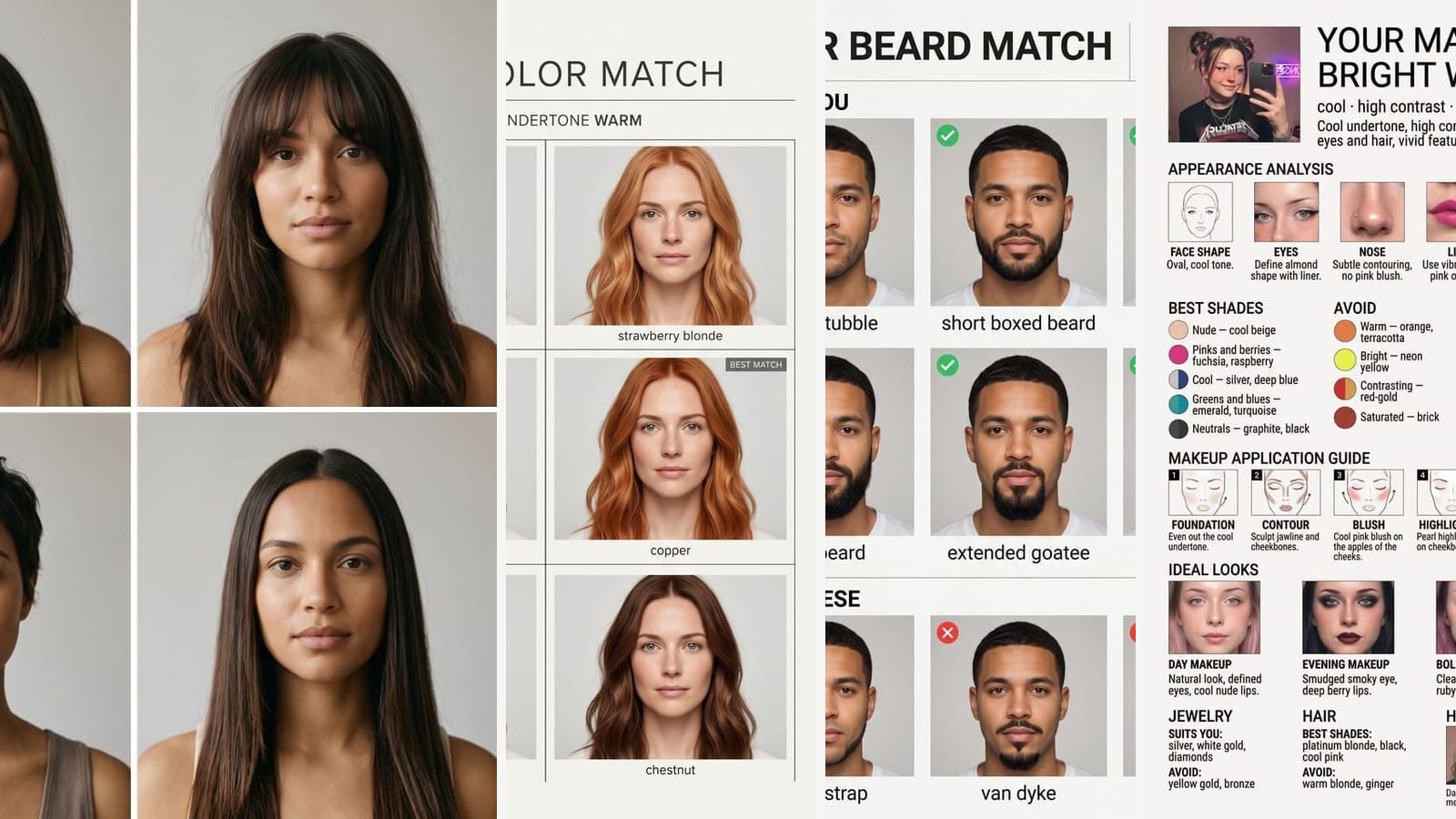
We make this one, so read it with that in mind. Outwow (outwow.app) runs in a phone or computer browser and has no aging, gender-swap or face-reshaping tool, so it doesn't replace FaceApp's fun filters. Hairstyle Try-On turns one selfie into 1 poster of 6 haircuts on your own face, in women's or men's cuts with the length and color you choose; nothing is scored. A run costs 1 photo on the Basic plan ($19.99 a month). It takes no reference photo and no typed description. New accounts get 3 free photos once, watermarked: they cover the templates below, not the hair tool. There's no iPhone or Android app, which every other app here has. Uploads are deleted within 24 hours; results stay for your plan's history window or until you delete them.
- Hair Color Match: Six hair colors on your own face, with the best fit marked.
- Beard Match: Which beard shape fits your jaw, shown on you.
- Makeup for Your Color Type: Poster from your photo: color type, palette, makeup match and how-to.
- 10 Haircuts on You: Ten haircuts tried on your face, each with a benefit and a verdict.
- Each costs 1 photo a run on every plan, Free included.
Unlike the tool, these posters mark a best match or what to skip; that's a suggestion from one photo, not a stylist's assessment.
Which FaceApp alternative to pick
- Aging on your phone: YouCam Makeup or FaceLab. In a browser: Fotor, if you're fine earning or buying credits.
- Gender swap: FaceLab.
- A quick look in the camera, in a free app: Snapchat's Aging or Trendy Hairstyle Lens.
- The most preset hairstyles by stated count, or a try-on from a reference photo: YouCam Makeup.
- Retouching plus hair, beards and makeup on any device: Facetune.
- Hair, beard and makeup posters for your stylist or barber, with no app: Outwow (templates on every plan, Hairstyle Try-On from Basic).
Before you upload your face, check how long the app keeps it (FAQ below) and read our privacy checklist. More hair apps are in our hairstyle try-on comparison, and avatar apps in Lensa alternatives.