Best AI Halloween Costume Photo Apps (2026): Free and Paid Compared
The best AI Halloween costume app depends on the job: Gemini and ChatGPT put you in a costume you describe, free up to a usage limit; Snapchat's Imagine Lens works in the camera; YouCam tries on a costume picture from the web; Photoleap and Fotor add presets and pets. Outwow (outwow.app), ours, runs set Halloween looks in a browser.
By Outwow StudioExamples made
In short
- Gemini and ChatGPT put a costume you describe in your own words on an uploaded photo, on their free plans and within usage limits; Google's own Halloween post gives prompts to start from.
- Snapchat's Imagine Lens made costume ideas in the camera free in the US, with a handful of generations; YouCam's web generator gives 5 credits and tries on a costume picture you found online.
- Picsart's try-on has a Halloween costumes category, Photoleap (iPhone and iPad only) has preset and couple costumes with a 7-day trial, and Fotor, with a free plan, also dresses pets.
- Outwow (outwow.app) is ours: the four Halloween templates compared here have set costumes and scenes for you, a couple or a pet. New accounts get 3 free photos once, watermarked; it runs in the browser, with no app.
How we compared them
We picked apps that put a Halloween costume on your own photo and say so on their own pages: two chat assistants that edit photos, a camera app, four photo editors with a costume feature, and our own templates. Single-purpose store apps that borrow a costume shop's or a film's name were left out. For each one we read the feature page, the pricing or help pages and the US App Store or Google Play listing, and wrote down only what they state; where a page is silent, we say so. Prices are copied with the billing period shown, and store prices vary by region. We didn't run our photos through the other apps, so this compares what each one offers, not how its pictures look.
AI Halloween costume apps at a glance
| App | What it does for Halloween | Free tier | Price as listed | Platforms |
|---|---|---|---|---|
| Gemini (Google) | Edits your photo into the costume you describe; Google's Halloween post gives prompts | Image editing without a plan, signed in and 18+; downloads at 1K; limits not published | US App Store: Google AI Plus 4.99 USD, Google AI Pro 19.99 USD, no period shown | Web, iPhone, iPad, Android |
| ChatGPT (OpenAI) | Edits an uploaded photo from your description, or only the part you select | Images on the Free plan, with stricter limits than paid plans; ads may appear in some countries | US App Store: ChatGPT Go 8.00 USD, ChatGPT Plus 19.99 USD, no period shown | Web, iPhone, iPad, Android, Mac, Windows |
| Snapchat Imagine Lens | A camera Lens that remakes your Snap from a prompt; Snap names Halloween costume ideas as a use | A handful of free generations in the US (Snap, October 2025) | More generations need Lens+ or Platinum; Snap's help pages list no price | iPhone, iPad, Android |
| Picsart | Virtual try-on with a Halloween costumes category: upload a photo, then describe or pick the outfit | Free app with ads; most paid plans include a trial, depending on eligibility | Web: Pro 15 USD a month, or 10.5 USD a month billed yearly. US App Store: Picsart Gold Weekly 4.99 USD | Web, iPhone, iPad, Apple-silicon Macs, Android |
| YouCam | Web costume generator: repaint your outfit, or try on a costume picture from the web | 5 credits at sign-up, no card; free saves are watermarked | Web: Plus 9.99 USD a month, or 3.33 USD a month billed yearly; Pro 19.99 USD a month | Web, iPhone, iPad, Android |
| Photoleap | AI Costumes: preset costumes or your own prompt, for one person or two | 7-day free trial | US App Store: items from 6.99 to 59.99 USD, no period shown | iPhone and iPad only |
| Fotor | Halloween photo editor: costumes from a prompt, pets dressed up, spooky backgrounds | Basic plan, free forever, limited credits | Pro 8.99 USD billed monthly or 39.99 USD billed yearly | Web, Windows, Mac, iPhone, Android |
| Outwow (ours) | Set looks, no prompt: 9 costumes for you or a couple, 11 for pets, a pet jack-o'-lantern, a 90s phone-call scene | 3 free photos once, watermarked, no card | Weekly Pass $6.99 a week; Mini $9.99 a month | Web, in a phone or computer browser; no app |
Gemini (Google)
- What it does for Halloween
- Edits your photo into the costume you describe; Google's Halloween post gives prompts
- Free tier
- Image editing without a plan, signed in and 18+; downloads at 1K; limits not published
- Price as listed
- US App Store: Google AI Plus 4.99 USD, Google AI Pro 19.99 USD, no period shown
- Platforms
- Web, iPhone, iPad, Android
ChatGPT (OpenAI)
- What it does for Halloween
- Edits an uploaded photo from your description, or only the part you select
- Free tier
- Images on the Free plan, with stricter limits than paid plans; ads may appear in some countries
- Price as listed
- US App Store: ChatGPT Go 8.00 USD, ChatGPT Plus 19.99 USD, no period shown
- Platforms
- Web, iPhone, iPad, Android, Mac, Windows
Snapchat Imagine Lens
- What it does for Halloween
- A camera Lens that remakes your Snap from a prompt; Snap names Halloween costume ideas as a use
- Free tier
- A handful of free generations in the US (Snap, October 2025)
- Price as listed
- More generations need Lens+ or Platinum; Snap's help pages list no price
- Platforms
- iPhone, iPad, Android
Picsart
- What it does for Halloween
- Virtual try-on with a Halloween costumes category: upload a photo, then describe or pick the outfit
- Free tier
- Free app with ads; most paid plans include a trial, depending on eligibility
- Price as listed
- Web: Pro 15 USD a month, or 10.5 USD a month billed yearly. US App Store: Picsart Gold Weekly 4.99 USD
- Platforms
- Web, iPhone, iPad, Apple-silicon Macs, Android
YouCam
- What it does for Halloween
- Web costume generator: repaint your outfit, or try on a costume picture from the web
- Free tier
- 5 credits at sign-up, no card; free saves are watermarked
- Price as listed
- Web: Plus 9.99 USD a month, or 3.33 USD a month billed yearly; Pro 19.99 USD a month
- Platforms
- Web, iPhone, iPad, Android
Photoleap
- What it does for Halloween
- AI Costumes: preset costumes or your own prompt, for one person or two
- Free tier
- 7-day free trial
- Price as listed
- US App Store: items from 6.99 to 59.99 USD, no period shown
- Platforms
- iPhone and iPad only
Fotor
- What it does for Halloween
- Halloween photo editor: costumes from a prompt, pets dressed up, spooky backgrounds
- Free tier
- Basic plan, free forever, limited credits
- Price as listed
- Pro 8.99 USD billed monthly or 39.99 USD billed yearly
- Platforms
- Web, Windows, Mac, iPhone, Android
Outwow (ours)
- What it does for Halloween
- Set looks, no prompt: 9 costumes for you or a couple, 11 for pets, a pet jack-o'-lantern, a 90s phone-call scene
- Free tier
- 3 free photos once, watermarked, no card
- Price as listed
- Weekly Pass $6.99 a week; Mini $9.99 a month
- Platforms
- Web, in a phone or computer browser; no app
Gemini: a costume from your own prompt
In the Gemini app you upload a photo and ask for an edit, so you describe the costume yourself. Google's own Halloween post from October 2025 gives prompts that turn a selfie into a Victorian ghost or put you on a 90s landline with a bedsheet ghost in the doorway, and one that turns a cat into a cartoon wizard; it also suggests asking Canvas in Gemini for a jack-o'-lantern design you can carve. Google's help page says you must be signed in and 18 or older to edit images, and without a Google AI plan downloads are 1K instead of 2K. Gemini's limits page publishes no image numbers. The US App Store lists Google AI Plus at 4.99 USD and Google AI Pro at 19.99 USD, with no period shown. Gemini runs on the web, iPhone, iPad and Android. Pick it for free costume ideas if you don't mind rewriting prompts.
ChatGPT: describe the costume, or repaint one area
ChatGPT Images works on every plan, Free included, on the web, iOS and Android. You upload a photo and describe the change, or mark only the part to repaint, such as your clothes, with the selection tool; OpenAI warns that edits can spread past the selection and that a picture can take a few minutes. The Free tier FAQ says image creation has its own usage limit, stricter than on paid plans, and that ads may appear in the Free tier in some countries. The US App Store lists ChatGPT Go at 8.00 USD and ChatGPT Plus at 19.99 USD with no period shown, and there are desktop apps for Mac and Windows. There are no Halloween presets: you describe the costume and refine it over a few messages. Pick it if you already use ChatGPT.
Snapchat's Imagine Lens: costume ideas in the camera
The Imagine Lens is Snapchat's first open-prompt Lens: you edit its caption with your own prompt, or keep one of the preloaded ideas, and it remakes your Snap. Snap's post of October 22, 2025 listed trying on Halloween costume ideas before committing to a look as one use, and made the Lens free for everyone in the US with a handful of free generations, starting to expand to Canada, Great Britain and Australia. Snapchat's help page calls it a Lens+ and Platinum feature with a limited number of free generations, and the plans page shows no price for either plan; the store shows it before you confirm. The app is free with in-app purchases and rated 13+, and its App Store age rating lists Advertising. It runs on iPhone, iPad and Android. Pick it for a quick costume idea to share with friends in an app you may already have.
Picsart: a Halloween category in virtual try-on
Picsart's Virtual Try On Clothes has a Halloween costumes category, described as classic witches to creative character looks. You upload a photo, then pick a category or describe the outfit. The same try-on is in the Picsart app, whose US App Store listing names AI Try-On. The web pricing page lists Pro at 15 USD a month, or 10.5 USD a month billed yearly, and says most plans include a free trial, depending on your account history and the plan; neither page says how many credits a try-on uses. The US in-app list starts at 4.99 USD for Picsart Gold Weekly, the App Store's age rating lists Advertising, and the Android app is marked as containing ads. Picsart runs on the web, iPhone, iPad, Apple-silicon Macs and Android. Pick it if you already edit in Picsart and want the costume in the same place.
YouCam: try on a costume picture you found online
YouCam's Halloween Costume Generator runs in the browser. You upload a clear selfie or full-body photo, then use AI Replace to draw over the part to change, or AI Clothes to try on a costume picture from the web; its FAQ names Pinterest as one place to find them. A random costume generator suggests ideas, and the page pitches group and couple themes. New accounts get 5 credits with no card, and the pricing page says free saves carry a watermark and AI Clothes uses 2 credits. Plus is 9.99 USD a month, or 3.33 USD a month billed yearly, with 100 credits and no watermark; Pro is 19.99 USD a month with 300 credits. YouCam's photo editor app and YouCam Makeup list an AI Wardrobe with 100+ outfit styles or your own upload, and both App Store age ratings list Advertising. Pick it to see a costume you found online on yourself before you order it.
Photoleap: preset costumes and couple photos on iPhone
Photoleap, from Lightricks, has an AI Costumes feature: you upload a photo, then pick a preset such as a witch, a vampire or a superhero, or type your own costume. With a photo of two people it dresses both, which the page pitches for couple costumes, and it can also put you into a recreated movie scene or album cover. Photoleap says your face is left as it is. The page says the feature is for iOS only, and the App Store listing covers iPhone and iPad; its description doesn't mention costumes. The site offers a 7-day free trial, after which you pay: the US in-app list shows Photoleap Subscription and Unlimited Access items from 6.99 to 59.99 USD, with no period shown. Pick it for preset costumes and couple photos on an iPhone, if a subscription is fine with you.
Fotor: costumes, pets and party extras in one editor
Fotor's Halloween photo editor works from a prompt: you upload up to four images and type what to change. Its page shows clothes switched into costumes such as a witch, a vampire or a skeleton, pets dressed as tiny witches and mini vampires, and spooky backgrounds, filters, stickers, frames and card templates to finish with. Fotor runs on the web, as Windows and Mac software and in iPhone and Android apps; the App Store listing's age rating lists Advertising, and the Android app is marked as containing ads. The pricing page lists a Basic plan, free forever with limited free credits, and Pro at 8.99 USD billed monthly or 39.99 USD billed yearly, with 100 credits a month; neither page says how many credits a costume edit uses. Basic exports normal-quality files, and the paid plans export in high definition. Pick it if you want the costume photo and a party invite or card from the same editor.
Outwow: set Halloween looks, no prompt to write
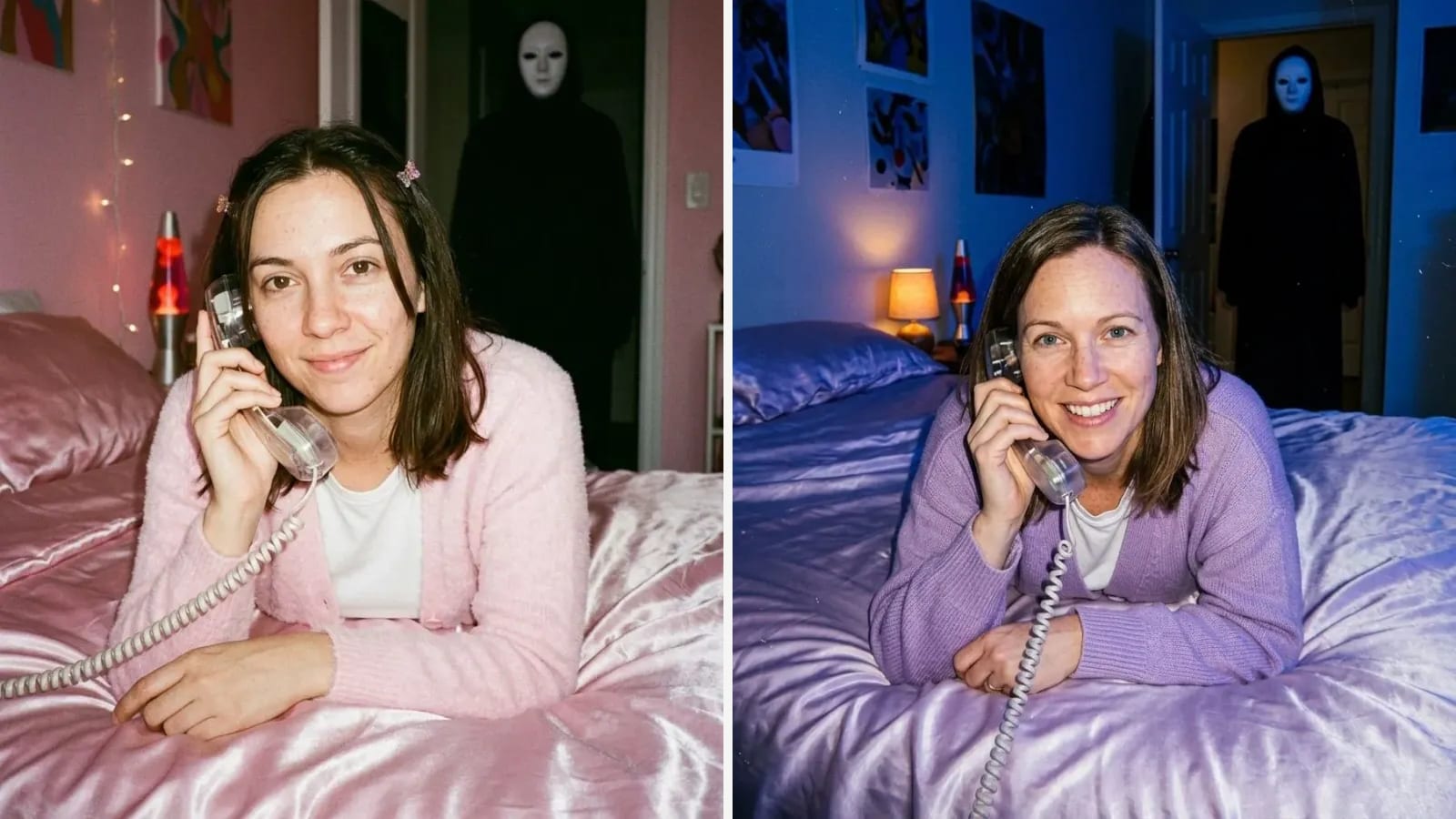
We make Outwow (outwow.app), so read this section with that in mind. Its Halloween templates have set looks. AI Halloween Costume Try-On dresses you in one of 9 costumes, from a witch to an idol demon hunter, in one of 3 scenes; an optional second photo, taken with consent, adds your partner in the matching costume, and the makeup is painted on your face, never a mask. Pet Halloween Costume has 11 costumes for a cat or dog, Pet Jack-o'-Lantern carves your pet's face into a glowing pumpkin beside it, and Y2K Slasher Phone Call makes the 90s phone-call photo with a masked figure in the doorway. Each run costs 1 photo on every plan, Free included: new accounts get 3 free photos once, watermarked, and the Weekly Pass is $6.99 a week for 30 photos without a watermark. For a costume that isn't on these lists, Create takes your photo and a sentence, at 1 photo a picture. Uploads are deleted within 24 hours.
Where others do better: Outwow has no phone app or live camera; its templates' costume lists are fixed, where the chat apps and most editors here take a description; and its free photos are a one-time grant, while Gemini's and ChatGPT's free limits reset. To try a costume from a shop, YouCam's AI Clothes works on a free account, while Outwow's Virtual Try-On needs Basic ($19.99 a month).
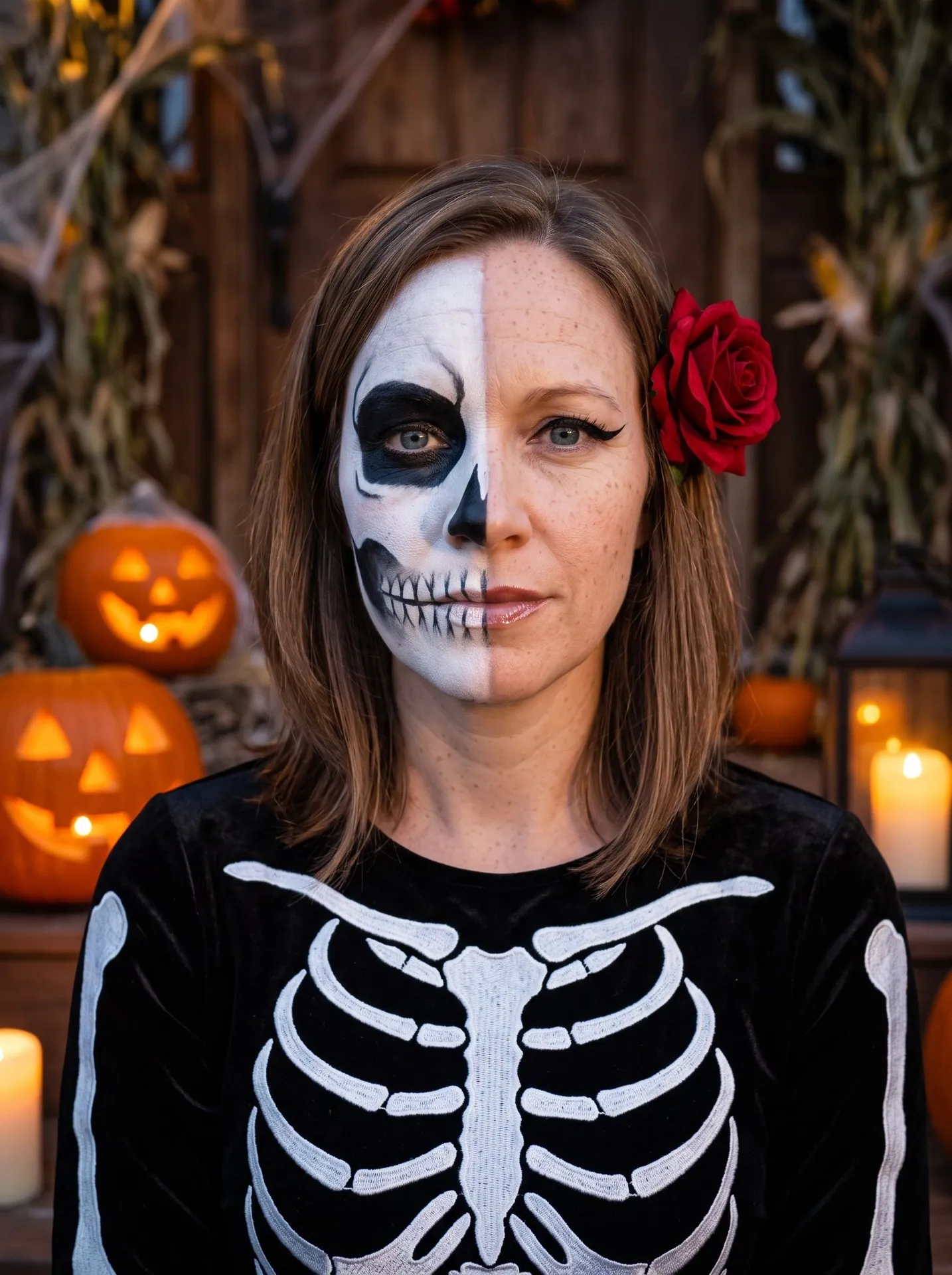
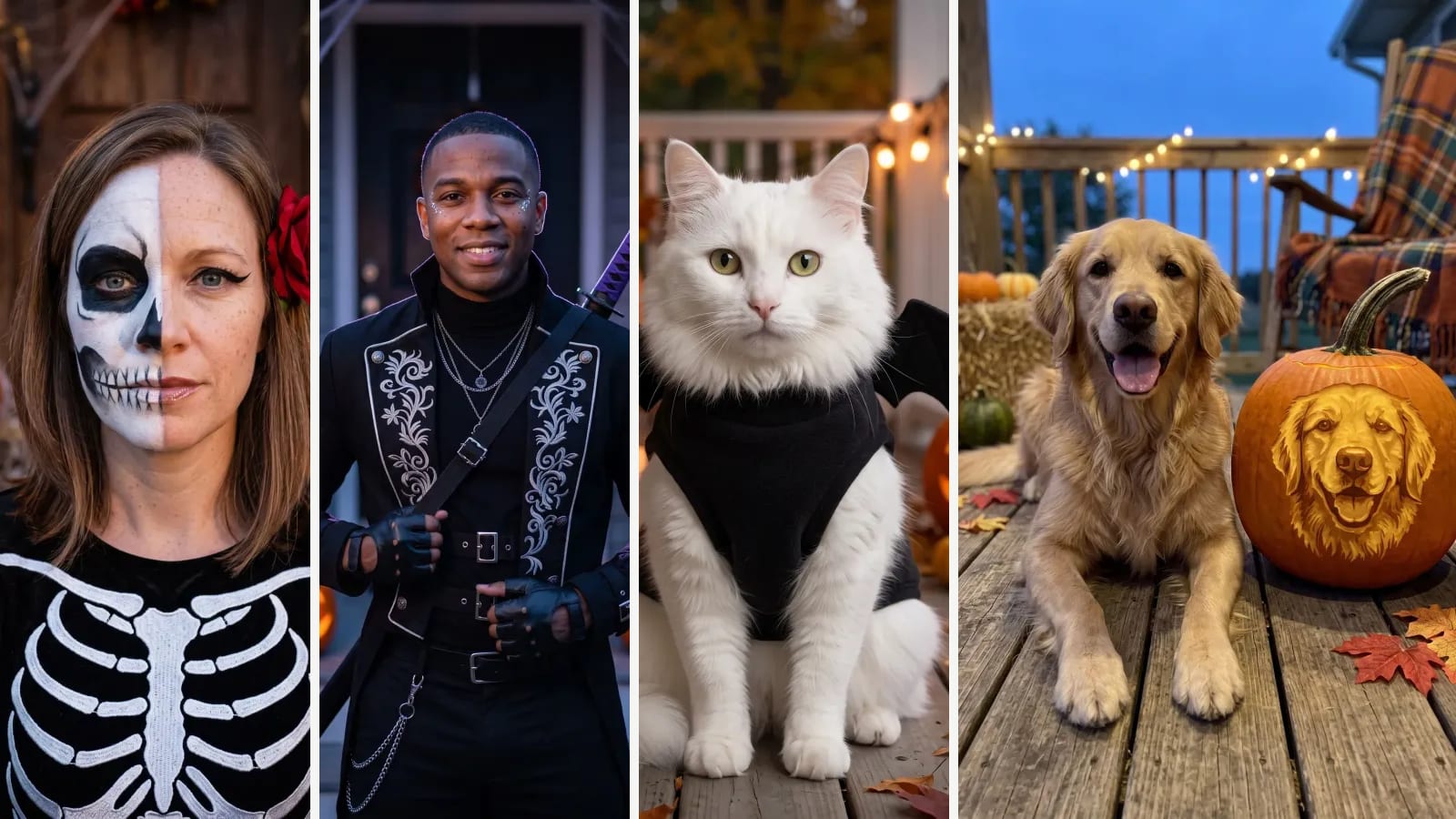
Glam skeletonThe spooky porch scene, from a close-up selfie: skull paint on one half of the face, white ribs on black velvet, a red rose. The unpainted half kept her freckles.2nd of 2 runsAI Halloween Costume Try-On 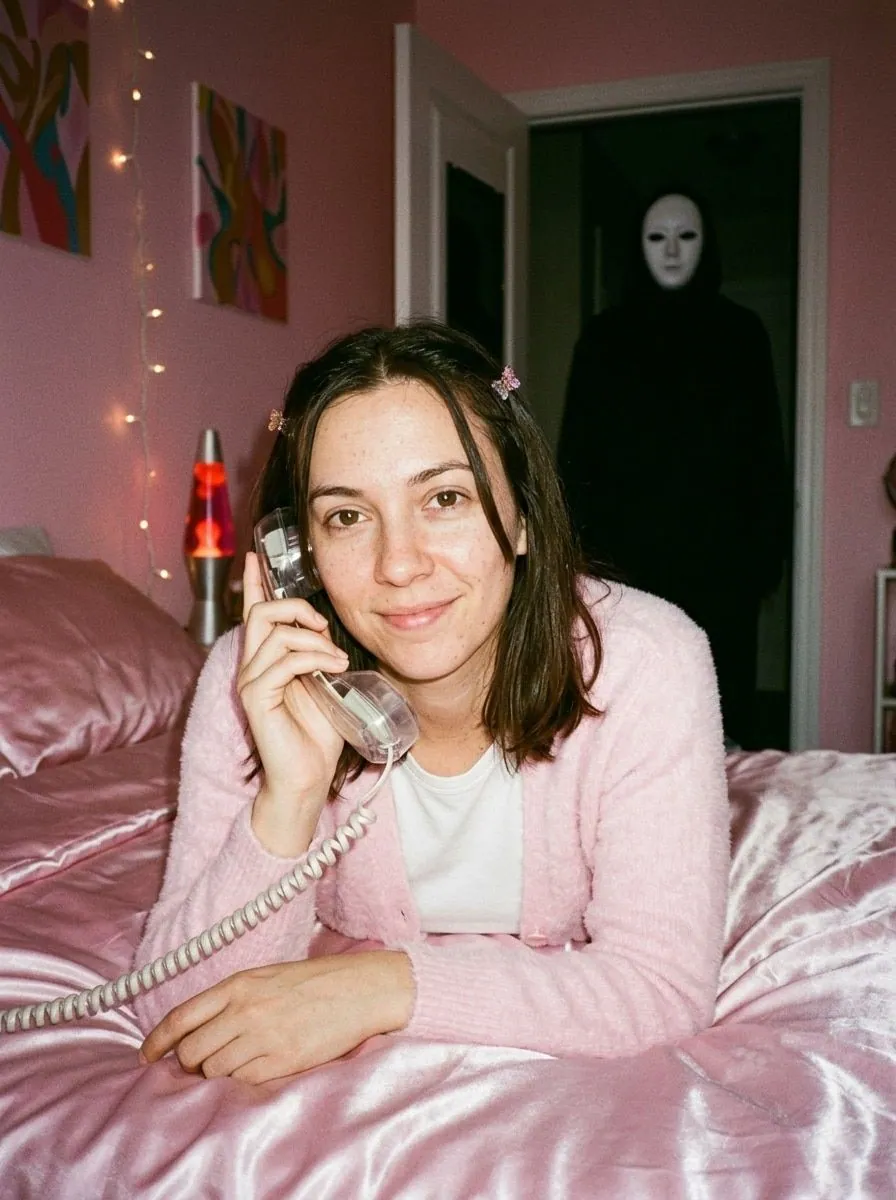
Pink bedroomA grainy 90s flash photo from a selfie: pink satin, fairy lights, a lava lamp and a see-through corded phone. No blood and no weapon, only the figure in the doorway.3rd of 4 runsY2K Slasher Phone Call 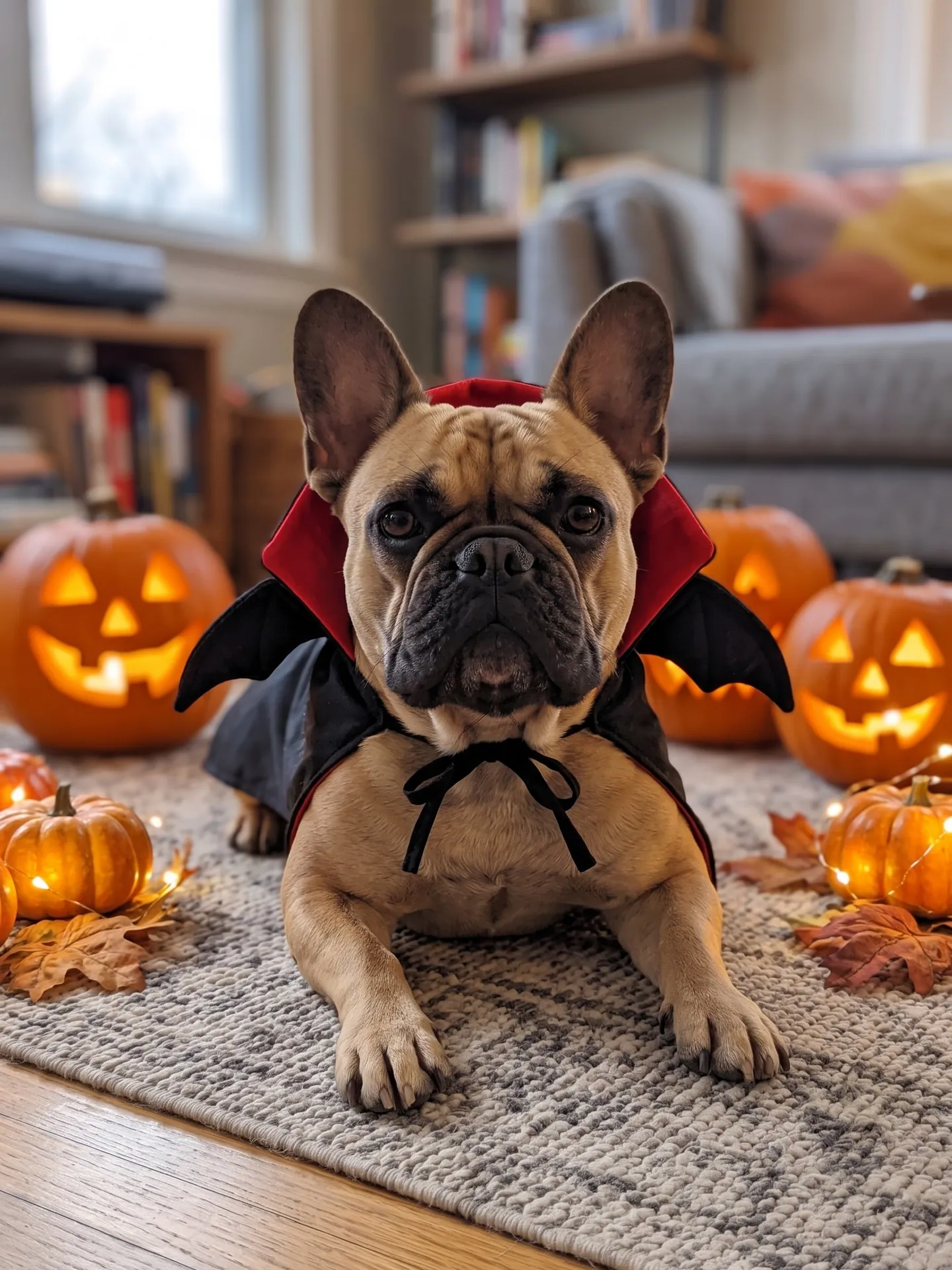
VampireA black cape with a red-lined collar and small felt wings. Dogs always lie down in this template: sitting dogs got an odd shape between the hind legs in our tests.2nd of 2 runsPet Halloween Costume 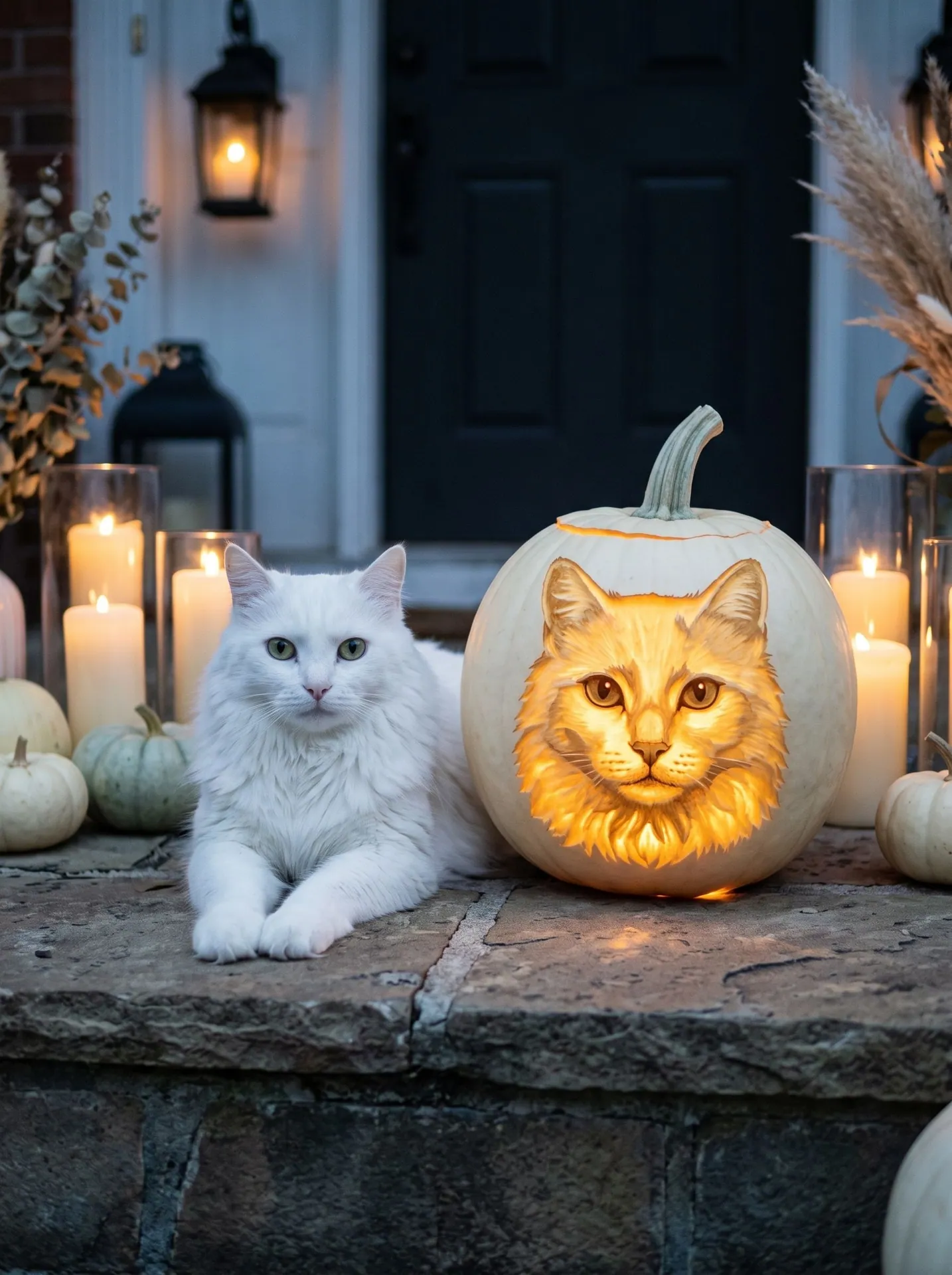
White pumpkinThe white coat and green eyes are the cat's own; the carving of its face glows warm gold among the candles. It is a photo of a carving, not a stencil you can cut.2nd of 2 runsPet Jack-o'-Lantern
Which one to pick
- A costume in your own words, free within usage limits: Gemini or ChatGPT. Gemini's Canvas can also draft a pumpkin design to carve.
- A quick costume idea in the camera, to share with friends: Snapchat's Imagine Lens.
- A costume picture you found online, on your own photo: YouCam's AI Clothes.
- A costume you describe or pick, inside an editor you already use: Picsart.
- Preset costumes and couple photos on an iPhone or iPad: Photoleap.
- A costume photo, a pet edit and a party invite from one editor, also on Windows and Mac: Fotor.
- Set looks for you, a couple or a pet with no prompt to write, plus a pumpkin carved with your pet's face: Outwow.
Before you start a trial or a weekly plan, check when it renews and how to cancel; Outwow's plans renew until you cancel too. Before you upload a photo, read the privacy policy for how long originals are kept and whether they train AI models; our privacy checklist for AI photo apps lists what to look for. More looks, with our own results, are in AI Halloween photo ideas, and the story of the 90s phone-call photo is in our trend guide.