Chair Pose in Black and White
AI photo template · from 1 photo
Sitting backwards on a chair in a black turtleneck, in black and white.
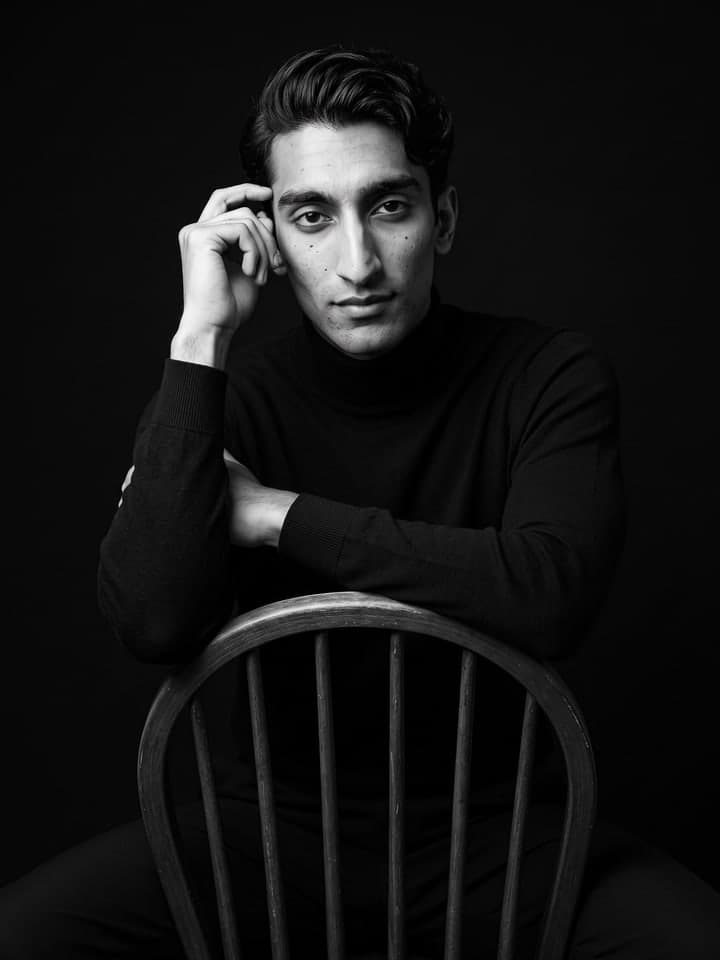
Example result. Yours is made from your own photo.
You sit backwards on a dark wooden chair, forearms on the backrest and one hand at your temple, in a black turtleneck and black trousers. The shot is black and white on a solid black background, with the camera slightly below your eye line and soft side light that keeps your face, hair and eyes sharp. Your face and hair stay as in your photo.
1 photo
per result
Output: Portrait 3:4. How photos are counted
How to make a black-and-white chair portrait with AI
A black and white photoshoot for men usually means a studio, a chair and a photographer; Chair Pose in Black and White makes the shot from one selfie. You sit backwards on a dark wooden spindle-back chair in a black turtleneck, forearms on the backrest and one hand at your temple, lit from the side against solid black. A run costs 1 photo on the Free plan.
- Upload a clear selfie, face to the camera. If you have one that also shows your shoulders, use it: the frame runs from above your head to mid-thigh.
- Press Create (1 photo). The chair, the pose, the turtleneck, the light and the black background are fixed.
- Look at the hand at your temple and the chair spindles at full size: the fingers should be whole, and no spindle should pass through an arm.
What the pose needs from your photo
The pose is the whole idea: you straddle the chair the wrong way round and lean on its curved top rail, with the spindles running across the lower half of the frame. One soft light from the front side leaves the far side of your face and body in deep shadow, and the camera sits a little below eye level, at chest height.
Our first take, on another person, came out flat, with even front light, a chair without spindles and shoulders broader than his. A selfie shows no body, so the model guessed the build; from his waist-up photo it came out slimmer. The run below, on a slim sample man, has the spindles, the side light and his own wavy hair, which the template keeps as worn and never slicks back. For a close-up in a blazer instead, see the AI black and white portrait.
What can you use it for?
- A profile picture with a studio feel, without booking a studio.
- A portrait for an artist, musician or speaker page.
- A print for a hallway of black-and-white photos.
What does an example run look like?
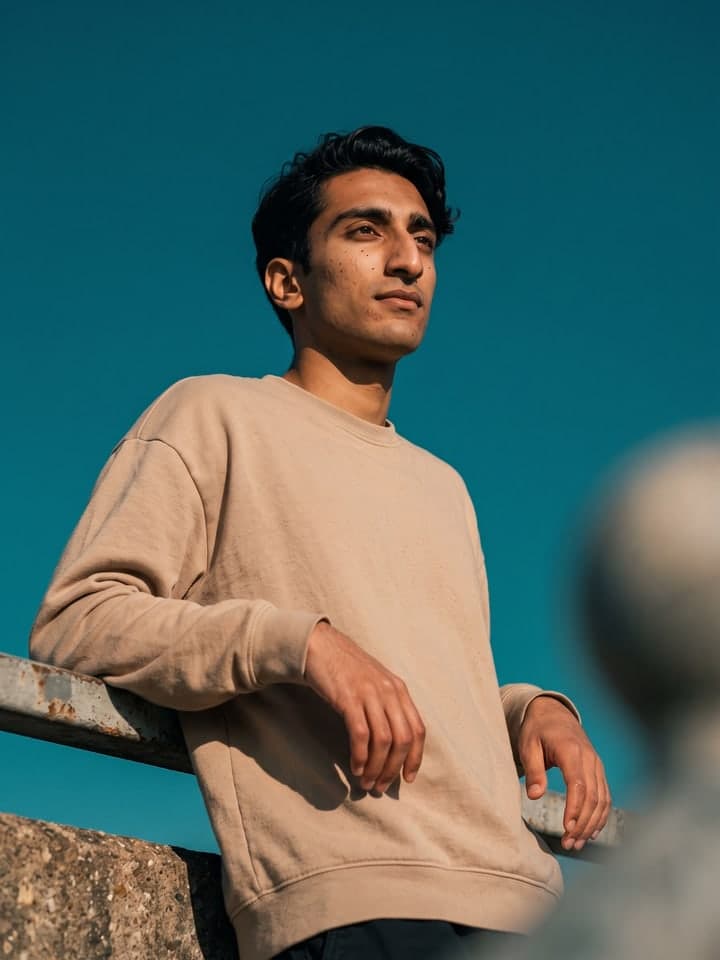
- AI-generated sample input
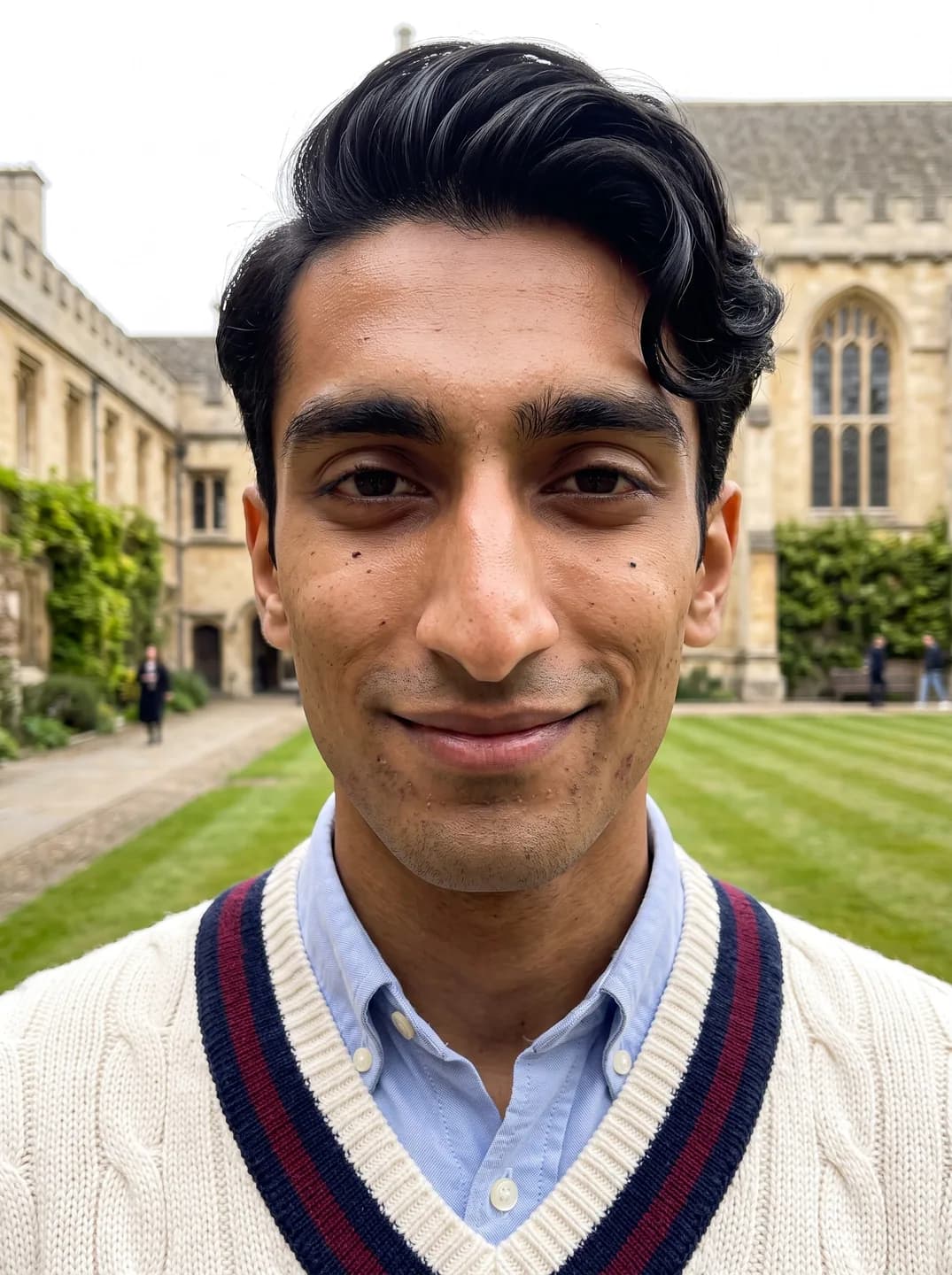 Result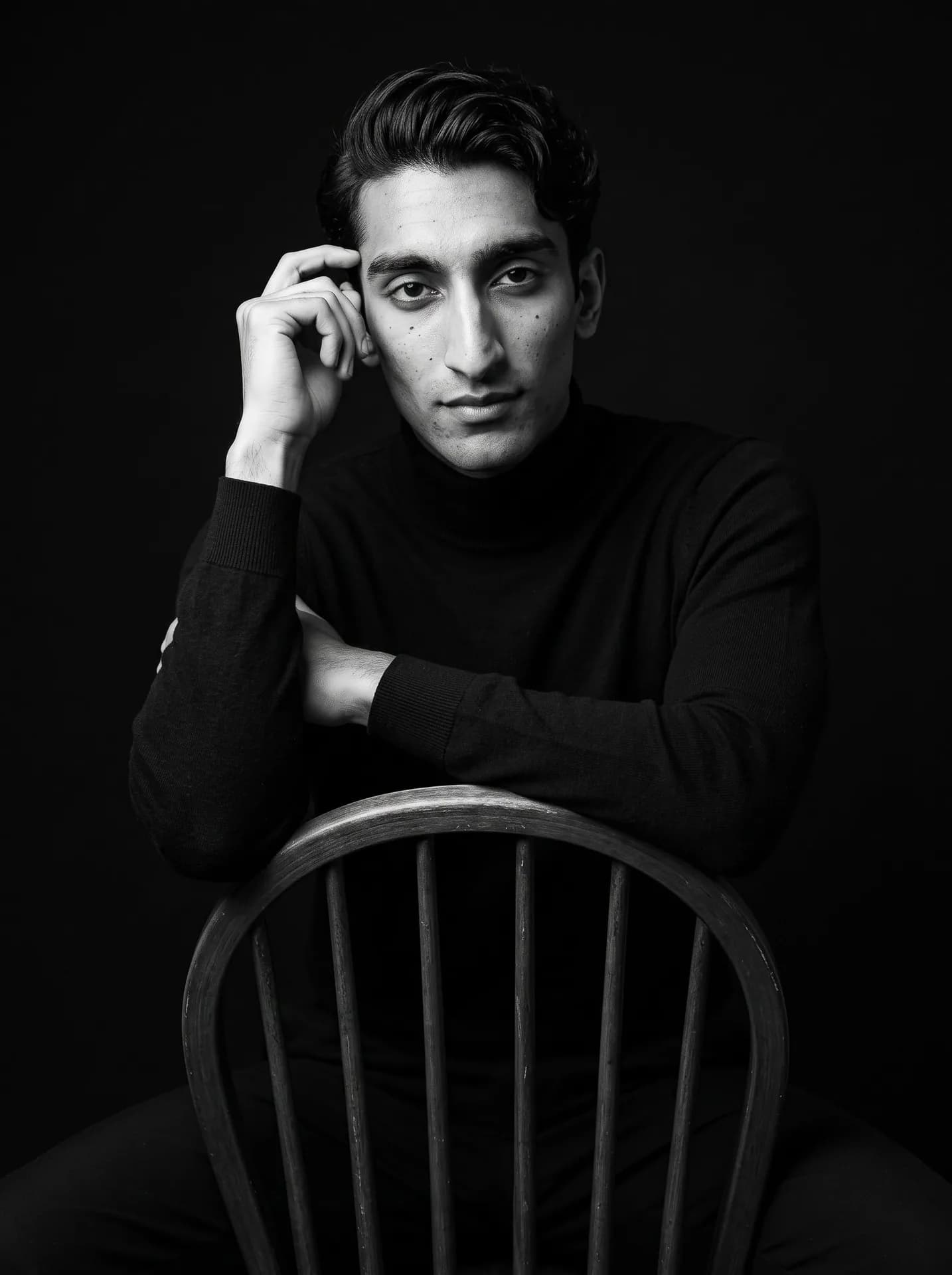
From the AI-generated test selfie on the left: his wavy black hair, nose and slim build carried over, the cricket sweater became a black turtleneck. The run added a few more moles on his cheeks than the selfie shows.
How do I get a better result?
- Wear your hair the way you like it in the selfie. Waves, a fringe or a mullet stay as they are; the template never combs them back.
- Take off rings and chains you don't want to see: the template asks for no jewelry, but a ring on the raised hand slipped through on one of our runs.
- Settle on stubble and glasses before you take the selfie: the template keeps beards, glasses, freckles and scars just as the photo shows them.
What goes wrong most often?
- Expecting a close-up. This is a seated three-quarter-length shot, so your face is smaller than in a headshot.
- Waiting for a splash of color. Everything is pure monochrome with no tint, and the background stays solid black.
What you need
Your selfie
Close-up, daylight, one face. No filters or sunglasses.
Works well
- Your face close to the camera, looking straight in
- Daylight from a window in front of you
- Only you in the frame
Avoid
- Sunglasses, masks or hair over your eyes
- Beauty filters and heavy edits
- Dark rooms and photos taken from far away