Family Studio Portrait
AI photo template · from 2–4 photos
One studio portrait built from two to four separate photos.
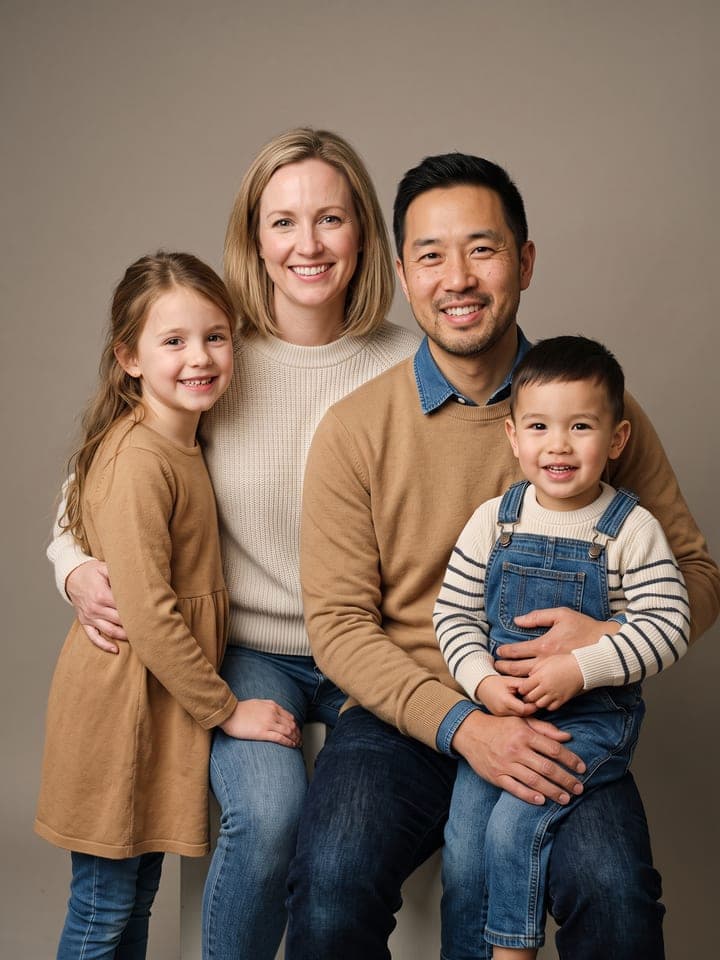
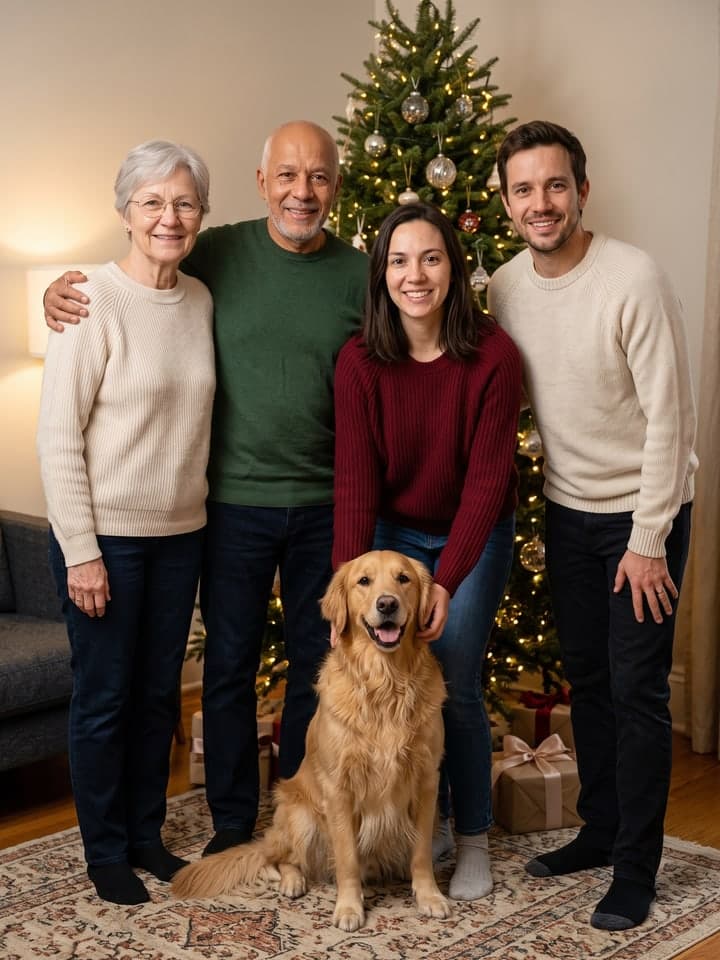
Example result. Yours is made from your own photo.
One studio family photo built from two to four separate pictures: everyone together on a warm neutral backdrop, in coordinated outfits and soft light, each face kept from its own photo. It is the way to get the family portrait when nobody is in the same place.
1 photo
per result
Shapes: 9:16 · 3:4 · 4:5 · 1:1 · 4:3 · 16:9. Example shown in 3:4. How photos are counted
- It uses more than one person's photo. Upload only photos of people who agreed to it.
- For parents and guardians. Photos of children are deleted within 24 hours.
How to make one family portrait from separate photos with AI
To make a family portrait from separate photos, upload two to four pictures, one person in each, to Family Studio Portrait: 1 photo per run on any plan, and new accounts get 3 free photos. It builds one studio photo of everyone together on a warm neutral backdrop, in coordinated outfits and soft light, with each face kept from its own photo, so nobody has to be in the same city on the same day.
- Collect one clear photo per person, face visible, in daylight. Person 1 and Person 2 are required; Person 3 and Person 4 are optional.
- Upload them in the order you want people to stand, left to right, and confirm that everyone shown agreed to it.
- Press Create (1 photo). Swap the uploads and run again if you want a different order.
What can you use it for?
- A holiday card when the family lives in different cities or countries.
- A portrait for a grandparent's birthday that includes everyone.
- A picture that brings in a relative who has passed away, from a photo you already have.
- A framed print for a new home.
How do I get a better result?
- Use one person per photo in every slot. A group shot in a single slot gives the template more faces than the portrait has places for.
- Pick photos with similar framing, all head and shoulders or all waist-up. People are placed side by side, and very different crops are harder to match in scale.
- What people wear in their photos doesn't matter: the outfits are replaced with coordinated cream, camel, soft white and denim.
- Older scanned prints work if the face is sharp. Scan them flat, without glare, before uploading.
What goes wrong most often?
- Uploading the same person twice to fill a slot. The portrait always has exactly as many people as photos, so a duplicate can show up as a twin.
- Leaving someone out of the consent step. Upload photos only of people who agreed to it; you confirm this before each run.
- Expecting a specific setting. The backdrop is a plain warm gray studio wall; for a Christmas scene or an outdoor shot this is the wrong template.
Guide: Is It Safe to Upload Your Face to an AI Photo App? A 7-Point Checklist
What you need
Person 1
One person, face clearly visible, daylight.
Person 2
One person, face clearly visible, daylight.
Person 3Optional
One person per photo.
Person 4Optional
One person per photo.
Works well
- A sharp photo with the face clearly visible
- Good, even light
Avoid
- Blurry photos and heavily compressed screenshots
- Faces hidden by hands, hats or shadows