Gothic Bride
AI photo template · from 1 photo
Two frames: a white lace veil, a cross on the forehead, a gaze at you.
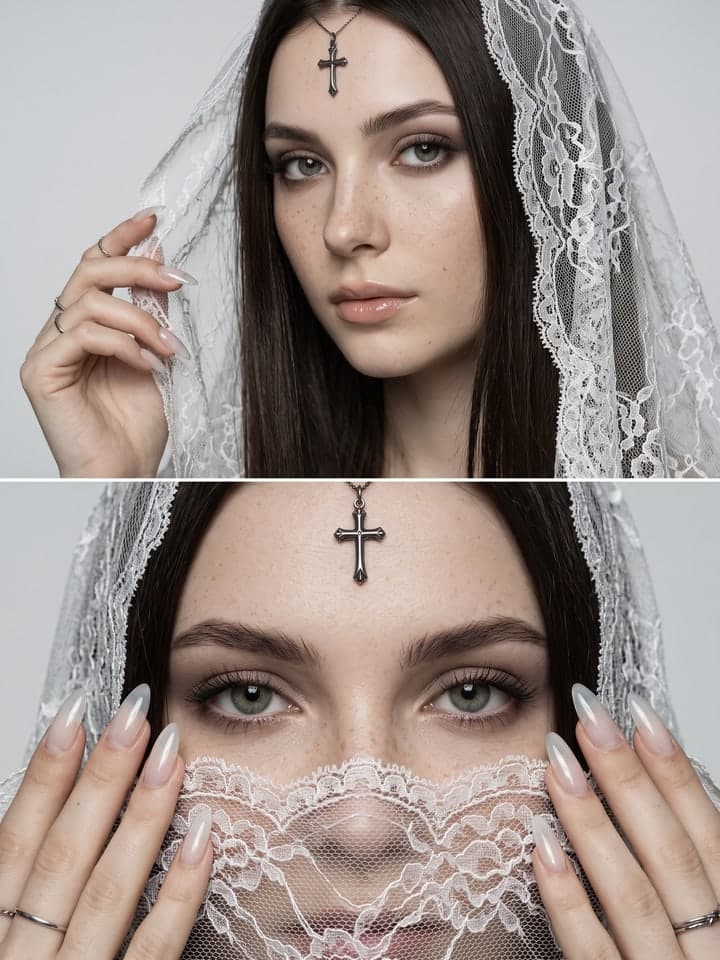
Example result. Yours is made from your own photo.
A vertical two-frame collage from your selfie: a close-up under a white vintage lace veil with a small silver cross on your forehead, then an extreme close-up of your eyes as your hands pull the lace around your face. Dark romantic bridal editorial.
1 photo
per result
Shapes: 9:16 · 3:4 · 4:5. Example shown in 3:4. How photos are counted
How to make a gothic bride photo with AI
To make a gothic bride photo with AI, upload one close-up selfie to Gothic Bride: 1 photo per run on the Free plan, which the 3 free photos of a new account cover. It returns one image with two frames from the same shoot: you under a white vintage lace veil with a small silver cross on your forehead, then an extreme close-up of your eyes as your hands pull the lace around your face.
- Upload a daylight selfie with your eyes open and your natural hair color showing. The template keeps both, with the hair worn long and straight under the veil.
- Generate the collage (1 photo). The veil, the cross, the rings and the almond nails come with it and repeat in both frames.
- Zoom in on the hands in the lower frame before posting: four fingers on each hand should sit together as they pull the lace. If they don't, run it again.
What changed after our test runs?
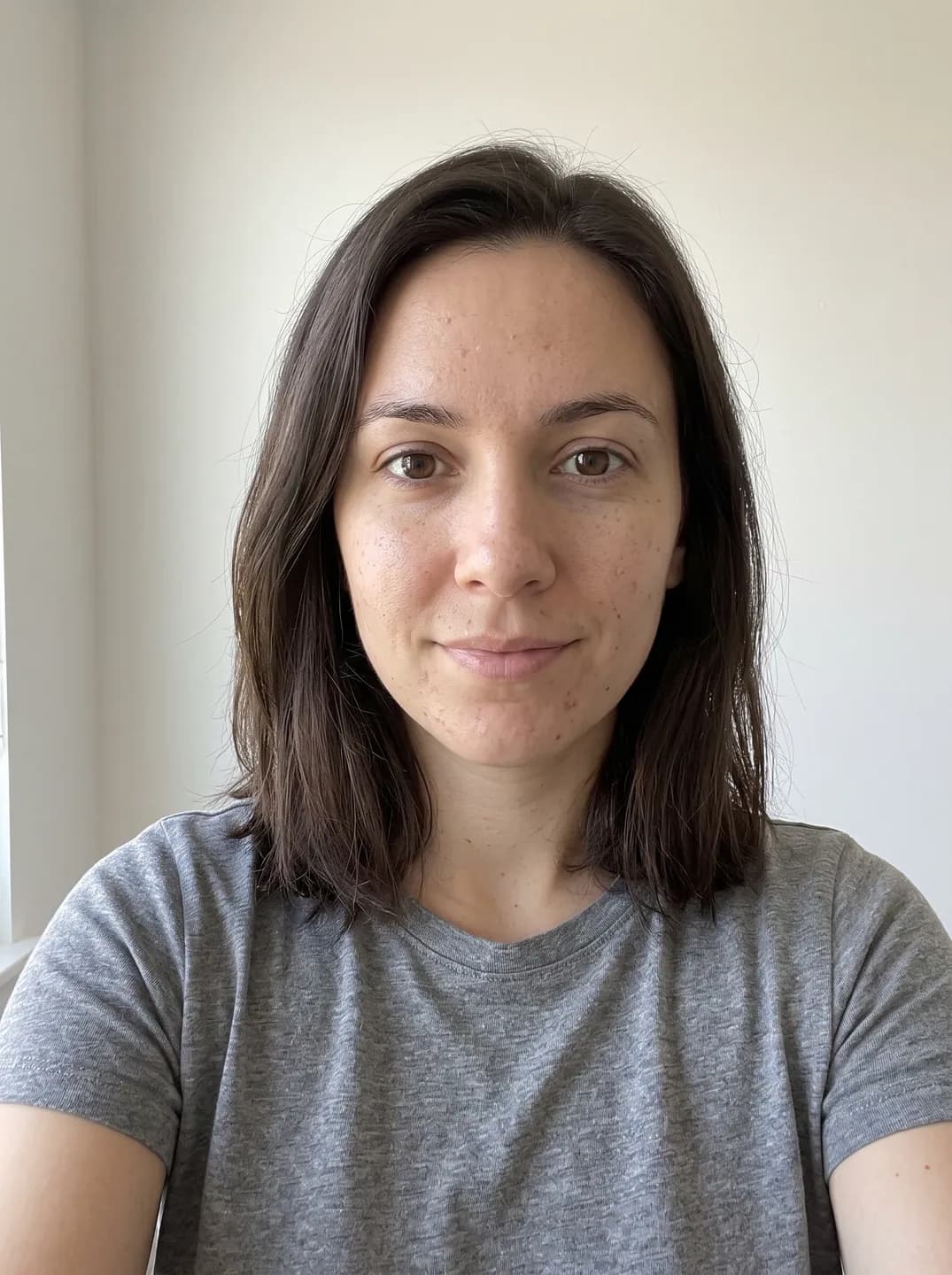
We ran Gothic Bride three times on an AI-generated sample woman with brown eyes, freckles and shoulder-length dark brown hair. The first run made her face gaunter and older. The second gave her grey-green eyes instead of brown, because the template at that point asked for that eye color and for dark brown hair. We changed it to use your own eye and hair color, and the third run, shown below, kept her brown eyes and her freckles.
What does an example run look like?
- AI-generated sample input
 Result
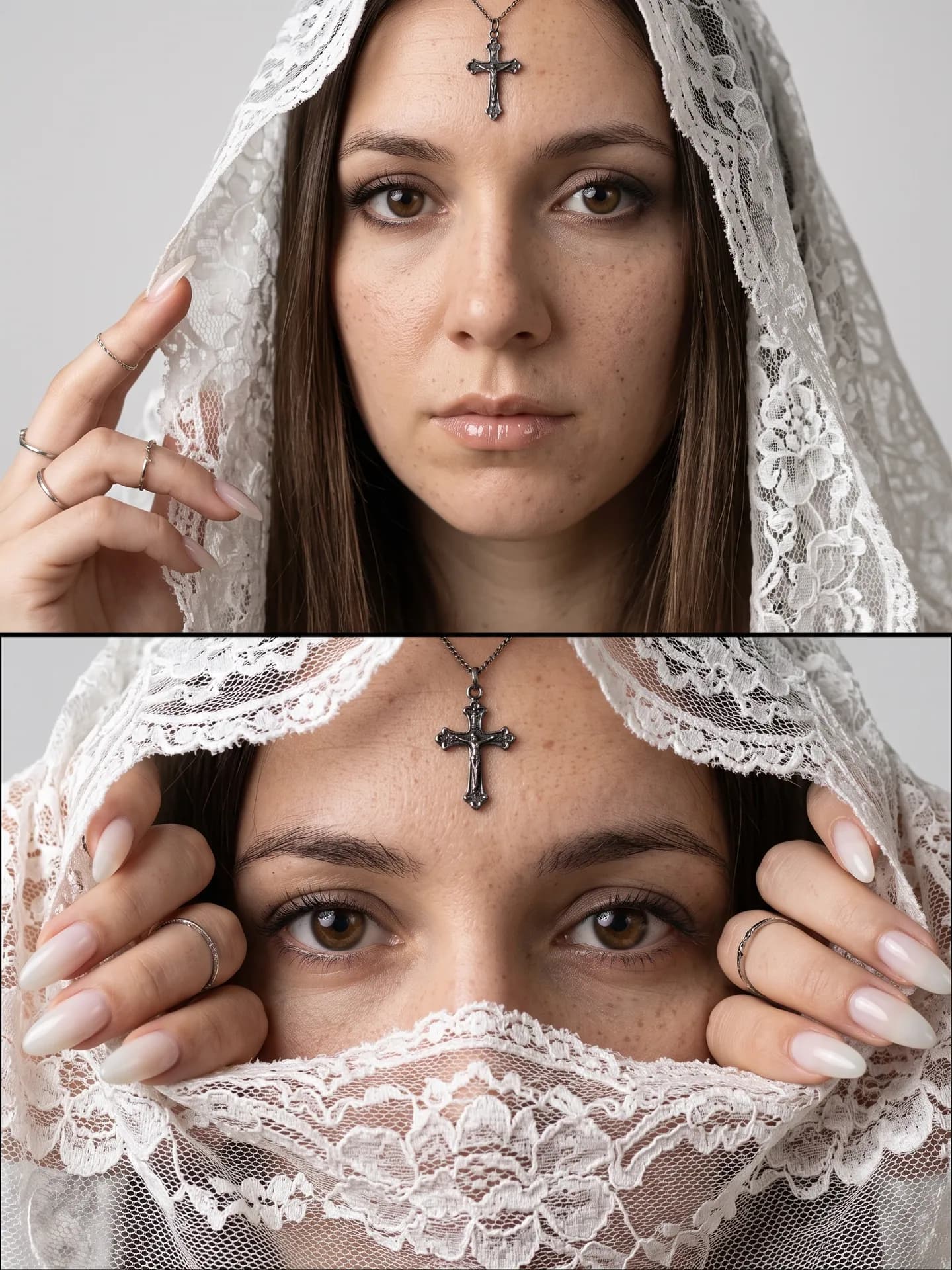
Gothic Bride from a daylight selfie, 3rd of 3 runs. Brown eyes, freckles and dark hair kept; the rings repeat in both frames.
How do I get a better result?
- A bare face is fine. Soft smoky eyes, defined lashes and glossy nude lips are part of the look either way.
- Short hair comes back long, since the look is written with long, straight hair in your own color.
- For a wider gothic scene with a sword in cathedral ruins, see Medieval Photo Shoot.
What goes wrong most often?
- Expecting a black veil. The lace is white and vintage; the dark mood comes from the gaze, the cross and the muted white, grey and beige tones.
- Cropping out one frame without checking which shows more of you. The top frame has your whole face, the bottom one only eyes and forehead.
Guide: AI Halloween Photo Ideas: 18 Looks, One Photo Each (2026)
What you need
Your selfie
Close-up, daylight, one face. No filters or sunglasses.
Works well
- Your face close to the camera, looking straight in
- Daylight from a window in front of you
- Only you in the frame
Avoid
- Sunglasses, masks or hair over your eyes
- Beauty filters and heavy edits
- Dark rooms and photos taken from far away