Hug Your Younger Self: AI Photo From One Selfie
Me and Little Me · AI photo template · from 1 photo
A touching shot: today's you hugs yourself as a child.
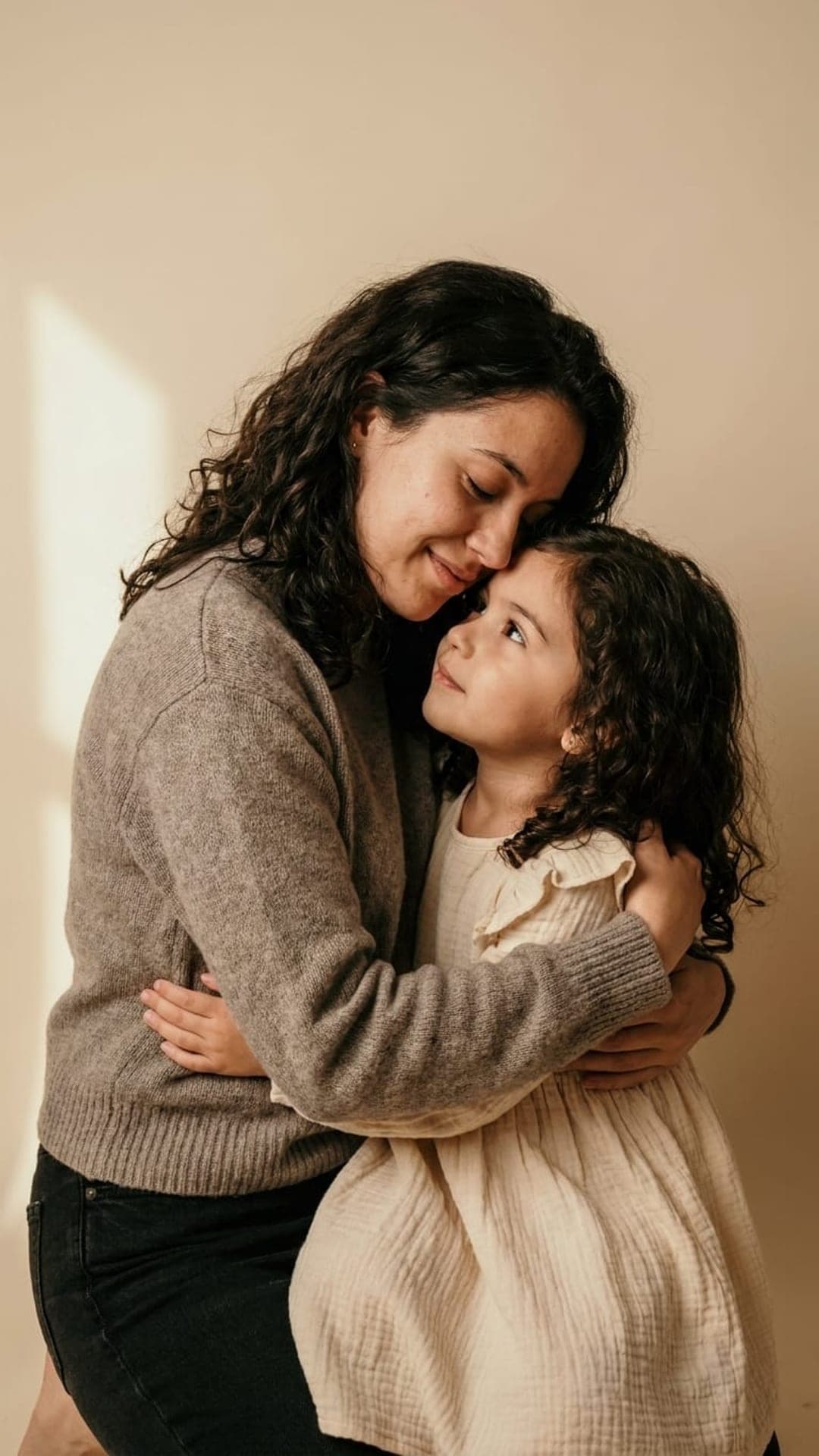
Example result. Yours is made from your own photo.
One photorealistic studio scene, not a collage: you as you are now gently hug yourself at four or five, with the same eyes, nose and hair color. Warm beige backdrop, soft light, no text or frames.
1 photo
per result
Shapes: 9:16 · 3:4 · 4:5. Example shown in 9:16. How photos are counted
How to make a photo of you hugging your younger self
To make a "hug my younger self" photo with AI, upload one selfie of you today to Me and Little Me: 1 photo per run on any plan, and the first 3 photos are free. You get one photorealistic vertical shot, not a collage: you as you are now, sitting or kneeling at a child's height and gently hugging yourself at four or five, in front of a warm beige studio backdrop. The child is drawn from your own features.
- Take a recent close-up selfie in daylight, facing the camera, with nothing covering your face. The adult in the scene is copied from it exactly, and the child's eyes, nose, lips and hair color come from the same photo.
- Upload it and press Create (1 photo). The pose, the backdrop and the outfits are set by the template: a light festive dress for the child, calm modern clothes for you.
- Download the picture from My creations. If the little girl doesn't feel like you as a kid, run it again; she is drawn anew each time.
Why does it work from one photo?
The trend is often made from two pictures, an old childhood photo and a recent one. This template needs only the recent one. It builds the child from your adult face, keeping the eye shape, nose, lips and hair color and giving her a child's proportions. That helps when the family album is in another city, but it also means she shows how you might have looked, not how you did. If you were blond at five and are brown-haired now, she gets brown hair, because her color comes from your photo today.
The scene is quiet on purpose: soft warm light from the side, light shadows on a plain wall, both of you smiling slightly with eyes closed or looking at each other, framed to the knees or the waist. There is no caption, date, frame or divider anywhere, so the words stay yours to add in the post.
What can you use it for?
- A birthday post with a short note to your younger self in the caption.
- A picture to keep beside a journal entry or a letter to the kid you were.
- A gift for your mom, made from her photo with her OK, showing her hugging herself as a little girl.
- A pair with a real childhood print: repair a faded one with Restore & Colorize and post the two side by side.
How do I get a better result?
- Use a photo where you look like yourself on an ordinary day. Your face is kept as it is, with no beautifying, so a beauty filter shows up in both faces.
- Show your hair. The child takes her hair color from yours, so a hat or a hood leaves the template guessing.
- Be the only person in the selfie. The scene holds exactly two people, both of them you, and a second face gives the template the wrong person to copy.
What goes wrong most often?
- Uploading an old photo of yourself as a child. The upload becomes the adult in the scene, so it has to be you today.
- Using it for a picture with your own daughter or son. The child is always you at four or five, drawn from your face, and there is only one photo slot.
Guide: Is It Safe to Upload Your Face to an AI Photo App? A 7-Point Checklist
What you need
Your selfie
Close-up, daylight, one face. No filters or sunglasses.
Works well
- Your face close to the camera, looking straight in
- Daylight from a window in front of you
- Only you in the frame
Avoid
- Sunglasses, masks or hair over your eyes
- Beauty filters and heavy edits
- Dark rooms and photos taken from far away