Virtual Try-On Apps Compared (2026): Free and Paid Options
Most try-on apps start free, then sell credits: TryTheClothes gives 2 free try-ons, Pincel 20 credits and FASHN 10, Fotor and Kling give unlisted free credits, and Google's Try On shows no price. Picsart lists a free trial on most plans, depending on eligibility. Outwow (outwow.app), our product, has a free one-item template; full Virtual Try-On needs Basic.
In short
- Google's Try On works only on eligible Search and Shopping listings, with no price listed.
- Fotor, TryTheClothes, Pincel, FASHN, Kling and Outwow take a product photo from any shop; Picsart's page describes picking a category or typing a description.
- TryTheClothes's website sells only one-time packs, though its iOS app adds a monthly plan; FASHN, Fotor, Kling, Picsart and Pincel center on credit subscriptions, though Kling also sells credits alone.
- Outwow's Virtual Try-On takes up to 4 items and returns 4 looks on Basic; the free route is a one-item template.
- None of the pages we read offers a size recommendation, Outwow's included; Google, Fotor and FASHN say plainly that theirs doesn't.
How we compared them
We read each app's try-on and pricing pages on October 2, 2026, plus a help center or store listing for some, and wrote down only what they state. Where a page leaves something out, such as a try-on's credit cost, we say "not listed" rather than guess. Prices are in US dollars as shown to a US visitor; in-app prices vary by region. Apps are listed alphabetically.
Virtual try-on apps at a glance
| App | What it does | Free tier | Price as listed | Platforms |
|---|---|---|---|---|
| FASHN | Clothes, shoes and accessories on a model or shopper; for brands | 10 credits on signup, no card | Basic $19/month | Web, iOS, Android (App Store listing doesn't mention try-on) |
| Fotor | Your photo plus a product photo or screenshot | Free-forever Basic plan, limited credits | Pro US$8.99 billed monthly | Web, iOS, Android (Windows and Mac apps also listed) |
| Google Shopping Try On | Your photo on eligible Search and Shopping listings | No price listed; built into Search | No price listed | Desktop and mobile, signed in, 18+, 18 countries |
| Kling AI | Person image plus one garment image; results can become short videos | Monthly free credits, amount not listed | Standard $6.99 first month (one-time offer), then $8.8/month | Web, iOS, Android (App Store listing doesn't mention try-on) |
| Outwow | Full-length photo plus up to 4 product screenshots; returns 4 looks | 3 free photos once; the one-item Clothes Try-On template costs 1 photo | Basic $19.99/month | Web, phone or computer browser; no store app |
| Picsart | Your photo plus an outfit you pick or describe | Not listed; trial on most plans | Pro $15/mo billed monthly | Web, Picsart mobile app |
| Pincel | Person or model photo plus a garment image | 20 credits, no card (10 try-on images) | Creator $19/month | Web only |
| TryTheClothes | Your full-body photo plus a garment photo | 2 free try-ons, no card | Packs from $3.99 for 40 try-ons | Web, iOS, Android |
FASHN
- What it does
- Clothes, shoes and accessories on a model or shopper; for brands
- Free tier
- 10 credits on signup, no card
- Price as listed
- Basic $19/month
- Platforms
- Web, iOS, Android (App Store listing doesn't mention try-on)
Fotor
- What it does
- Your photo plus a product photo or screenshot
- Free tier
- Free-forever Basic plan, limited credits
- Price as listed
- Pro US$8.99 billed monthly
- Platforms
- Web, iOS, Android (Windows and Mac apps also listed)
Google Shopping Try On
- What it does
- Your photo on eligible Search and Shopping listings
- Free tier
- No price listed; built into Search
- Price as listed
- No price listed
- Platforms
- Desktop and mobile, signed in, 18+, 18 countries
Kling AI
- What it does
- Person image plus one garment image; results can become short videos
- Free tier
- Monthly free credits, amount not listed
- Price as listed
- Standard $6.99 first month (one-time offer), then $8.8/month
- Platforms
- Web, iOS, Android (App Store listing doesn't mention try-on)
Outwow
- What it does
- Full-length photo plus up to 4 product screenshots; returns 4 looks
- Free tier
- 3 free photos once; the one-item Clothes Try-On template costs 1 photo
- Price as listed
- Basic $19.99/month
- Platforms
- Web, phone or computer browser; no store app
Picsart
- What it does
- Your photo plus an outfit you pick or describe
- Free tier
- Not listed; trial on most plans
- Price as listed
- Pro $15/mo billed monthly
- Platforms
- Web, Picsart mobile app
Pincel
- What it does
- Person or model photo plus a garment image
- Free tier
- 20 credits, no card (10 try-on images)
- Price as listed
- Creator $19/month
- Platforms
- Web only
TryTheClothes
- What it does
- Your full-body photo plus a garment photo
- Free tier
- 2 free try-ons, no card
- Price as listed
- Packs from $3.99 for 40 try-ons
- Platforms
- Web, iOS, Android
FASHN
FASHN is built for fashion brands and retailers. From a product image and a photo of the person, it shows clothes, shoes, bags, hats, eyewear and other accessories on a model or shopper, can combine clothing and accessories in one image, and exports at up to 4K. Stores can add a Virtual Fitting Room for shoppers' own photos. FASHN says try-on doesn't measure the body or predict size, permits personal and commercial use in line with your plan, and doesn't train on customer content unless you opt in separately. New accounts get 10 free credits, no card needed. Per FASHN's help center, one try-on image costs 1 credit at 1K and up to 3 at 4K, depending on mode, and several outputs in one run multiply the cost. Subscriptions and top-ups are non-refundable. FASHN runs on the web, with iOS and Android apps; the iOS listing describes on-model product images but doesn't mention try-on.
Fotor
Fotor's Virtual Try On Clothes takes your photo and a clothing image: a product photo, a screenshot or a flat-lay. It promises a result in seconds, with front, side and other available views. Fotor says the tool doesn't predict measurements or the right size, that uploads aren't shared with third parties or used for AI training, and that try-on images are royalty-free for commercial use. Its FAQ says you can try it free online, and the pricing page lists a free-forever Basic plan with limited credits; neither page states a try-on's credit cost or how many results a run returns. On paid plans, unused credits roll over while you stay subscribed, up to five months' worth. Fotor says its phone app supports try-on, and it also lists Windows and Mac apps.
Google Shopping Try On
Google's try-on lives inside Search and Shopping: on an eligible listing, it combines your photo with the merchant's product images. Google's merchant help page lists tops, bottoms, dresses and shoes; lingerie, bathing suits and accessories aren't supported. It works on desktop and mobile for signed-in users 18 or older, with Web & App Activity and Search personalization on, in 18 countries including the US, UK, India and Japan. It appears only on non-sponsored product results and uses the merchant's product images; the page doesn't describe uploading a product photo from another shop. Google says the image doesn't indicate fit or size and photos aren't used for training. In the US, a selfie can generate a full-body version of you. No price is listed. Chrome has a similar Try it on feature on some retailer sites, and Google's try-on app Doppl stopped working on April 30, 2026.
Kling AI
Kling is mainly an image and video generator with a Virtual Try-On tool. Kling's guide describes a model image plus a product image, with a result in 10 to 13 seconds; an image scaling tool can then reframe it in five aspect ratios, and results can become short videos. The guide asks for one garment per product image, lists a bottoms-only product image as not recommended (though it has separate tips for bottoms), and warns that small text and logos can come out inaccurate. Non-subscribers get monthly free credits on login, valid for 31 days, but neither the guide nor the membership page says how many or what a try-on costs. Each plan has a discounted first month, offered once as a first-purchase offer; paid plans allow commercial use, and credits bought without a plan stay valid for two years. Kling also has iOS and Android apps; the iOS listing sells plans in-app but doesn't mention try-on.
Outwow Virtual Try-On
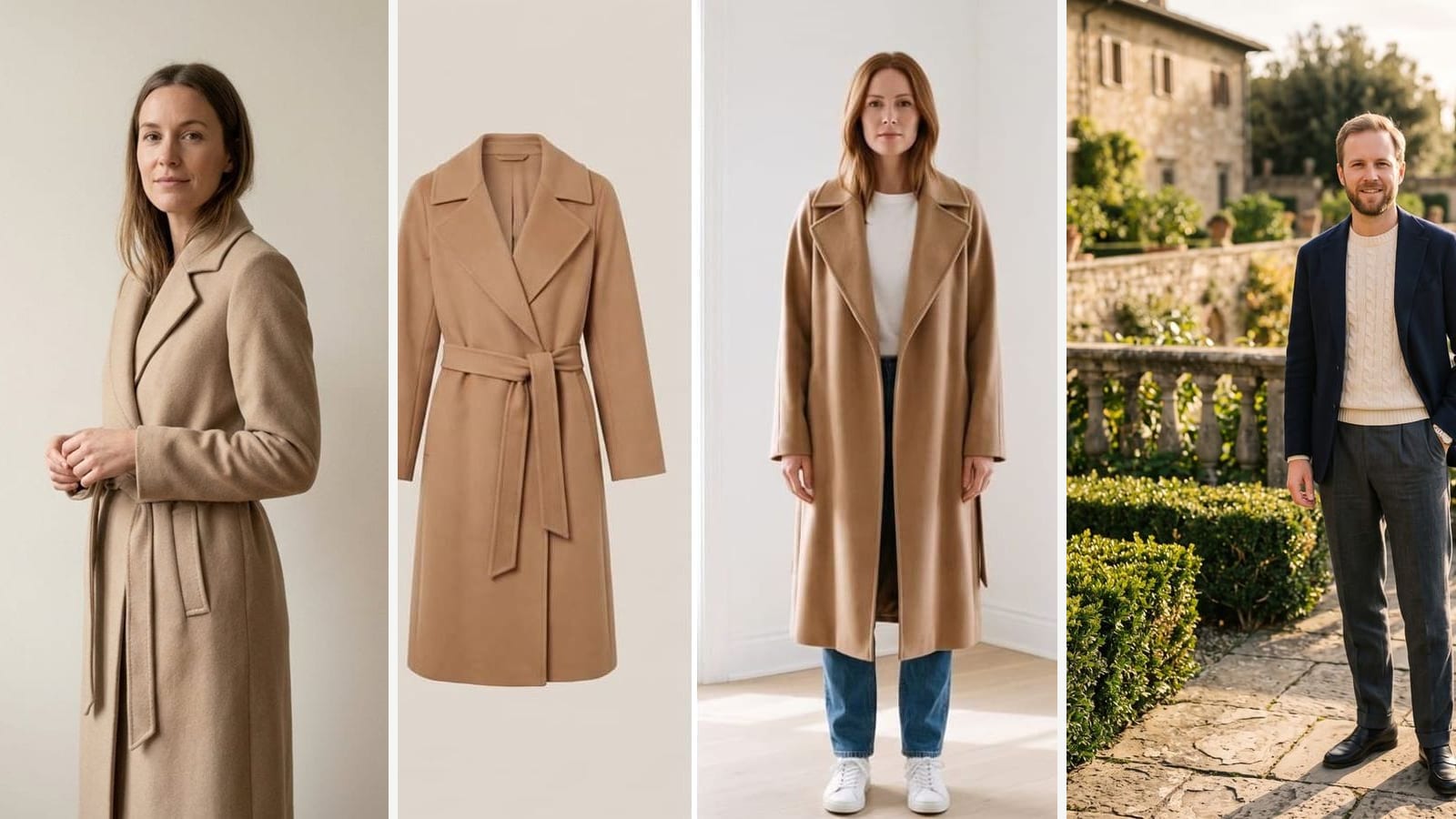
Outwow (outwow.app) is a web AI photo studio with a Virtual Try-On tool. You upload one full-length photo and up to 4 product screenshots from any shop, pick the type of item (top, dress, jacket or coat, pants or skirt, shoes, full outfit), and get 4 looks. A run costs 4 photos on the Basic plan or higher, so the Weekly Pass and Mini don't include it. The free route is the one-item Clothes Try-On template: a new account gets 3 free photos once, and each result costs 1 photo, with a watermark on free results. A failed run costs nothing, and photos for any missing images go back to your balance. Outwow refunds a payment in full if you haven't made anything since it, but not because you dislike a result (refund policy). Commercial use of results comes with Premium and Ultra only. Uploads are deleted within 24 hours. Lingerie, swimwear, see-through items and photos of children aren't allowed. Outwow runs in a phone or computer browser, with no App Store or Google Play app, so FASHN, Fotor, Kling, Picsart and TryTheClothes, which have store apps, are ahead there.
Picsart
Picsart's Virtual Try On Clothes works from your photo: you upload it, then choose an outfit category or describe the outfit you want, and the page promises a result in seconds. The prompt box also has an Add Reference button, but the page doesn't say whether a product photo works there. The tool runs on the web and in the Picsart mobile app. Picsart doesn't describe a free tier on its try-on or pricing page; it says most plans include a free trial, with eligibility depending on account history. Pro includes 500 credits a month, billed monthly or yearly; neither page lists a try-on's credit cost.
Pincel
Pincel is a browser-based AI image tool for businesses; its try-on page names fashion enthusiasts, designers and ecommerce platforms. Its Clothes Swap tool, labelled AI Virtual Try-On in the menu, takes a person or model photo plus a garment image and returns a result in 30 to 50 seconds. One image costs 2 credits, so the 20 free credits, no card required, cover 10 images. Pincel advises matching the garment type, shirt for shirt and dress for dress; otherwise, especially with dresses and pants, it favors the upper body. The Creator, Premium and Restless plans are billed monthly, top-up credits never expire, and the pricing page promises no-questions-asked refunds and says you may modify and resell your images. Nothing needs installing, and we found no store app.
TryTheClothes
TryTheClothes is aimed mainly at shoppers, and also pitches itself to creators and boutiques. You upload a full-body photo and a garment photo, flat-lay or on a model, and most results come back in 20 to 30 seconds. Signing up gives 2 free try-ons with no card; HD downloads need a paid pack. Pricing on the website is pay-as-you-go with no subscription: four packs from Mini to Super, where one credit is one try-on, bigger packs cost less per look, and credits never expire. The site says unused credits can be refunded within 7 days and your photos are never sold, shared or used to train AI. The site links iOS and Android apps, and the iOS app also sells TryOn AI Pro, a monthly subscription with 100 credits a month.
Paid plans side by side
| App | Plan | Price as listed | Credits or try-ons |
|---|---|---|---|
| FASHN | Basic | $19/month or $190/year | 200/month |
| FASHN | Pro | $49/month or $490/year | 750/month + 50/day |
| FASHN | Agency | $99/month or $990/year | 1,500/month + 100/day |
| FASHN | Top-up | $0.10 per credit | Minimum 100, valid 12 months |
| FASHN | Basic, iOS (US App Store) | $19.00/month | As Basic |
| Fotor | Pro | US$8.99 billed monthly or US$39.99 billed yearly | 100/month |
| Fotor | Pro+ | US$19.99 billed monthly or US$62.99 billed yearly | 300/month |
| Fotor | Max | US$39.99 billed monthly or US$134.32 billed yearly | 1000/month |
| Kling AI | Standard | $6.99 first month (list $10), then $8.8/month | 660/month |
| Kling AI | Pro | $25.99 first month, then $32.56/month | 3000/month |
| Kling AI | Premier | $64.99 first month, then $80.96/month | 8000/month |
| Kling AI | Ultra | $127.99 first month, then $159.99/month | 26000/month |
| Kling AI | Standard, iOS (US App Store) | $10.00/month | Not listed |
| Outwow | Basic | $19.99/month | 120 photos/month, or 30 try-on runs at 4 photos each |
| Picsart | Pro | $15/mo billed monthly or $10.5/mo billed yearly | 500/month |
| Pincel | Creator | $19/month | 1000/month |
| Pincel | Premium | $79/month | 5000/month |
| Pincel | Restless | $199/month | 15000/month |
| TryTheClothes | Mini / Starter | $3.99 / $9.99, one-time | 40 / 140 try-ons |
| TryTheClothes | Power / Super | $19.99 / $49.99, one-time | 320 / 900 try-ons |
| TryTheClothes | TryOn AI Pro, iOS (US App Store) | Monthly subscription, price not named in the listing | 100/month |
FASHN
- Plan
- Basic
- Price as listed
- $19/month or $190/year
- Credits or try-ons
- 200/month
FASHN
- Plan
- Pro
- Price as listed
- $49/month or $490/year
- Credits or try-ons
- 750/month + 50/day
FASHN
- Plan
- Agency
- Price as listed
- $99/month or $990/year
- Credits or try-ons
- 1,500/month + 100/day
FASHN
- Plan
- Top-up
- Price as listed
- $0.10 per credit
- Credits or try-ons
- Minimum 100, valid 12 months
FASHN
- Plan
- Basic, iOS (US App Store)
- Price as listed
- $19.00/month
- Credits or try-ons
- As Basic
Fotor
- Plan
- Pro
- Price as listed
- US$8.99 billed monthly or US$39.99 billed yearly
- Credits or try-ons
- 100/month
Fotor
- Plan
- Pro+
- Price as listed
- US$19.99 billed monthly or US$62.99 billed yearly
- Credits or try-ons
- 300/month
Fotor
- Plan
- Max
- Price as listed
- US$39.99 billed monthly or US$134.32 billed yearly
- Credits or try-ons
- 1000/month
Kling AI
- Plan
- Standard
- Price as listed
- $6.99 first month (list $10), then $8.8/month
- Credits or try-ons
- 660/month
Kling AI
- Plan
- Pro
- Price as listed
- $25.99 first month, then $32.56/month
- Credits or try-ons
- 3000/month
Kling AI
- Plan
- Premier
- Price as listed
- $64.99 first month, then $80.96/month
- Credits or try-ons
- 8000/month
Kling AI
- Plan
- Ultra
- Price as listed
- $127.99 first month, then $159.99/month
- Credits or try-ons
- 26000/month
Kling AI
- Plan
- Standard, iOS (US App Store)
- Price as listed
- $10.00/month
- Credits or try-ons
- Not listed
Outwow
- Plan
- Basic
- Price as listed
- $19.99/month
- Credits or try-ons
- 120 photos/month, or 30 try-on runs at 4 photos each
Picsart
- Plan
- Pro
- Price as listed
- $15/mo billed monthly or $10.5/mo billed yearly
- Credits or try-ons
- 500/month
Pincel
- Plan
- Creator
- Price as listed
- $19/month
- Credits or try-ons
- 1000/month
Pincel
- Plan
- Premium
- Price as listed
- $79/month
- Credits or try-ons
- 5000/month
Pincel
- Plan
- Restless
- Price as listed
- $199/month
- Credits or try-ons
- 15000/month
TryTheClothes
- Plan
- Mini / Starter
- Price as listed
- $3.99 / $9.99, one-time
- Credits or try-ons
- 40 / 140 try-ons
TryTheClothes
- Plan
- Power / Super
- Price as listed
- $19.99 / $49.99, one-time
- Credits or try-ons
- 320 / 900 try-ons
TryTheClothes
- Plan
- TryOn AI Pro, iOS (US App Store)
- Price as listed
- Monthly subscription, price not named in the listing
- Credits or try-ons
- 100/month
Which one to pick
- To try an item listed in Google Shopping at no listed cost: Google's Try On, where supported.
- To try a screenshot from any shop for free: TryTheClothes, Pincel, Fotor's free plan, FASHN's signup credits, Kling's monthly credits or Outwow's one-item Clothes Try-On template.
- To put several items in one image: Outwow's Virtual Try-On (up to 4 screenshots, on Basic) or FASHN, which combines clothing and accessories.
- For a native phone app: Fotor, Picsart or TryTheClothes, whose pages tie their apps to try-on; FASHN and Kling also have store apps.
- To pay without a subscription: TryTheClothes packs (credits never expire) or Kling's separate credits (valid for two years).
- For store product photos, accessories or 4K output: FASHN. For no-questions-asked refunds and explicit resale wording: Pincel; TryTheClothes also refunds unused credits within 7 days, and FASHN, Fotor and paid Kling plans allow commercial use. Outwow allows it on Premium and Ultra only.
- For a style idea with no specific garment: Picsart. To turn the result into a short video: Kling.
Whichever you choose, check the size chart before you buy, and read the privacy policy before uploading a full-length photo of yourself. Our privacy checklist for AI photo apps lists what to look for.