Snow Globe Portrait
AI photo template · from 1 photo
A tiny you, with your pet if you like, inside a glowing snow globe.
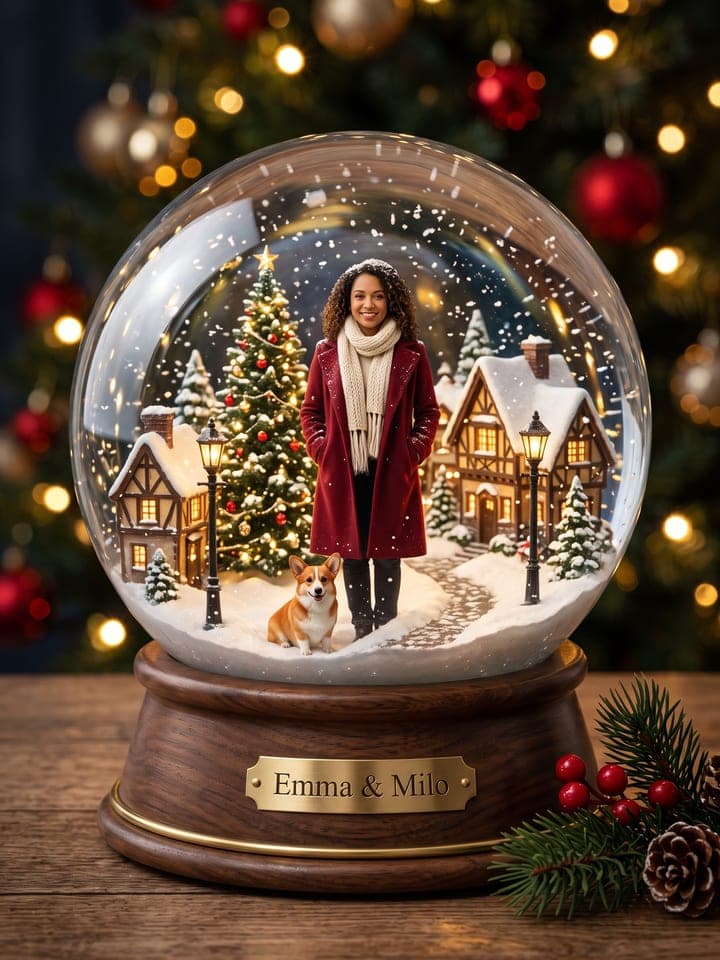
Example result. Yours is made from your own photo.
A tiny, lifelike you inside a glowing glass snow globe: standing in a miniature Christmas scene with snow drifting around you, on a polished walnut base, shot like a macro product photo by the tree lights. Add your cat or dog to sit beside you, pick a Christmas village, a market, a forest cabin or a gingerbread town, and engrave a name on the base if you like.
1 photo
per result
Shapes: 9:16 · 3:4 · 4:5 · 1:1 · 4:3. Example shown in 3:4. How photos are counted
How to make an AI snow globe photo of yourself
To make an AI snow globe photo of yourself, upload one close-up selfie to Snow Globe Portrait and choose what stands inside the glass: 1 photo per run on any plan, with 3 free photos for a new account. You get a macro shot of a glowing globe on a walnut base, a tiny, lifelike you inside in a winter coat, and your cat or dog at your feet if you add one.
- Put a daylight close-up in Your selfie: one face, no hat or sunglasses. The template is told to leave a headscarf as you wear it, and your top doesn't matter, since the tiny you gets a wool coat.
- Optionally add your pet's photo and up to 16 characters for the brass plaque. Then set Inside the globe: Christmas village (the default), Christmas market, Forest cabin or Gingerbread town.
- Press Create (1 photo), then open the picture at full size and look at the face first: it is the smallest detail that matters.
How small is the tiny you, and does it still look like you?
The figure stands front and center at about three fifths of the sphere's height, with adult proportions: the head is about a seventh of the body, never a bobble-head. It should look like you shrunk down behind glass, with real skin and soft hair, not a painted resin toy. Early test runs drifted toward a doll face and a toothy grin, so the template now asks for the expression from your selfie, and in our later runs a closed-lip smile stayed closed-lipped.
What our runs still show: cats come out about a third larger than life, ears just under the coat hem, while small dogs land just below the knee, as they should. One test man's messy hair was tidied into a neat quiff in one run of two. The plaque matched the typed name letter for letter in all four test runs that had one.
What can you use it for?
- A Christmas card where you and your dog share one globe.
- A holiday post for your feed, with just your own name engraved on the base.
- A first-snow post with your pet's name next to yours on the brass plaque.
What does an example run look like?
- AI-generated sample input
 Result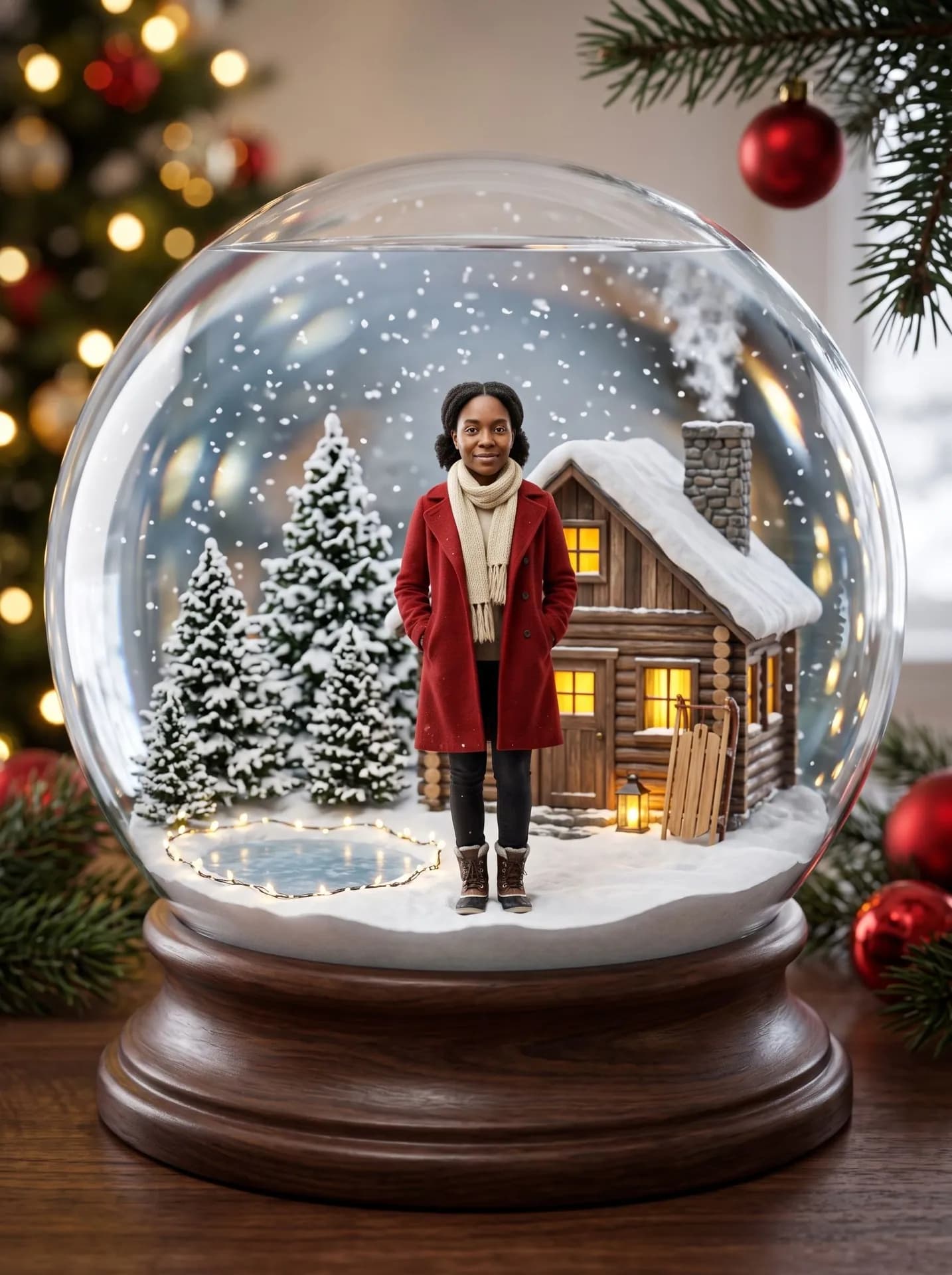
Forest cabin, made from the synthetic test selfie on the left with no pet photo and no name, so the base is plain wood. Her skin tone, freckles and pulled-back hair carried over. - AI-generated sample input
 Result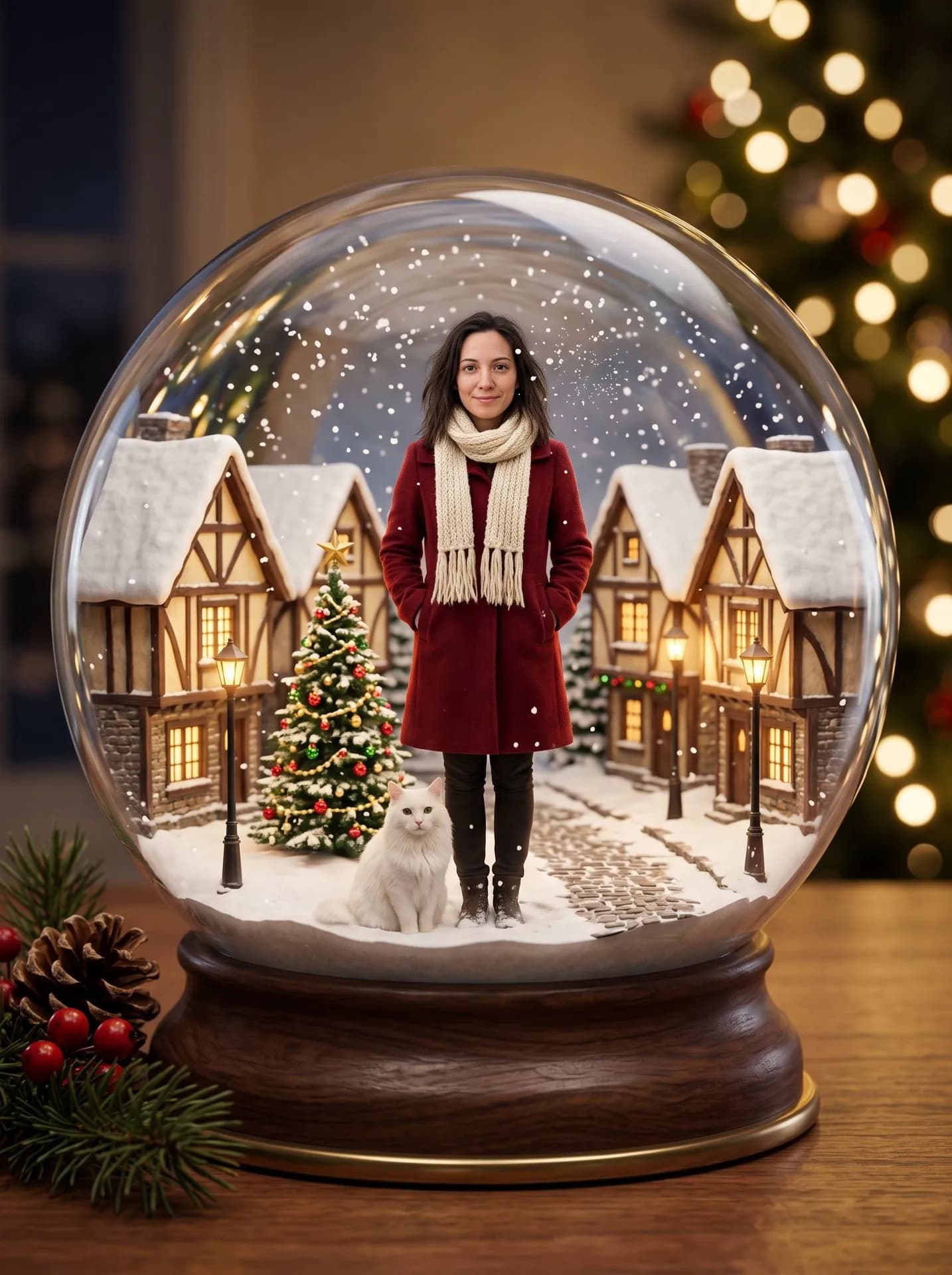
Christmas village, made from the synthetic test selfie on the left plus a photo of a white cat, no name typed. The cat is a little large next to her, as in our other cat runs.
How do I get a better result?
- Hold the phone at eye level and face it squarely. The face takes up a small part of the final frame, so a tilted or half-shadowed selfie loses the likeness first.
- Pick the selfie with the smile you want in the globe: the figure is set to copy your expression rather than put on a grin.
- For the pet, choose a front-on shot. It sits facing the camera by your boots, so the markings on its face, chest and front legs are what make it yours.
- Count the plaque characters before you type: spaces and the & count too, and Anna & Tiger already uses 12 of the 16.
What goes wrong most often?
- Uploading a couple or group photo. The globe holds exactly one person and no other figures or Santa; for two to five people in one Christmas scene, use Family Christmas Card.
- Expecting a pet without its photo. With only a selfie you are alone in the globe, and no animal is added anywhere.
What you need
Your selfie
Close-up, daylight, one face. No hat, filters or sunglasses (a headscarf you wear is fine). The tiny you wears a winter coat, so any top works.
Your pet's photoOptional
Your cat or dog sits beside you in the globe. A close-up in daylight with the eyes visible.
Name on the baseOptional
Up to 16 characters, engraved on a brass plaque. Leave it empty for a plain wooden base.
- You pick the inside the globe
- Christmas village, Christmas market, Forest cabin, Gingerbread town
Works well
- Your face close to the camera, looking straight in
- Daylight from a window in front of you
- Only you in the frame
- Your pet's face close up, eyes open
Avoid
- Sunglasses, masks or hair over your eyes
- Beauty filters and heavy edits
- Dark rooms and photos taken from far away
- Dark or tiny photos: they can change the fur color