Ugly Christmas Sweater Photo
AI photo template · from 1 photo
You, grinning at a holiday party in a gloriously loud knit sweater.
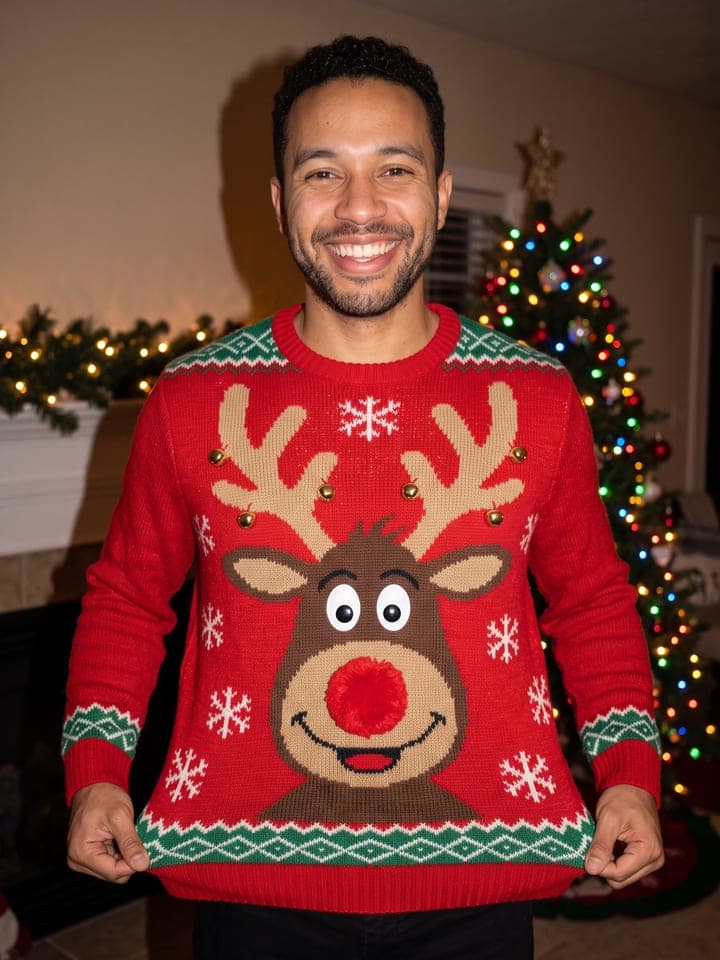
Example result. Yours is made from your own photo.
A flash photo of you at a holiday party in a loud, real-looking ugly Christmas sweater: chunky knit, pom-poms, tinsel, bells and tiny glowing lights. Pick a reindeer, a Santa suit, a light-up tree or a snowman, or pick Your pet's face and add a photo of your cat or dog to get its face knitted on the front. Nothing is written on the knit, so nothing comes out misspelled.
1 photo
per result
Shapes: 9:16 · 3:4 · 4:5 · 1:1 · 4:3 · 16:9. Example shown in 3:4. How photos are counted
How to make an ugly Christmas sweater photo with AI
To get an ugly sweater photo of yourself without buying the sweater, upload one selfie here and pick a design: reindeer, Santa suit, light-up tree, snowman or your pet's face. The result is a flash snapshot of you in a cozy living room at night, grinning and pulling the hem of a chunky knit out to show it off, with 3D add-ons such as pom-poms, tinsel, bells or a gold belt buckle sewn on. It costs 1 photo per run on any plan; new accounts start with 3 free photos.
- Add a daylight close-up selfie. For the pet design, also add a close-up of your cat or dog to Your pet's photo; every other design ignores it.
- Choose a Sweater (Reindeer is selected by default) and press Create (1 photo).
- Check the face and the knit at full size in My creations. For a second design, keep the selfie, switch the Sweater and run again.
Why does it look like a party snapshot?
It copies a candid compact-camera shot with the flash on: your face and the sweater bright and even, a faint hard shadow on the wall, the room behind dim and warm with a lit tree, a garland on the mantel and a plate of cookies. The flash is asked to stay neutral white so your skin, hair and eyes keep their colors, and the room stays empty: no guests, no pets, nobody in the doorways.
Many store-bought ugly sweaters carry a pun. This one has motifs only, because lettering in generated images tends to come out misspelled, and no design copies a film or cartoon character.
What can you use it for?
- Your entry for an office ugly sweater contest held over video call.
- Deciding which design to actually buy or knit before the party.
- A holiday post with your dog's or cat's face on your chest, without a custom-printed sweater.
What does an example run look like?
- AI-generated sample input
 Result
Light-up tree, made from the synthetic test selfie on the left, on a wording one sentence before the final template. A dog photo was attached too and, as designed, ignored. - AI-generated sample input
 Result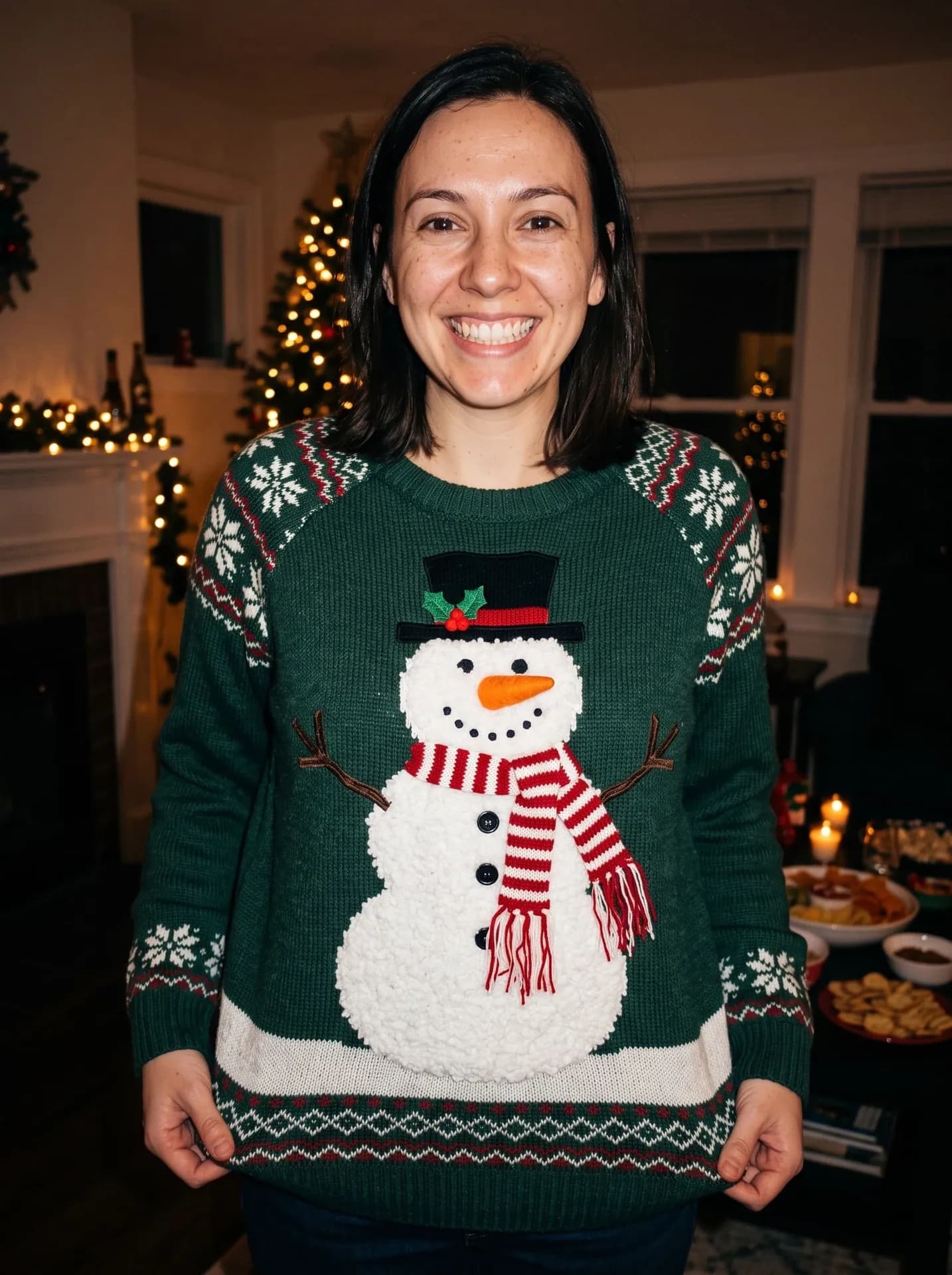
Snowman, made from the synthetic test selfie on the left in an earlier test round, first run. The selfie has a closed-mouth smile; the big grin comes from the template.
How do I get a better result?
- Pick a selfie where your eye color is easy to see. Light eyes are told not to darken, yet in one test run hazel eyes still came out warmer, so compare with your photo.
- For the pet design, shoot your pet face-on in daylight. In testing, a ginger tabby kept its stripes and amber eyes in the knit, and a fawn French bulldog kept its black mask.
- Glasses appear only if your selfie has them, in the same frames. Beard and hairstyle also come from the selfie as they are.
What goes wrong most often?
- Uploading a pet photo while the Sweater is still on Reindeer. With any design other than Your pet's face, the pet photo is skipped and no animal appears, knitted or real.
- Choosing Your pet's face without adding a pet photo. You then get a friendly generic brown-and-white puppy instead of your own animal.
- Hoping for antlers or a Santa hat on your head. Nothing is placed on the head; for a cozier portrait in a plain knit, try AI Christmas Photoshoot.
What you need
Your selfie
Close-up, daylight, one face. No filters or sunglasses.
Your pet's photoOptional
Used only with the Your pet's face sweater: a close-up of your cat or dog, face to the camera, in daylight.
- You pick the sweater
- Reindeer, Santa suit, Light-up tree, Snowman, Your pet's face
Works well
- Your face close to the camera, looking straight in
- Daylight from a window in front of you
- Only you in the frame
- Your pet's face close up, eyes open
Avoid
- Sunglasses, masks or hair over your eyes
- Beauty filters and heavy edits
- Dark rooms and photos taken from far away
- Dark or tiny photos: they can change the fur color