You in GTA 6 Style
AI photo template · from 1 photo
Your portrait as if from the new GTA poster.
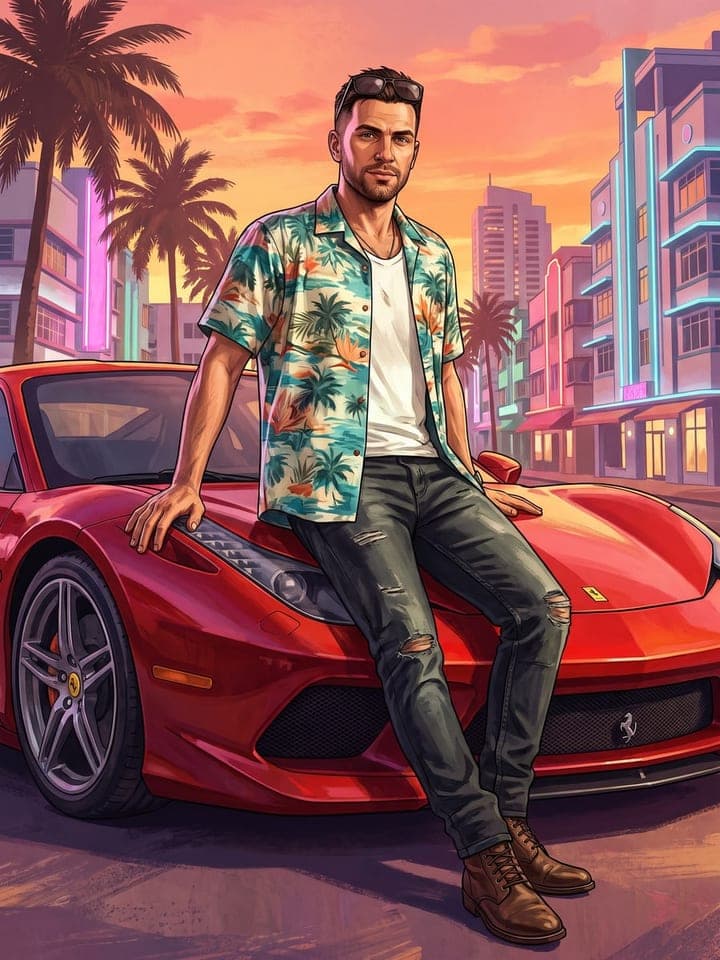
Example result. Yours is made from your own photo.
You as a character from the new GTA 6 in the semi-realistic promo-art style of Rockstar: a confident pose by a sports car, evening Miami with palm trees and Art Deco towers, a warm orange-pink sunset. Attach your photo and, if you like, a short note on your clothes.
1 photo
per result
Shapes: 9:16 · 3:4 · 4:5 · 1:1 · 4:3 · 16:9. Example shown in 3:4. How photos are counted
How to make a GTA-style photo of yourself with AI
To make a GTA style photo of yourself, add one clear photo, plus a short note on your clothes if you like, and this template draws you as a character in semi-realistic game promo art: a confident pose by a sports car, an evening Miami street with palms and Art Deco towers, and an orange-pink sunset. One run costs 1 photo, it's on the Free plan, and a new account's first 3 photos are free.
- Add a photo where your face is clearly visible, in good light and with nobody else in the frame. The photo is required: our text-only tests returned no image.
- Fill in Your look if you want different clothes: Latin letters, up to 120 characters, for example "tropical shirt, white tee, jeans". Leave it empty to keep the outfit from your photo.
- Press Create (1 photo). The scene, the car, the palms and the sunset come with the template, so there is nothing else to set.
Good to know before you start
The look comes from the promotional art for Grand Theft Auto VI, which Rockstar Games says launches on November 19, 2026, for PlayStation 5 and Xbox Series X|S. The game is set in the state of Leonida, around Vice City, a version of Miami, and its posters show characters painted in a semi-realistic style against sunset streets.
This template follows that recipe as its description sets it out: semi-realistic promo-art rendering, a sports car, palm trees, Art Deco towers and a warm orange-pink sky. It is unofficial fan-style art. Outwow (outwow.app) is not affiliated with Rockstar Games or Take-Two, and the template is set up to draw no game logos, titles or car badges. Take-Two's CEO said in February 2026 that generative AI had "zero part" in making GTA 6; this is a separate fan-style tool, not something from the game or its makers.
What can you use it for?
- A gaming profile picture or Discord avatar in the style of the game's promo posters, ready before launch day.
- A poster for a release-night party on November 19, with each guest drawn from their own photo.
- A matching pair for a couple or two friends, each made from their own photo, for a shared profile or a joke poster.
- A set with the Action Figure of Yourself and Hero Over the City templates, for a feed of you as three different characters.
What does an example run look like?
- AI-generated sample input
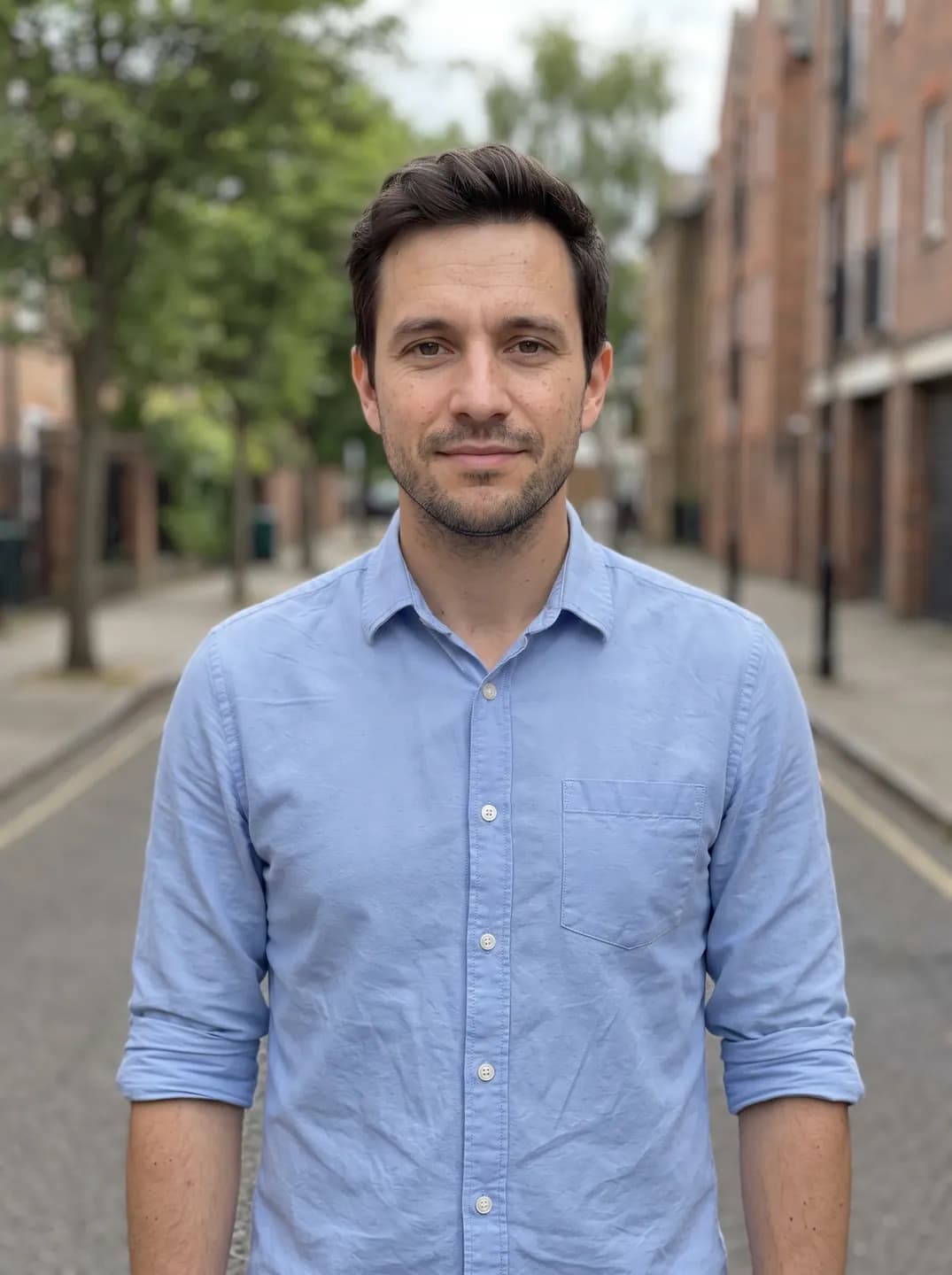 Result
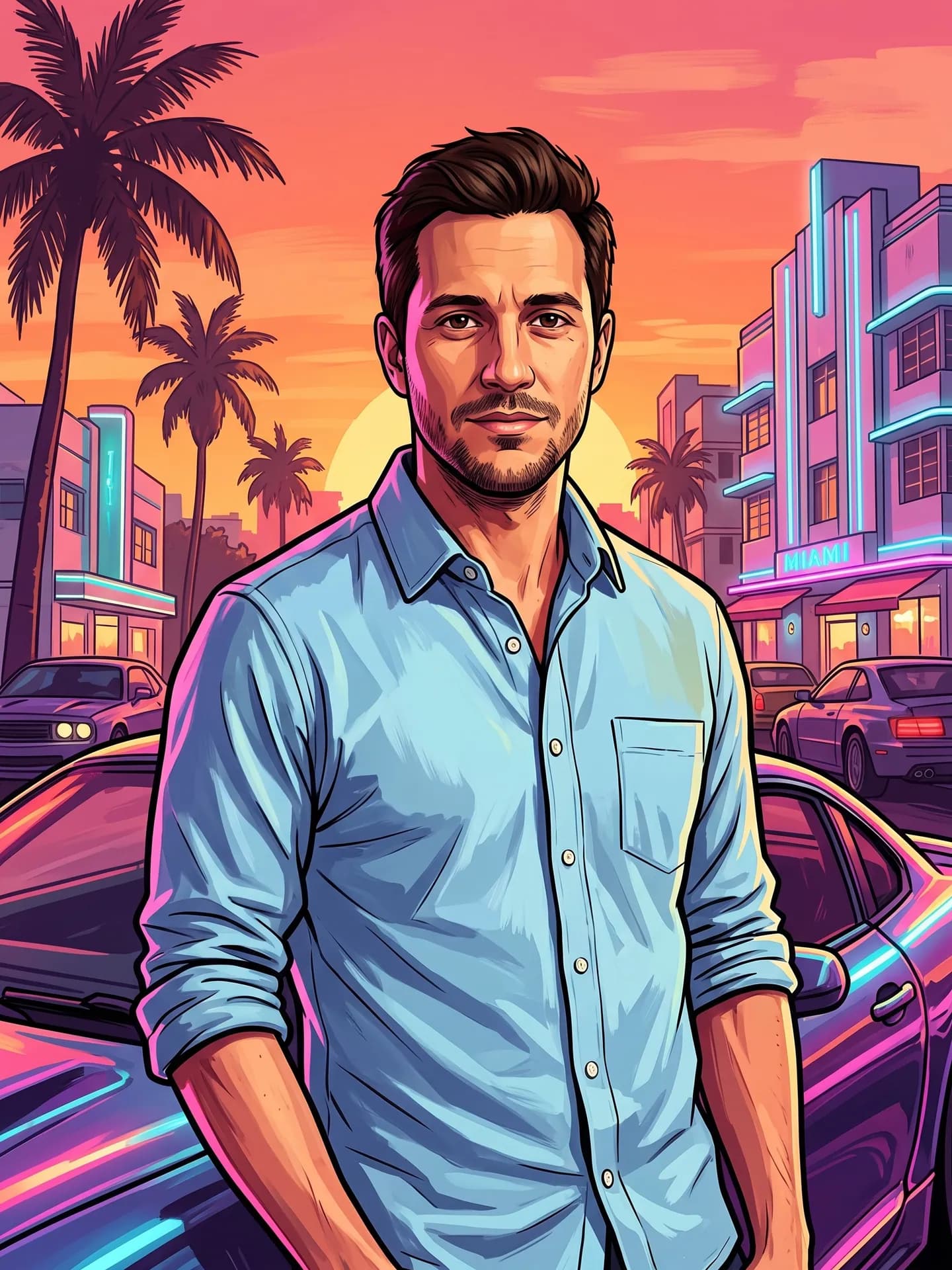
GTA-style portrait from a waist-up photo, second attempt (the first had garbled sign lettering).
How do I get a better result?
- Use a photo where you are the only person and your face is lit from the front. The template builds one character, and a second face in the frame gives it two people to choose from.
- Waist-up works well. In our photo run the template kept the light-blue shirt from the original and stood him in front of a purple sports car on a neon street, so if you want different clothes, say so in Your look.
- Put clothes in the Your look field rather than hair or face details. Your photo already carries the face, and the text has only 120 characters.
- Don't expect Your look to replace the photo. Both of our text-only tests ("man in his mid-20s, dark skin, short haircut, white linen shirt") came back with no image at all, which is why the template now asks for a photo. Use Your look for clothes.
What goes wrong most often?
- Typing the look in a non-Latin alphabet. The field takes Latin letters only, so write it in English.
- Expecting a real GTA character or a game screenshot. The template draws you in a promo-art style; it doesn't place you inside the game.
- Uploading a friend without asking. The photo should show you, or an adult who agreed to it.
What you need
Your photo
Face clearly visible, good light, one person.
Your lookOptional
In Latin letters: clothes or style to add on top of your photo. Leave empty to keep your outfit. Up to 120 characters.
Works well
- A sharp photo with the face clearly visible
- Good, even light
Avoid
- Blurry photos and heavily compressed screenshots
- Faces hidden by hands, hats or shadows