Santa Caught on Camera
AI photo template · from 1 photo
Your own living room at night, with Santa caught on camera.
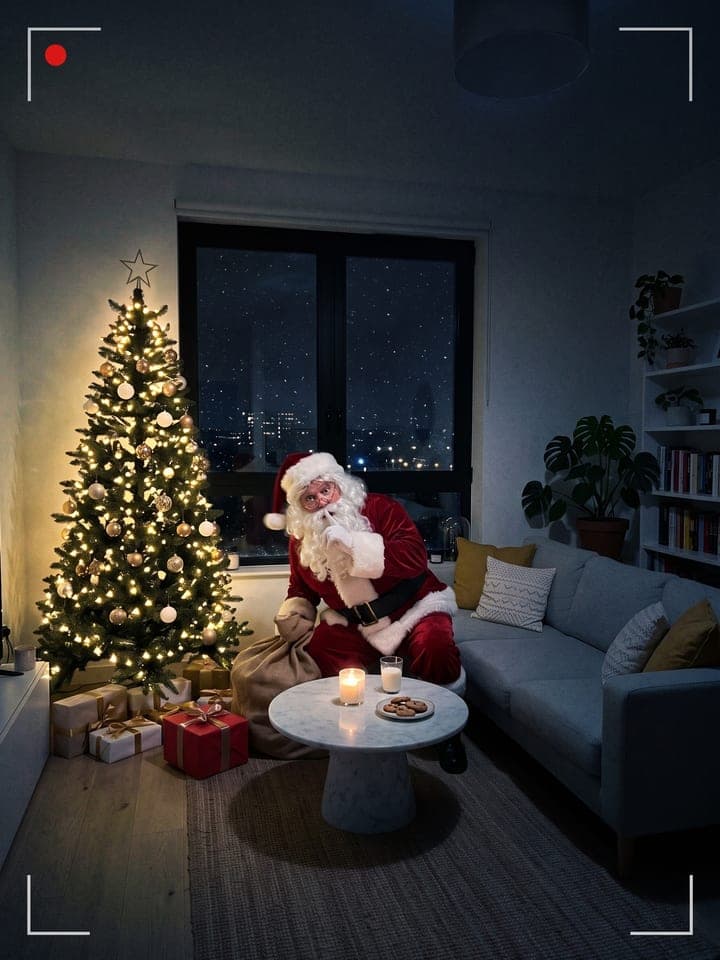
Example result. Yours is made from your own photo.
Upload a photo of your living room, Christmas tree or kid's bedroom with nobody in it, and get a night camera frame of the same room with a visitor caught in the act: Santa leaving gifts, an elf up to mischief, a reindeer nibbling a carrot or the Tooth Fairy at the pillow. The furniture, the tree and the decorations stay where they are, so the kids recognize their own home.
1 photo
per result
Output: same shape as your photo. How photos are counted
How to catch Santa on camera in your living room with AI
To get Santa caught on camera in your own home, photograph the room with nobody in it, upload it and choose a visitor and a camera look: 1 photo per frame on any plan, and new accounts start with 3 free photos. You get a night frame of the same room from the same spot, lamps off and tree lights glowing, with Santa, an elf, a reindeer or the Tooth Fairy caught in the middle of the job.
- Stand where a hidden camera would sit, on a shelf or high in a corner, and photograph the room with the tree, the fireplace or the bed in view.
- Upload it to Photo of your room and pick the Visitor (Santa leaving gifts by default) and the Camera: Security cam, Night vision or Flash photo.
- Download it from My creations. The frame keeps the shape of your photo, tall or wide.
What changes in the room, and what stays?
Walls, windows, rugs and furniture stay where your photo has them, now in the dark; a bare tree gets warm white fairy lights. Everything added belongs to the visitor: Santa's sack and new gifts, with cookies and milk on a table or mantel you already have; the elf's toilet paper looped over the tree; the reindeer's carrot and wet hoof prints; the Tooth Fairy's gold coin on the pillow.
Nothing is written on the frame: no date, time or REC label to misspell. The security-camera looks carry thin corner brackets and a red recording dot instead. Snow falls outside for the three Christmas visitors; the Tooth Fairy gets a plain dark sky, so she fits a lost tooth in any month.
What can you use it for?
- Christmas morning proof that Santa came, caught by the tree with his sack.
- A Tooth Fairy sighting for the night a first tooth comes out.
- A family-chat picture of an elf toilet-papering your tree.
What does an example run look like?
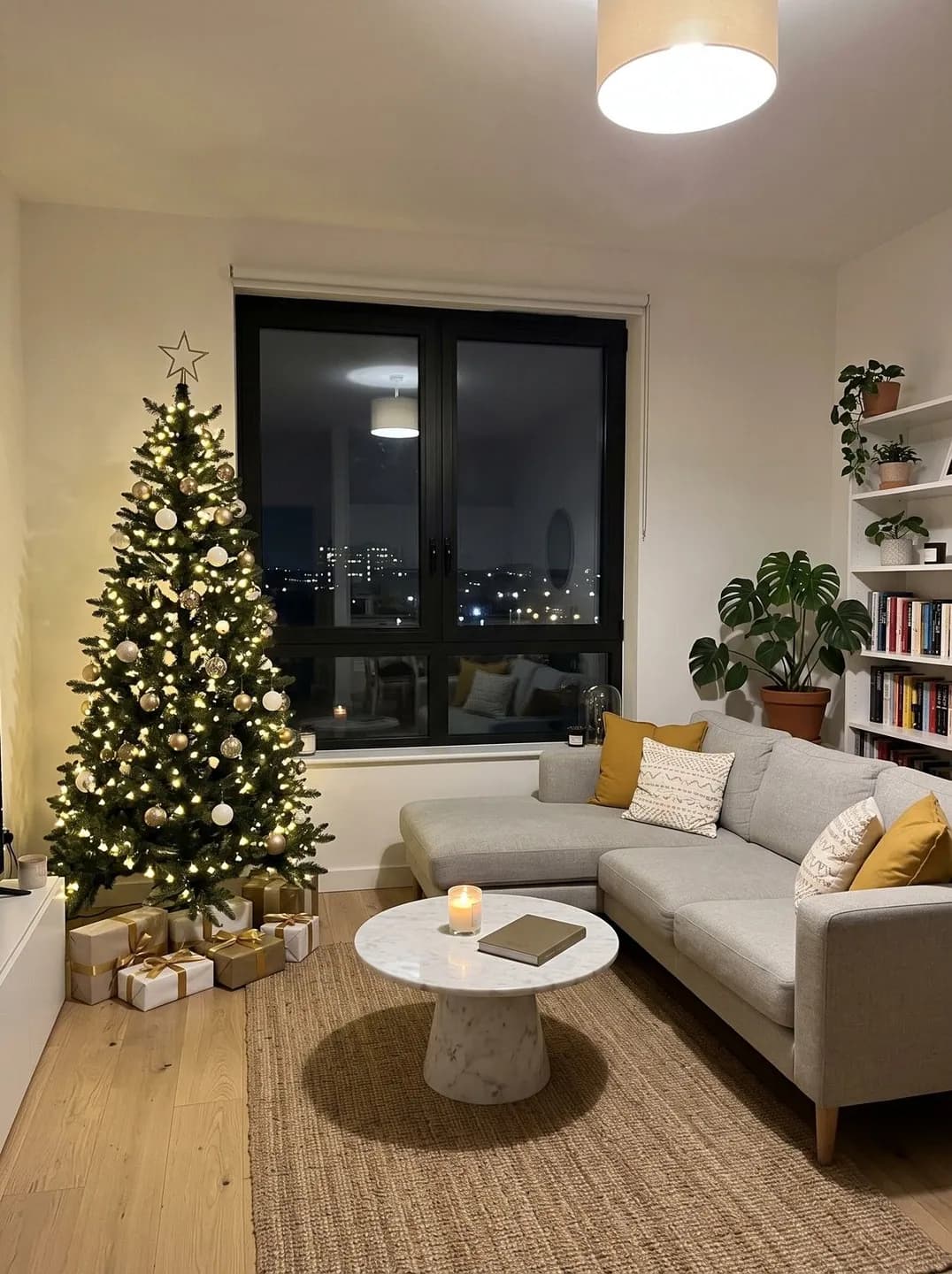
- AI-generated sample input
 Result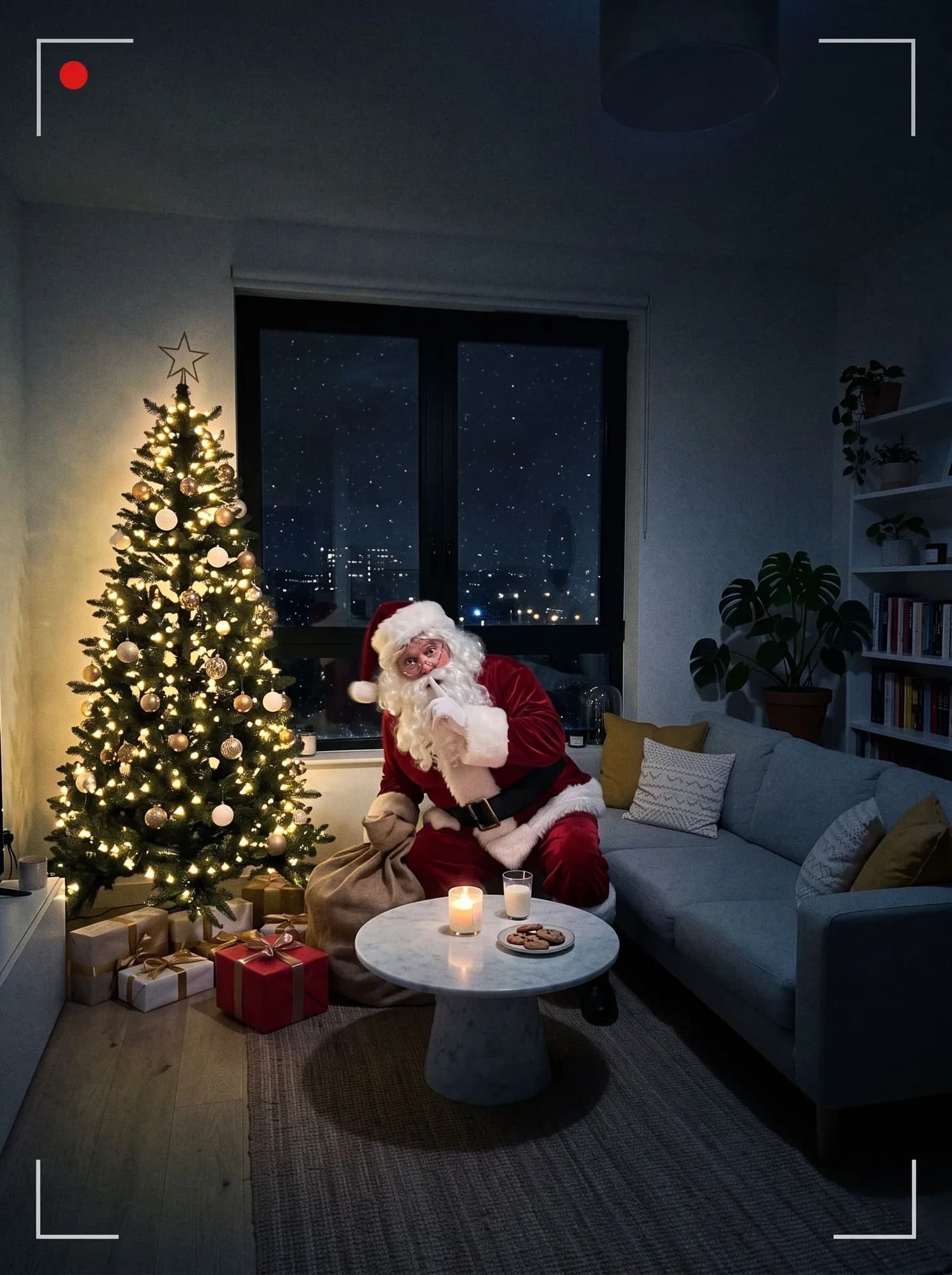
Santa with Security cam, from the synthetic test photo on the left, first Santa run on this room. The cookies landed on the marble table already there (its book is gone), and Santa hides the short end of the sofa. - AI-generated sample input
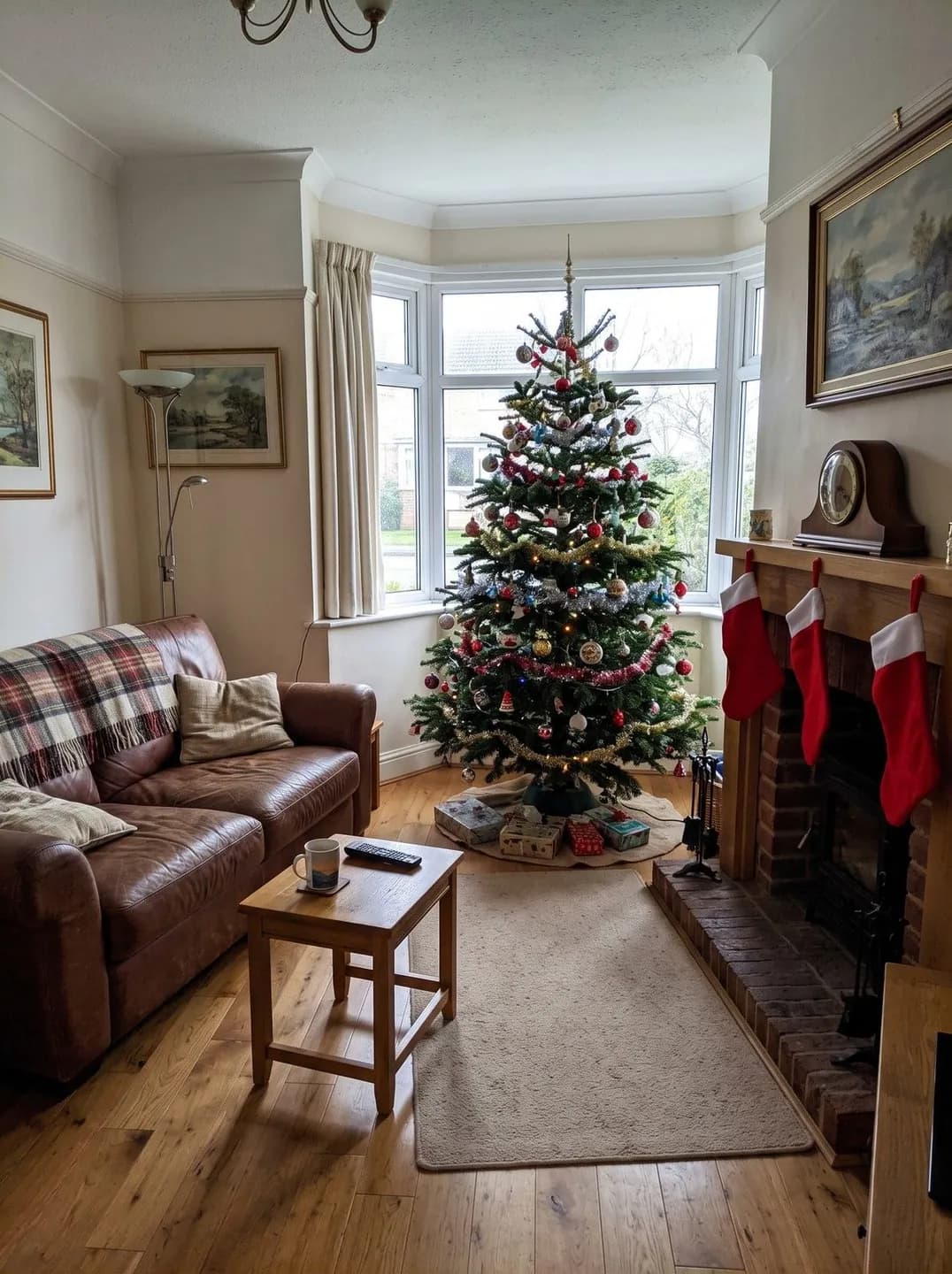 Result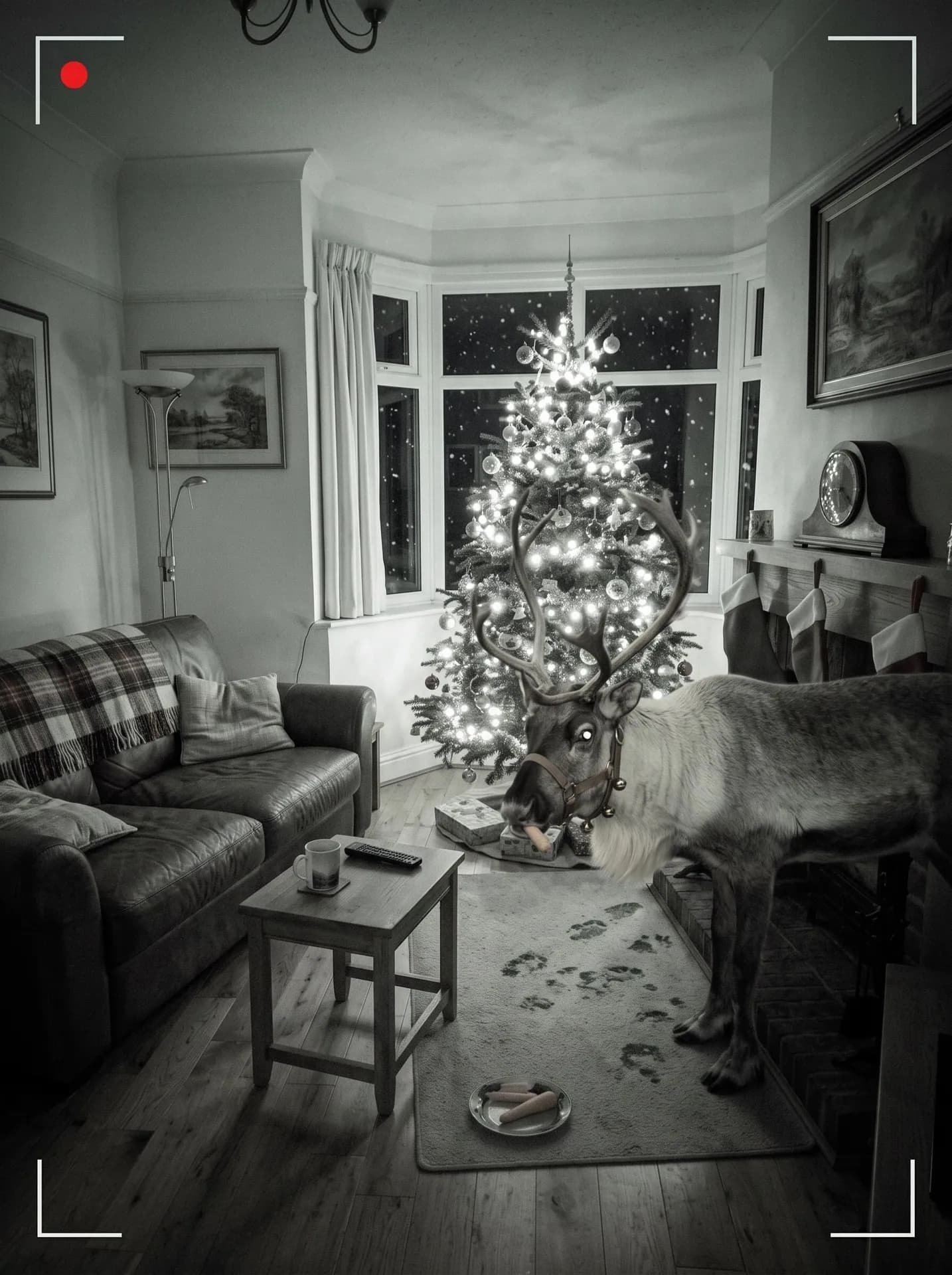
Reindeer with Night vision, from the synthetic test photo on the left, first reindeer run on this room. The eye glows, the nose stays dark, and a faint warm tint survived on the carrots.
Which room photo makes the catch look real?
- Shoot from high up and slightly to the side, the way a security camera hangs. Your exact angle is kept, so an eye-level shot from mid-room never feels like a hidden camera.
- Leave floor space beside the tree: Santa crouches there and the reindeer stands there. Without a tree they move to the fireplace, the sofa or the foot of the bed.
- Decorate first, then shoot. Nothing gets tidied or restyled, so the kids see the room they walk into in the morning.
What goes wrong most often?
- Leaving the cat on the sofa or a sleeping child in bed. The visitor must be the only figure; for a pet posing with Santa, use Pet Photo With Santa.
- Waiting for a tiny elf. In our tests the elf came out about 2 to 2.5 feet tall and the Tooth Fairy just under 2 feet, bigger than asked, though both still read as small creatures, not people in costume.
- Photographing the room in the dark. The night is added for you; a lit room, by day or with lamps on, gives the furniture and the tree something to copy.
What you need
Photo of your room
Your living room, Christmas tree or kid's bedroom, empty: nobody in the photo, not even a sleeping child.
- You pick the visitor
- Santa leaving gifts, Elf mischief, Reindeer by the tree, Tooth Fairy
- You pick the camera
- Security cam, Night vision, Flash photo
Works well
- A wide, sharp photo of the place
Avoid
- People in the background photo