Best AI Pet Portrait Generators (2026): Prices and Styles Compared
The best AI pet portrait generator depends on what you want back: Crown & Paw and PawDressed sell a finished portrait after a free watermarked preview, Adobe Firefly and Fotor turn a pet photo plus a prompt or preset into a portrait, and DreamPets and Pawtograph list 300+ styles in their apps. Outwow (outwow.app), ours, runs pet templates in the browser.
In short
- Crown & Paw and PawDressed show a free watermarked preview, then charge per portrait; of the seven, only Crown & Paw prints and ships canvases.
- Adobe Firefly (free daily generations) and Fotor (a free-forever plan with limited credits) take a pet photo plus your own prompt or a preset style.
- DreamPets and Pawtograph list 300+ styles plus video in their apps; DreamPets also has a smaller web version, while Pawtograph has none.
- Outwow (outwow.app) is ours: 25 pet templates with set looks in the browser, no prompt to write, and 3 photos free once, watermarked; no app, prints or video.
How we compared them
This isn't a full list. We picked six generators in three formats: shops that sell a finished portrait (Crown & Paw, PawDressed), general image tools with a pet portrait page (Fotor, Adobe Firefly) and pet apps (DreamPets, Pawtograph), then added our own. We read each pet portrait page, pricing page, terms or privacy policy and the US App Store and Google Play listings, and wrote down only what they state; where a page is silent, we say so. Prices are copied in the currency and billing period shown. App Store prices are US prices and vary by region.
AI pet portrait generators at a glance
| App | What it does | Free tier | Price as listed | Platforms |
|---|---|---|---|---|
| Crown & Paw | Pick a style such as Regal, then buy the file or a print | Watermarked preview, no card or registration | Digital Download 29 USD (shown against a struck-through 59.95 USD); prints and canvases cost more | Web; no app listed |
| PawDressed | Pet portrait in 50+ styles; a You + Pet mode adds you to the artwork | One watermarked preview per person, device or household | Human+Pet Portrait 9.99 USD; 3 Portrait Pack 19.99 USD; pet-only price not listed | Web; no app listed |
| Fotor | One pet photo plus a prompt or a ready style | Basic, free forever, limited credits (number not given); ad-free only on paid plans | Web: Pro 8.99 USD billed monthly or 39.99 USD billed yearly. US App Store: Week Plan 6.99 USD, Monthly Plan 8.99 USD, Annual Plan 47.99 USD | Web, iPhone, Android |
| Adobe Firefly | A pet photo or a prompt, plus presets such as watercolor or royal | Free daily generations with an Adobe account; number not given | Web plans from Firefly Standard, priced by region. US App Store: Mobile Monthly 4.99 USD, Mobile Yearly 49.99 USD | Web, iPhone, Android |
| DreamPets | Portraits, videos and avatars; 300+ styles in the app and custom prompts | Free to try, limits not listed; store listings say it contains ads | Web: Pro 9.99 USD a month, 29.99 USD a year or 59.99 USD one-time. US App Store adds PRO Weekly 5.99 USD | Web (fewer styles), iPhone, iPad, Android |
| Pawtograph | Photos and videos in 300+ styles across 20+ themes, plus custom prompts | First creation free, per its site and Google Play; its terms say features need a subscription | US App Store: Pro Weekly 7.99 USD, Pro Annual 59.99 USD; edit packs from 5.99 USD | iPhone, iPad, Android; no web generator listed |
| Outwow (ours) | 25 pet templates with set looks; 11 offer a background, style, wings & halo, pumpkin, type, role, genre, costume, reading, magazine or scene choice | 3 photos free once, watermarked, no card | Weekly Pass $6.99 a week; Mini $9.99 a month; 1 photo per portrait | Web (phone or computer browser); no app |
Crown & Paw
- What it does
- Pick a style such as Regal, then buy the file or a print
- Free tier
- Watermarked preview, no card or registration
- Price as listed
- Digital Download 29 USD (shown against a struck-through 59.95 USD); prints and canvases cost more
- Platforms
- Web; no app listed
PawDressed
- What it does
- Pet portrait in 50+ styles; a You + Pet mode adds you to the artwork
- Free tier
- One watermarked preview per person, device or household
- Price as listed
- Human+Pet Portrait 9.99 USD; 3 Portrait Pack 19.99 USD; pet-only price not listed
- Platforms
- Web; no app listed
Fotor
- What it does
- One pet photo plus a prompt or a ready style
- Free tier
- Basic, free forever, limited credits (number not given); ad-free only on paid plans
- Price as listed
- Web: Pro 8.99 USD billed monthly or 39.99 USD billed yearly. US App Store: Week Plan 6.99 USD, Monthly Plan 8.99 USD, Annual Plan 47.99 USD
- Platforms
- Web, iPhone, Android
Adobe Firefly
- What it does
- A pet photo or a prompt, plus presets such as watercolor or royal
- Free tier
- Free daily generations with an Adobe account; number not given
- Price as listed
- Web plans from Firefly Standard, priced by region. US App Store: Mobile Monthly 4.99 USD, Mobile Yearly 49.99 USD
- Platforms
- Web, iPhone, Android
DreamPets
- What it does
- Portraits, videos and avatars; 300+ styles in the app and custom prompts
- Free tier
- Free to try, limits not listed; store listings say it contains ads
- Price as listed
- Web: Pro 9.99 USD a month, 29.99 USD a year or 59.99 USD one-time. US App Store adds PRO Weekly 5.99 USD
- Platforms
- Web (fewer styles), iPhone, iPad, Android
Pawtograph
- What it does
- Photos and videos in 300+ styles across 20+ themes, plus custom prompts
- Free tier
- First creation free, per its site and Google Play; its terms say features need a subscription
- Price as listed
- US App Store: Pro Weekly 7.99 USD, Pro Annual 59.99 USD; edit packs from 5.99 USD
- Platforms
- iPhone, iPad, Android; no web generator listed
Outwow (ours)
- What it does
- 25 pet templates with set looks; 11 offer a background, style, wings & halo, pumpkin, type, role, genre, costume, reading, magazine or scene choice
- Free tier
- 3 photos free once, watermarked, no card
- Price as listed
- Weekly Pass $6.99 a week; Mini $9.99 a month; 1 photo per portrait
- Platforms
- Web (phone or computer browser); no app
Crown & Paw: a preview first, then a file or a canvas
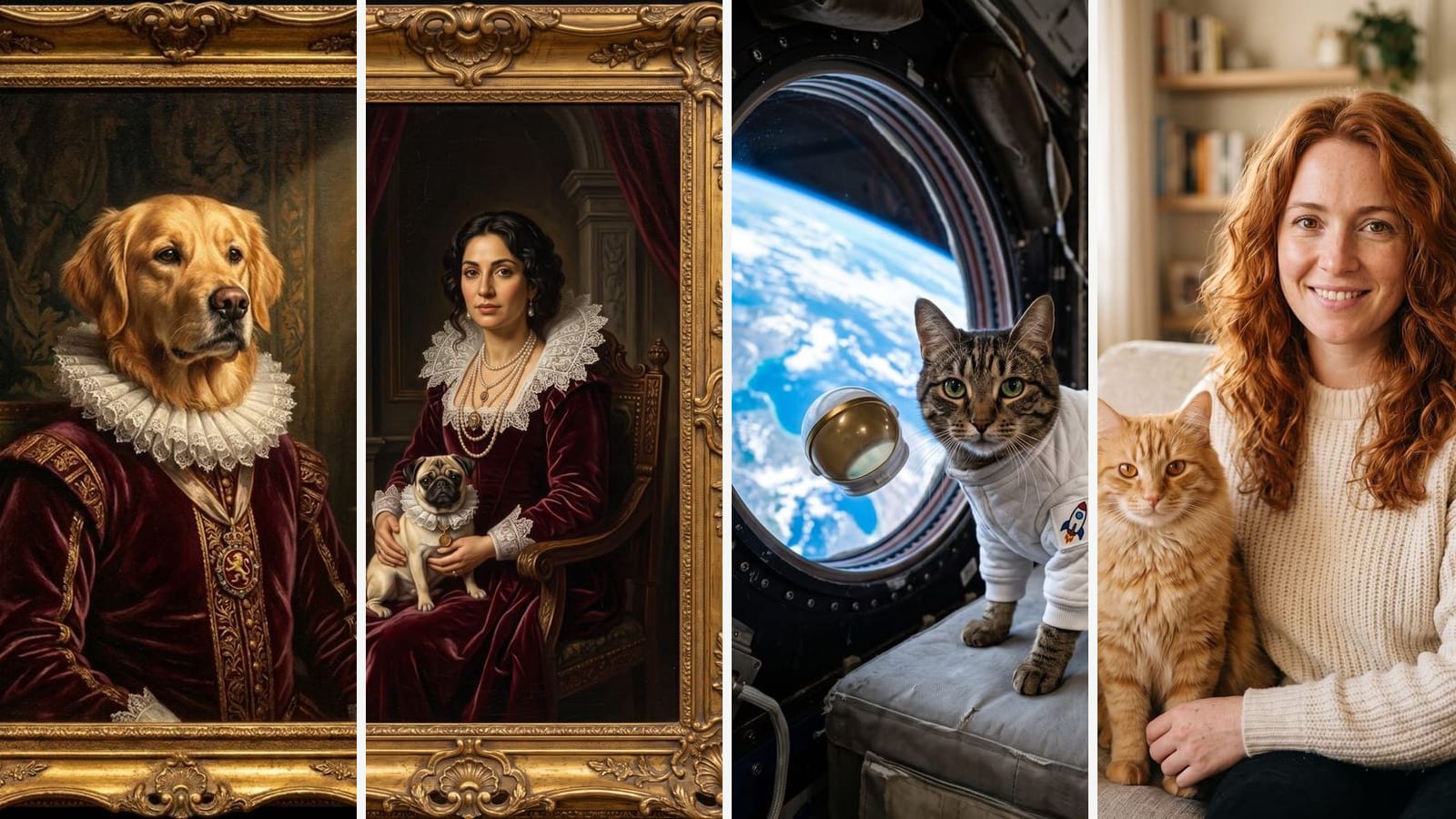
Crown & Paw is a pet portrait shop whose artists also design portraits by hand; its AI Pet Portrait generator works in three steps: upload, choose a style, print. Styles include Regal, Gentry, Biblical and Military. The preview takes minutes, needs no card or registration and is watermarked until you buy, and editing or starting over costs nothing. The Digital Download, a high-resolution file without a watermark, was 29 USD, shown next to a struck-through 59.95 USD. Fine Art Prints (8 x 10 to 18 x 24 inches) and canvases (8 x 10 to 32 x 48 inches) cost more by size and frame, include the digital file and are dispatched in 7 to 9 days. Several pets work if they share the one photo you upload. It runs in the browser, with no app listed. Pick it for a canvas delivered to your door.
PawDressed: pay per portrait, with a You + Pet mode
PawDressed turns one pet photo into a portrait in 50+ styles, including royal, watercolor, oil painting and Renaissance; its generator page takes dogs, cats, rabbits, birds and other pets. A You + Pet mode combines a photo of you and one of your pet in one artwork. The free preview is watermarked, with no signup or card, and the terms allow one per person, device or household. After that you pay per portrait, with no subscription: 9.99 USD for a Human+Pet Portrait or 19.99 USD for a 3 Portrait Pack. The pet-only portrait is called lower-priced, but no price is listed. The license is personal and non-commercial, and the privacy policy says pet images aren't used for marketing or training. It is web only. Pick it for a one-off portrait of you and your pet.
Fotor: a ready style or your own prompt
Fotor is a photo editor with a pet portrait feature: you upload one clear pet photo, then pick one of its ready styles or write a prompt, such as a watercolor or your pet as a wizard or king. New users get limited free credits, with no number given, and can earn more through check-ins and tasks; neither page says how many credits a portrait uses. The pet page says downloads are high resolution and watermark-free, but the pricing page lists high-definition export, watermark-free files and an ad-free experience only in the paid-plan rows, with normal-quality export on the free Basic plan. Pro is 8.99 USD billed monthly or 39.99 USD billed yearly, and the US App Store adds a weekly plan. Both store listings say the app contains ads, and its Google Play data safety section says it may share personal info and device IDs with third parties and that you can request deletion. Fotor runs on the web and in iPhone and Android apps. Pick it if you also want a full photo editor.
Adobe Firefly: free daily tries and a royal preset
Adobe Firefly's pet portrait page takes a reference photo of your pet or a text prompt, then a preset such as watercolor, sketch, fantasy or royal; several pets can share one image. A free Adobe account gets daily generations, number not given, and the plans page says the limits refresh every day without a plan. Paid web plans start with Firefly Standard, with 2,000 generative credits a month that don't roll over, and Adobe says paid plans keep unlimited standard features such as Generate Image after the credits run out; adobe.com shows that price by region. The iPhone app lists Mobile Monthly at 4.99 USD and Mobile Yearly at 49.99 USD, and Android has its own Google Play app. Adobe says images from its own Firefly model are designed to be commercially safe; its plans FAQ leaves outputs of partner models to you. Pick it for free daily tries and full control over the style.
DreamPets: 300+ styles in the app, fewer on the web
DreamPets turns one pet photo into portraits, videos and avatars. Its App Store listing lists over 300 styles, mix-and-match outfits and scenes, and custom prompts. It runs on the web, iPhone, iPad and Android; the web version shows fewer styles and points you to the app for the rest. It is free to try, but the free limits aren't listed; Pro lists use without everyday limits, every premium style, no watermark, high-definition saves and video styles. The pricing page shows Pro at 9.99 USD a month, 29.99 USD a year or 59.99 USD one-time for Lifetime, and the US App Store adds a weekly plan. Both store listings say the app contains ads, and its Google Play data safety section says it may share personal info and device IDs with third parties and that you can request deletion. Pick it for a large style library with a one-time option.
Pawtograph: themed styles in a phone app
Pawtograph is a pet photo and video app for iPhone, iPad and Android, with no web generator listed. You upload one photo and pick from over 300 styles across 20+ themes, or describe your own; by its own figure a portrait takes about 20 seconds, and a built-in upscale to 4K helps with printing. Its site and Google Play listing say the first creation is free, but its terms, updated July 10, 2026, say every feature needs an active subscription. The US App Store lists Pro Weekly at 7.99 USD and Pro Annual at 59.99 USD, plus edit packs from 25 edits for 5.99 USD; the terms give subscribers 40 credits a week, one per generation or upscale, capped at 800 a year, then 5 a week. Its privacy policy says it has no user accounts and you can ask it to delete usage records tied to your app ID; its Google Play data safety section says data can't be deleted. Pick it for quick themed portraits on your phone.
Outwow: ready-made pet templates in the browser
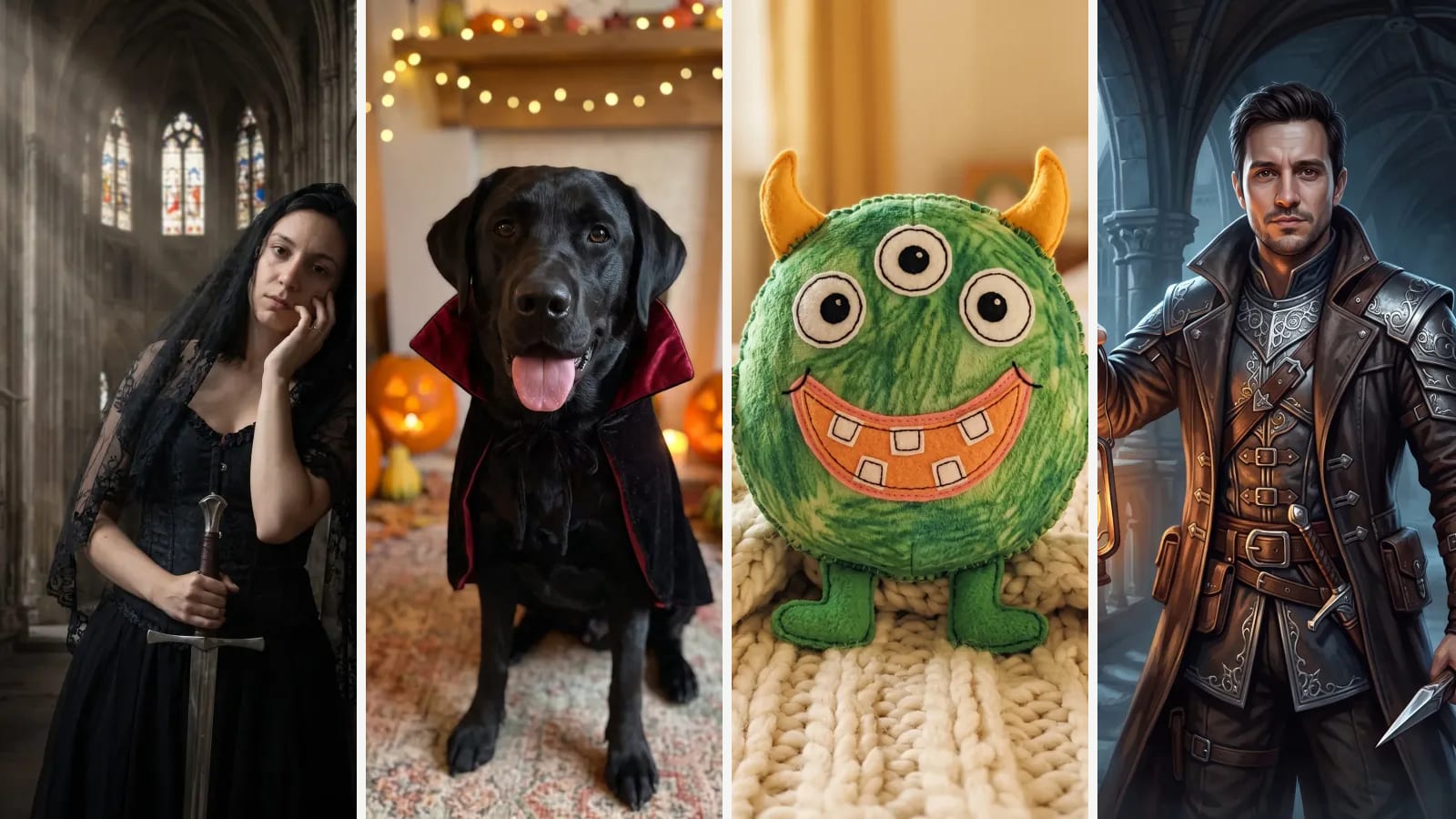
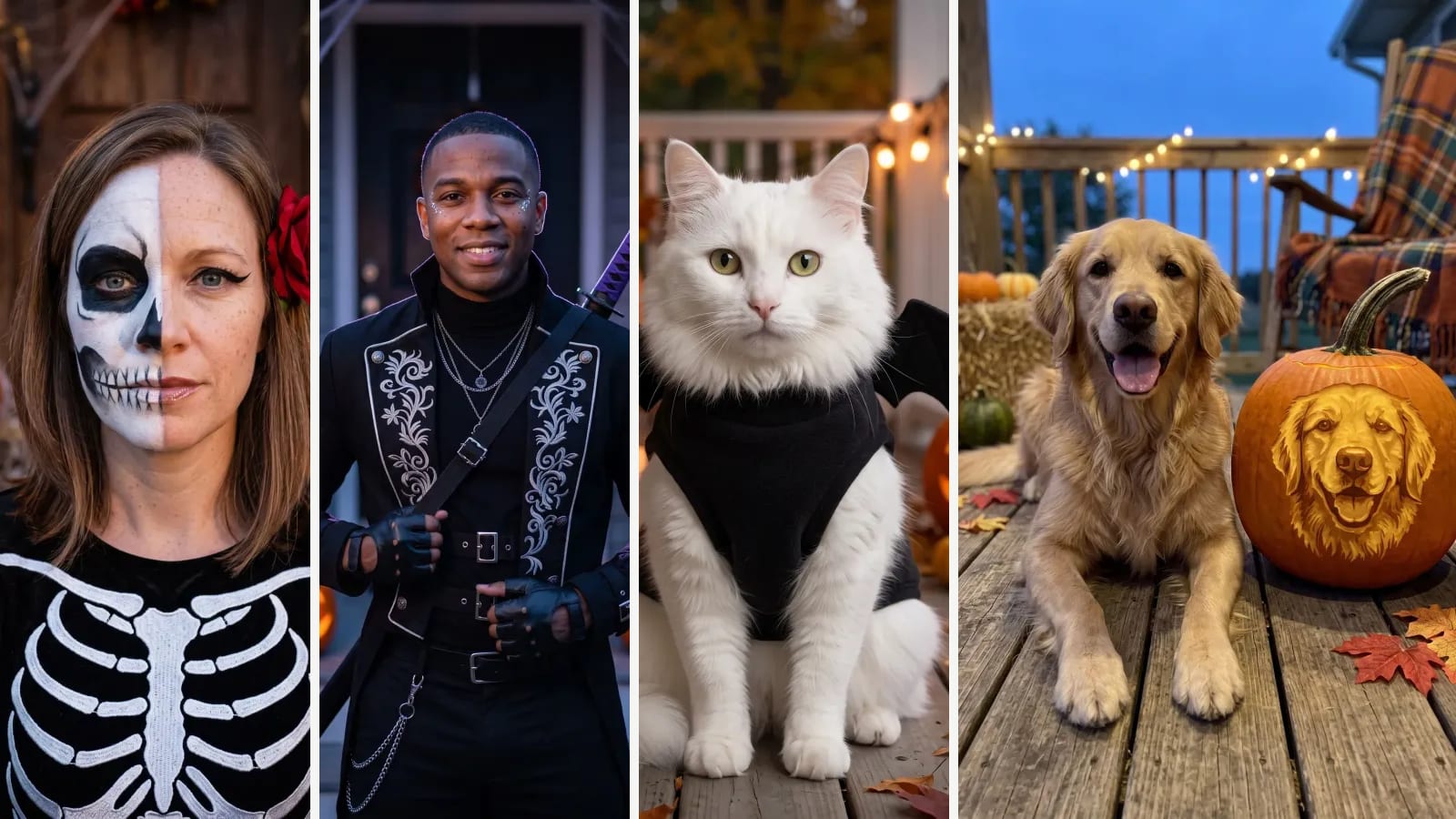
Outwow (outwow.app) is ours, so weigh this section accordingly. Each of its 25 pet templates has a ready-made look, such as Pet Aristocrat or Royal Portrait With My Pet, and 11, including Pet in Character, let you pick a background, style, wings & halo, pumpkin, type, role, genre, costume, reading, magazine or scene. You add a photo of your pet, for some one of you too, and write no prompt. Small or dark photos can shift the fur color, and in our five-pet test two of six runs left the head looking pasted on, so a rerun can be needed. The templates linked here cost 1 photo a run, reruns too, on any plan; new accounts get 3 photos free once, watermarked, and the Weekly Pass is $6.99 a week for 30 photos without a watermark. Commercial use, such as selling prints, comes with Premium and Ultra (from $39.99 a month), within the limits its AI providers set. Where others do better: Outwow has no App Store or Google Play app, canvases or video, Crown & Paw edits and restarts for free, and Outwow's pet templates paint one pet per run where Crown & Paw and Firefly take several.
Which one to pick
- A canvas or print delivered: Crown & Paw.
- You and your pet in one picture: PawDressed (pay per portrait, no subscription) or Outwow's Royal Portrait With My Pet and Me and My Pet.
- Free daily tries and your own prompt: Adobe Firefly; Fotor (limited free credits, more for check-ins) if you also want a full photo editor.
- Several pets in one image: Crown & Paw or Firefly.
- Hundreds of styles plus video: DreamPets (with a web version and a Lifetime plan) or Pawtograph (phone and tablet app).
- Your pet as a person, a figurine picture or in a role you pick, with no prompt to write: Outwow.
Before you upload, check how long each app keeps your photos. PawDressed deletes uploads and finished portraits after 30 days, and Pawtograph deletes uploads from its servers after 1 day and keeps results only on your device. Outwow deletes uploads within 24 hours and keeps results for 7 to 365 days, depending on the plan. All three say outside AI providers process the photos under their own terms; Outwow's providers are in the United States and commit not to train on them. Our privacy checklist lists what else to look for.